Use
18
Ironing temperat-
ure
The ironing temperature should be selected according to the type of
fabric being ironed.
Fabric Symbol Temperature Preset value
Nylon / artificial silk
100–110°C 110°C
Silks / woollens
111–150°C 125°C
Cottons / linens
151–185°C 180°C
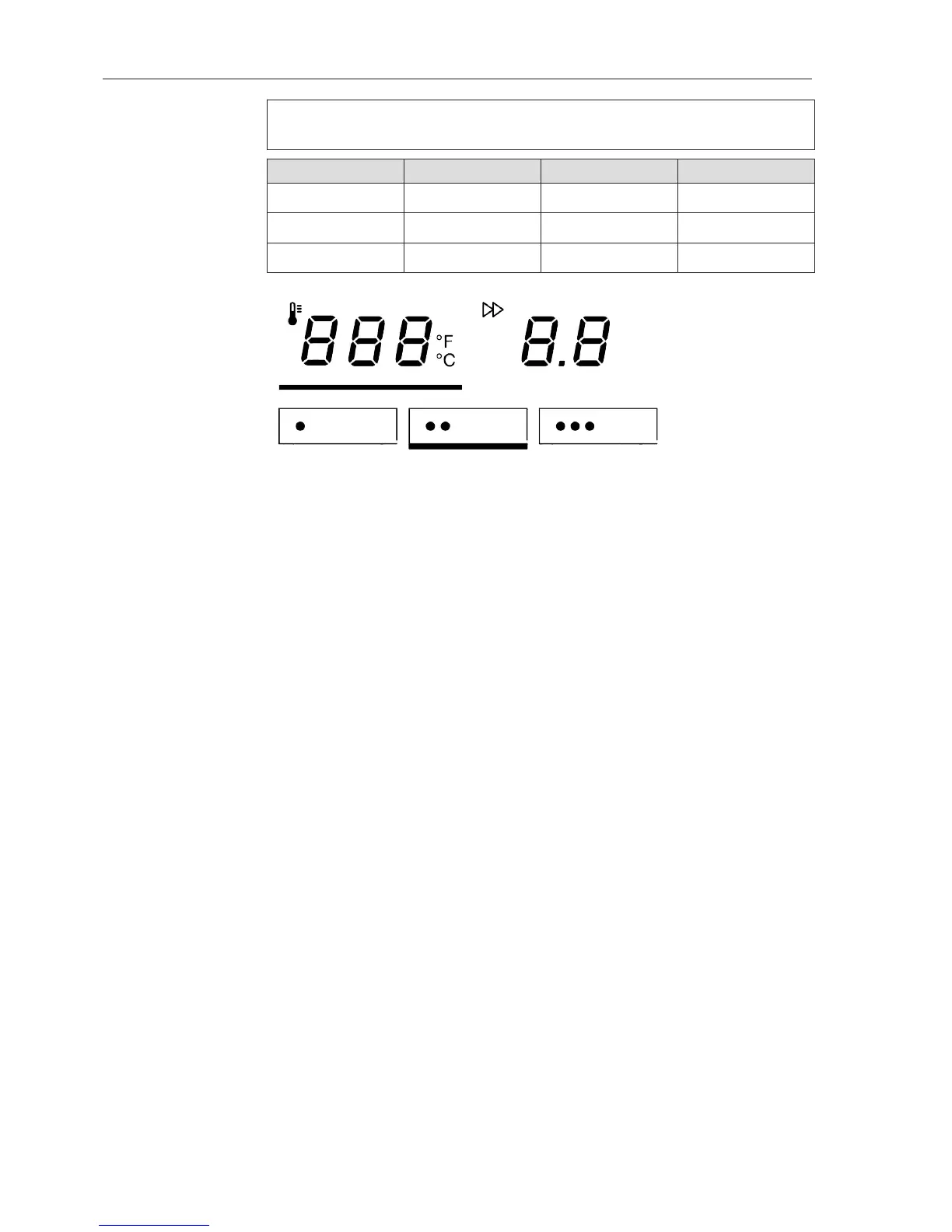
Temperature selection buttons
The ironer temperature can be set either via the temperature selection
buttons or alternatively via the or –button.
If the ironing temperature is changed from a higher to a lower level,
the heater plate has to cool down first. In this case, the heater ele-
ment for the ironer is switched off. The red symbol signals that the
current ironer temperature is still too high. When the symbol goes
out, this indicates that the selected temperature has been reached.
Setting the iron-
ing temperature
Press the button on the control panel to access the ironing
temperature selection mode.
The button will then be highlighted with a bar underneath.
Now press one of the threetemperature selection buttons.
(For example, temperature selection button)
The selected temperature selection button will be highlighted with a
bar underneath and the heater plate heated / cooled to the appropri-
ate temperature.
Changing the
value of a temper-
ature selection
button
Press the temperature selection button you want to change the
value for.
Keep it pressed in. The bar will light up underneath it and the current
temperature value will appear in the display.
Press the or –button to set the temperature you want to save for
that button.
Then press and hold the temperature selection button highlighted
with a bar underneath until it flashes once.
The new temperature value is now saved for that temperature selec-
tion button.



 To Next Page