The menu Settings - Supervisor level must be activated
by Technical Service.
The menu "Settings" (except Languages J) is locked with
a code to prevent unwanted access.
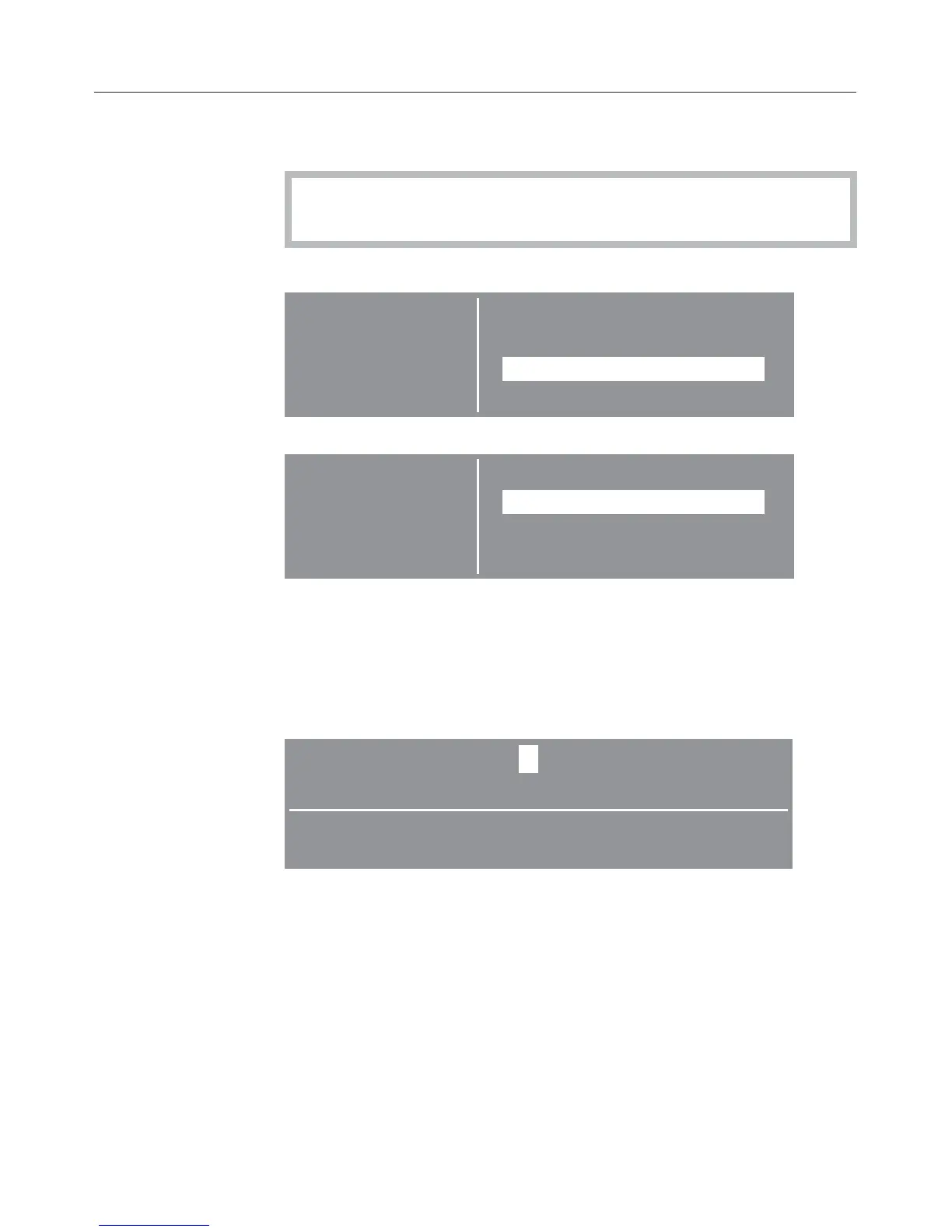
Selecting Settings
Settings BackA
Language F
Supervisor level
^
Select "Supervisor level" and confirm.
Settings BackA
Supervisor level
Access via code
^ Select "Access via code" and confirm.
Entering the code
^ Enter the code "000" (factory default).
If a wrong code is entered three times, the code entry will
be locked for 1 hour.
0 __
Enter code
^
Turn the jog shuttle until the first digit shows. Confirm the
digit. Enter the second and third digit.
Settings - Supervisor level
63








 To Next Page