Quick Start Guide
www.milesight.com
5.5 Mini Bullet Network Camera
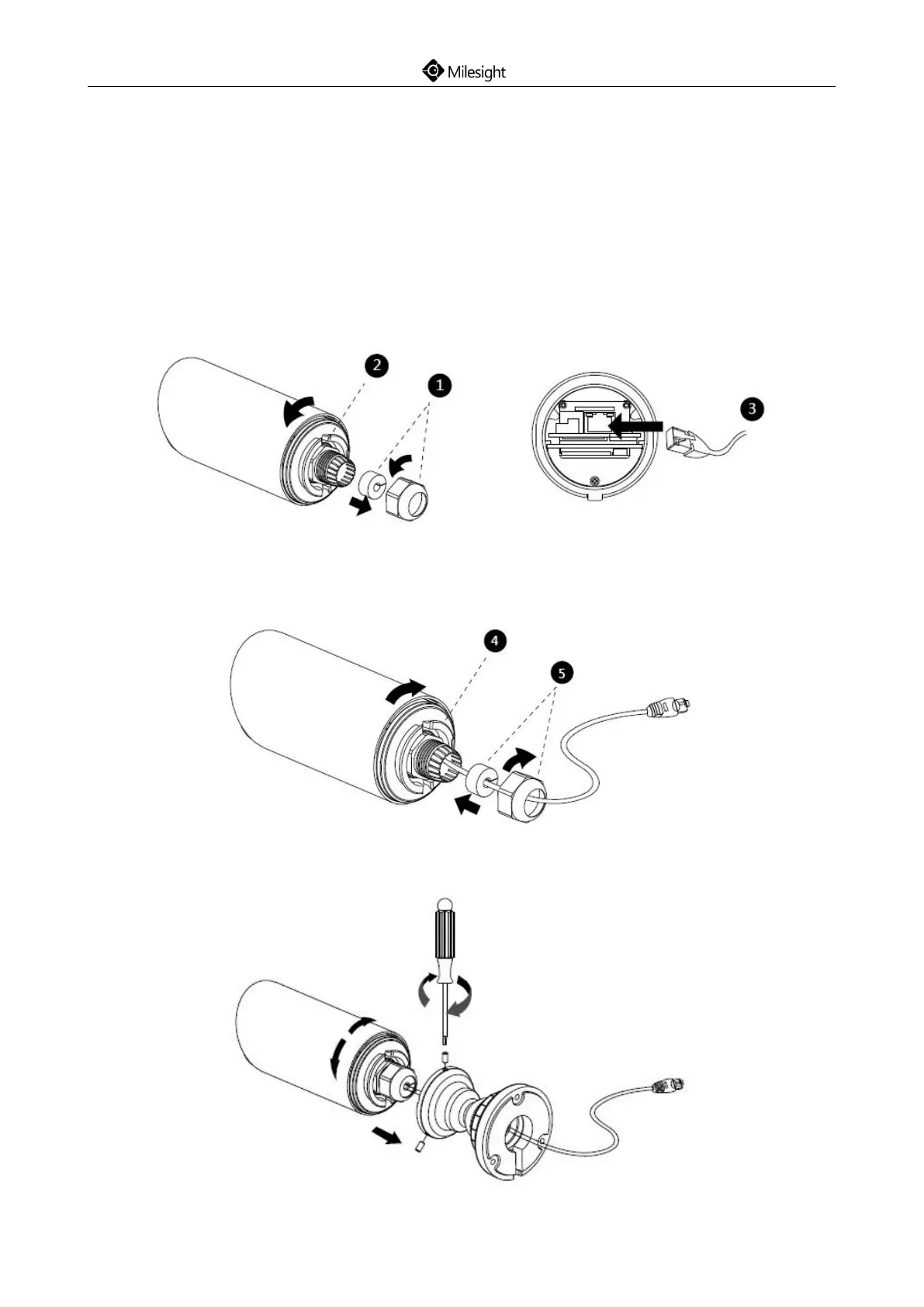
Step1: Loosen the waterproof connector, and then remove the rubber seal, and the waterproof
connector;
Step2: Loosen and open the rear cover;
Step3: Install a Micro SD/SDHC/SDXC card, connect an Ethernet cable and pass it through the
rubber seal;
Step4: Install and tighten the rear cover;
Step5: Tighten the rubber seal, seal clamp, and cap nut of the waterproof connector;
Step6: Pass the Ethernet cable through the center of the mount bracket, put the bracket and
camera together, rotate the bracket and fasten the bracket using screws;











 To Next Page