Quick Start Guide
www.milesight.com
5.8 Mini PTZ Bullet Network Camera
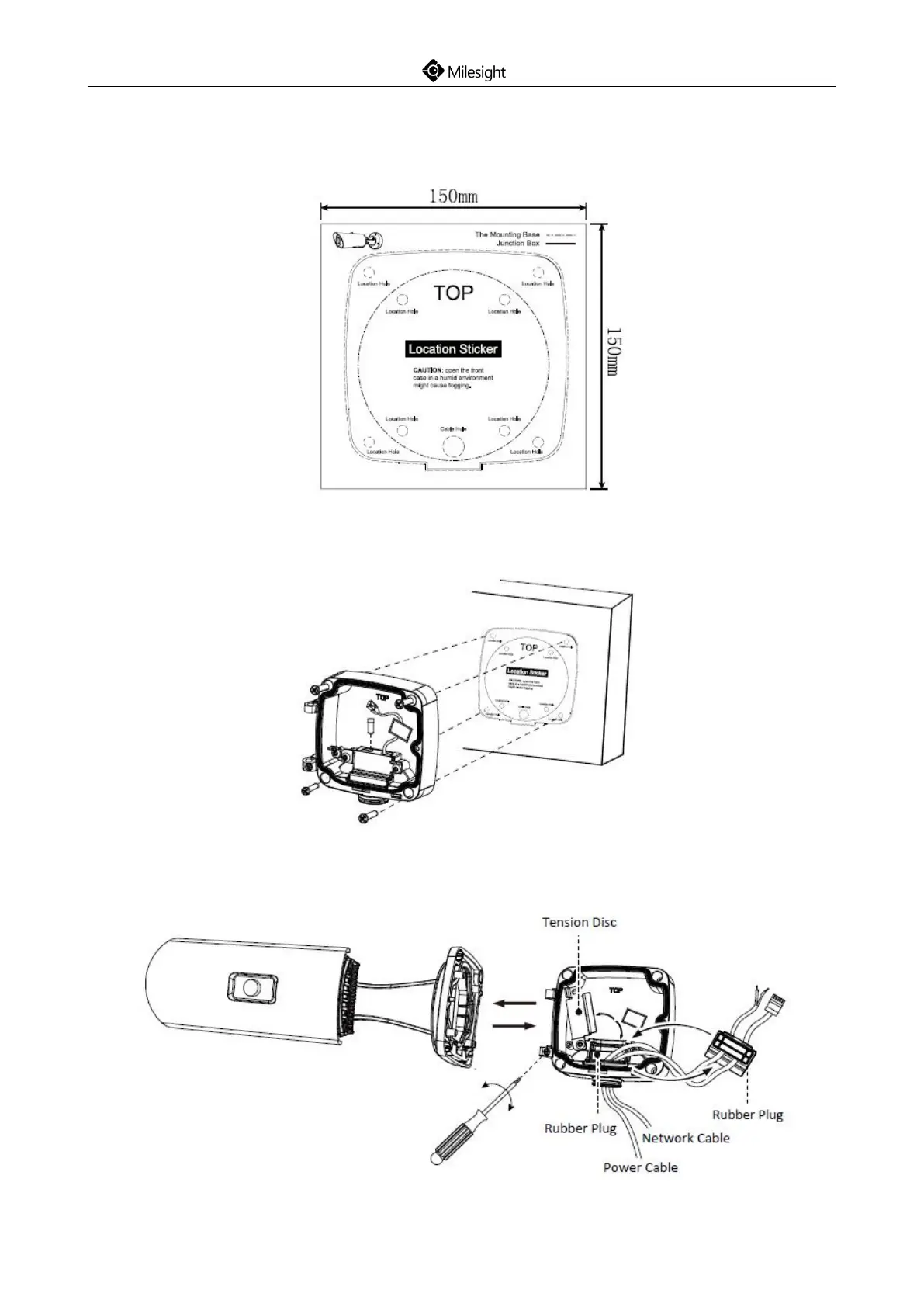
Step1: Fix a sticker in the position where you want to install your camera;
Step2: Pass the Ethernet cable through the rear cover and fasten the rear cover to the ceiling or
wall;
Step3: Remove tension disc and get your cables through the rubber plug, fix the tension disc again
then connect the cables correctly;











 To Next Page