Quick Start Guide
www.milesight.com
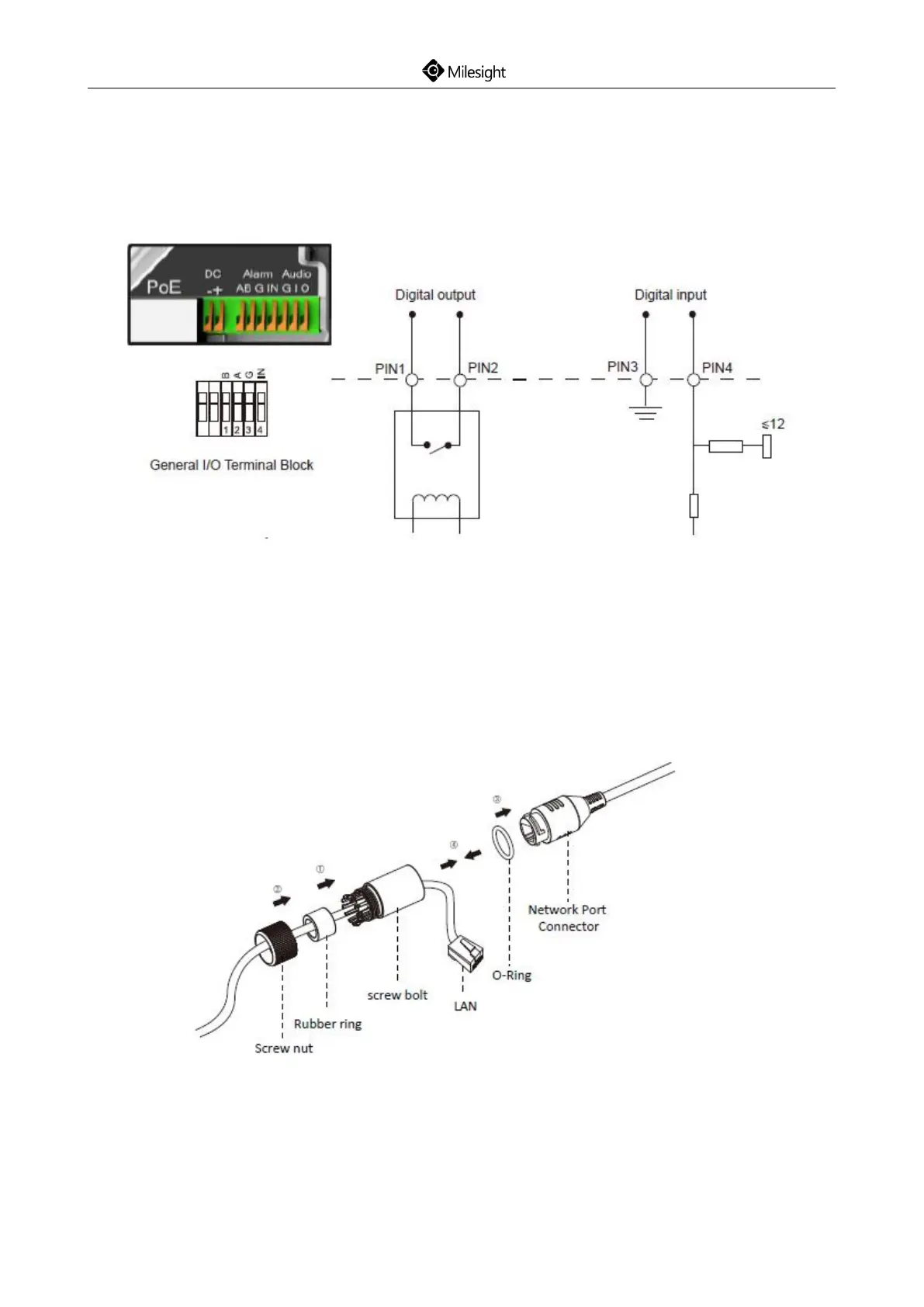
6. How to Connect to Alarm Interface
External interface of camera is as the following, you can refer to the picture to install the external
alarm device:
PIN1: Alarm Output NC/NO 24V DC 1A
PIN2: Alarm Output NC/NO 24V DC 1A
PIN3: Alarm Input NC/NO ≤12V
PIN4: Alarm Input NC/NO ≤12V
7. How to Connect the Water-proof Connector
Step1: Get the network cable through the screw nut, rubber ring and the screw bolt;
Step2: Insert the rubber ring into the screw bolt;
Step3: Connect the screw nut to the screw bolt;
Step4: Place the O-Ring on the network port connector;
Step5: Connect to RJ45 and the connector of camera, screw the screw bolt and the connector;











 To Next Page