Quick Start Guide
www.milesight.com
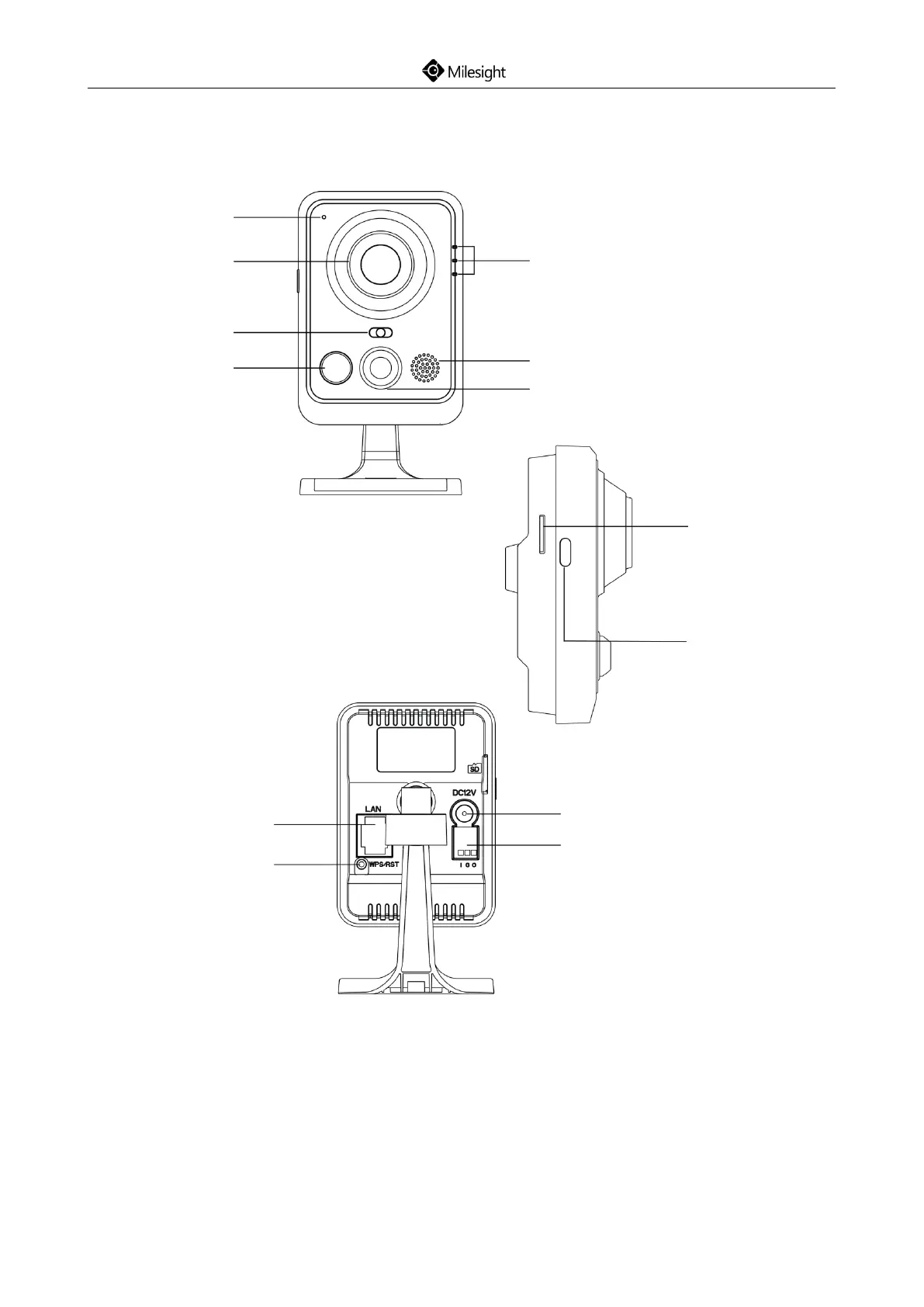
4.4 Wi-Fi Mini Cube Network Camera
Figure 4-4 Wi-Fi Mini Cube Network Camera
Note:
1) SIP Button: Trigger alarm via SIP calling. After this button is pressed, the camera will call the SIP
Phone;
2) WPS Button: Press this button, and then press the WPS button on your router to set up
wireless connection automatically;
3) DC 12V and PoE are available for power supply;
4) Reset Button: Press “Reset” button for 5 seconds, the device will be restored to factory default.
Micro SD/SDHC/SDXC
Card Slot











 To Next Page