Quick Start Guide
www.milesight.com
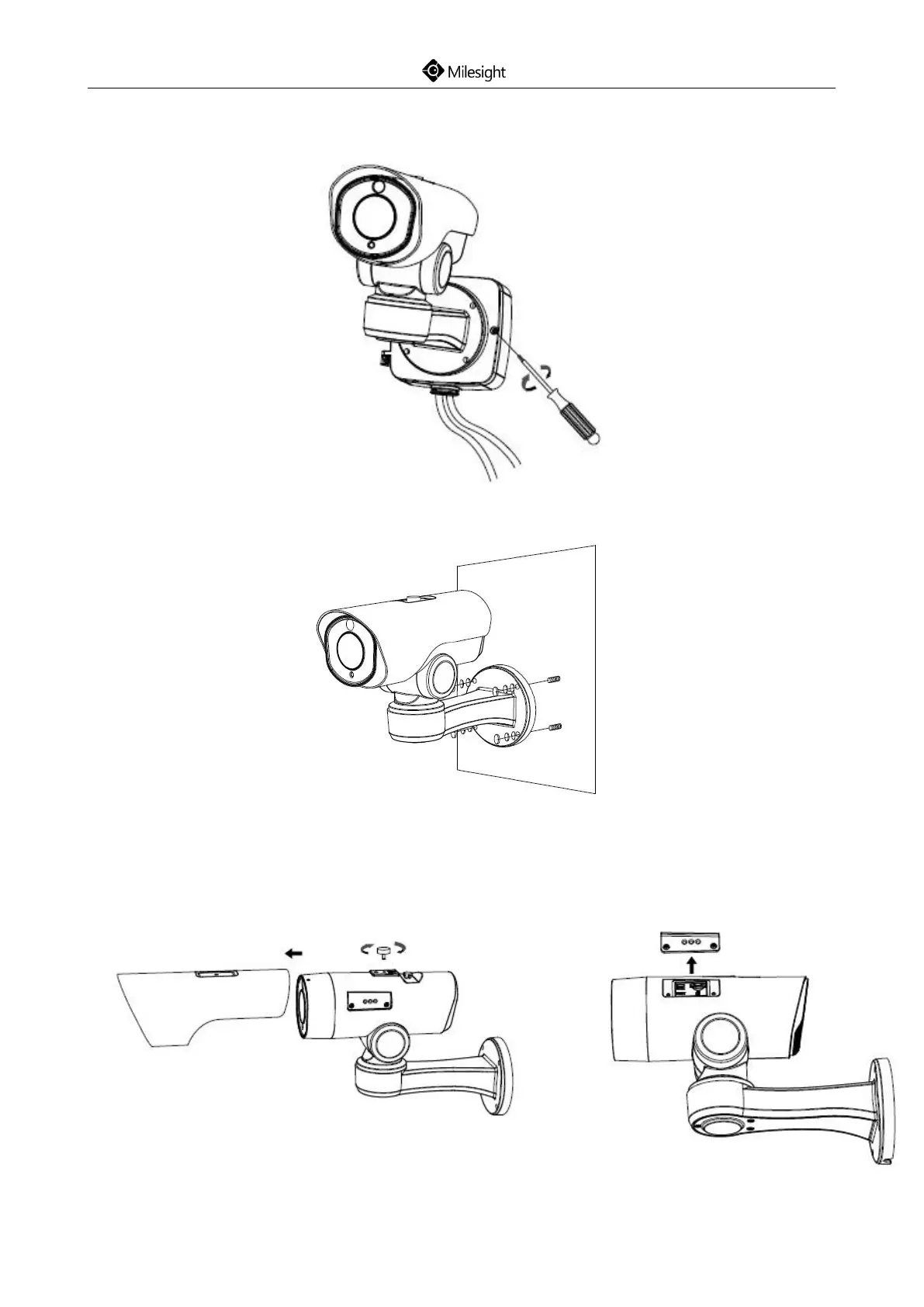
Step4: Install and tighten the rear cover and fasten the bracket to the camera using 4 plum flower
head screws;
Step5: Screw the screws to the installed wall;
Step6: If you need to use the SD card with the camera, please remove the screw of the top cover
and pull out the cover, then loosen the screws to get access to the SD card slot. After
inserting SD card, screw the screws again.











 To Next Page