UR32 Quick Start Guide
www.milesight-iot.com
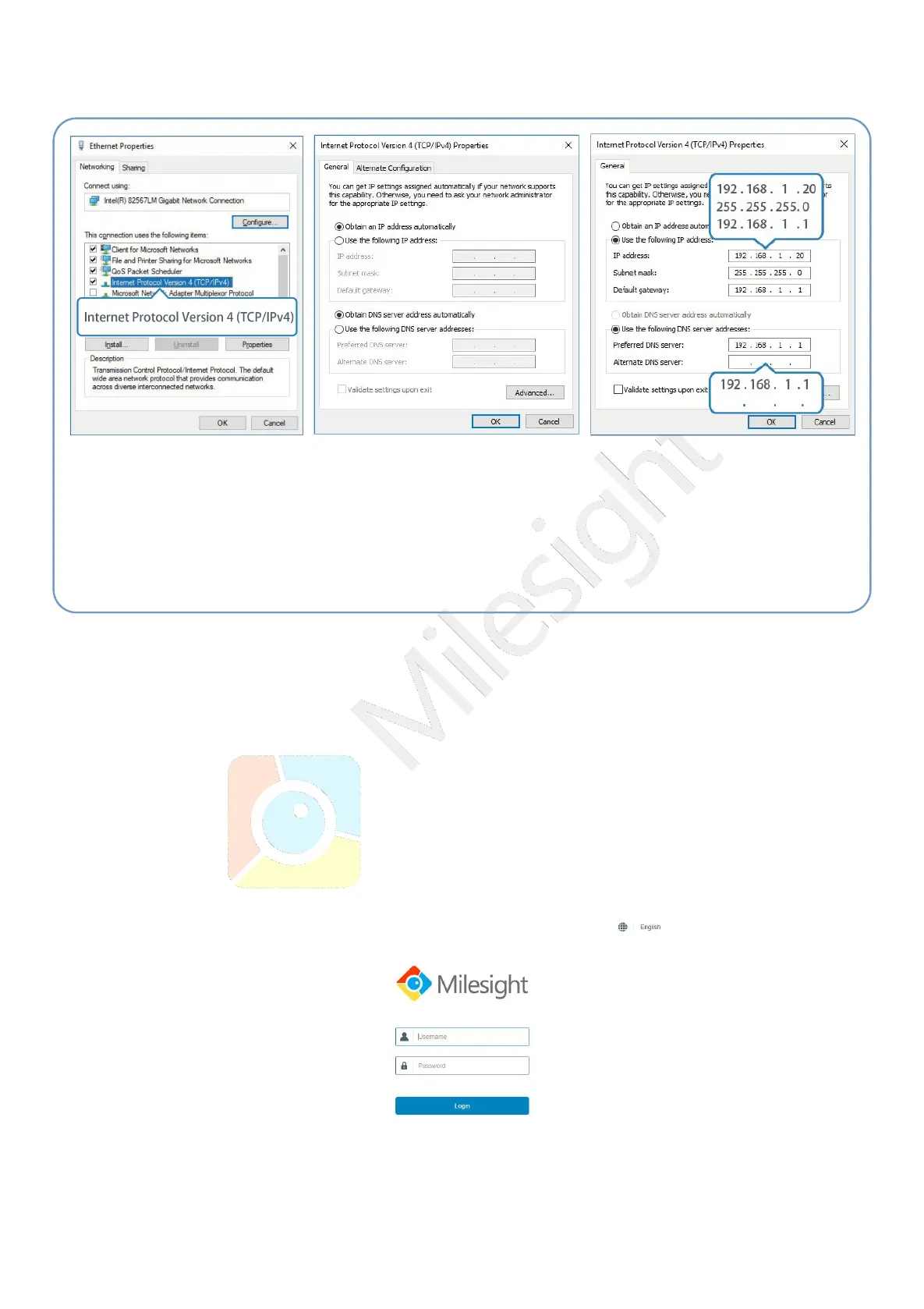
(Note: Remember to click “OK” to finish configuration.)
4.2 Log in the Router
If this is the first time you configure the router, please use the default settings below:
IP Address: 192.168.1.1
Username: admin
Password: password
A. Start a Web browser on your PC (Chrome is recommended), type in the IP address, and press Enter
on your keyboard.
B. Enter the username and password, click “Login”.
⑤ Double Click “Internet
Protocol Version 4 (TCP/IPv4)”
to configure IP address and
DNS server.
⑥ Method 1: click “Obtain an IP
address automatically”;
Method 2: click “Use the
following IP address” to assign
a static IP manually within the
same subnet of the router.


 To Next Page