UR32 Quick Start Guide
www.milesight-iot.com
4. Log in the Web GUI of Router
4.1 PC Configuration
Please connect PC to LAN port of UR32 router. PC can obtain an IP address, or you can configure a
static IP address manually. The following steps are based on Windows 10 operating system for your
reference.
(Note: As remote access is disabled by default, you can't access to the router's Web GUI if you connect
PC to WAN port of the router. But it will function properly if you enable it on Web GUI.)
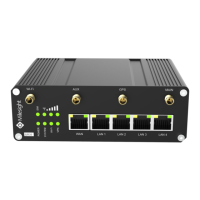
③ Click “Ethernet” (May have different names). ④ Click “Properties”.
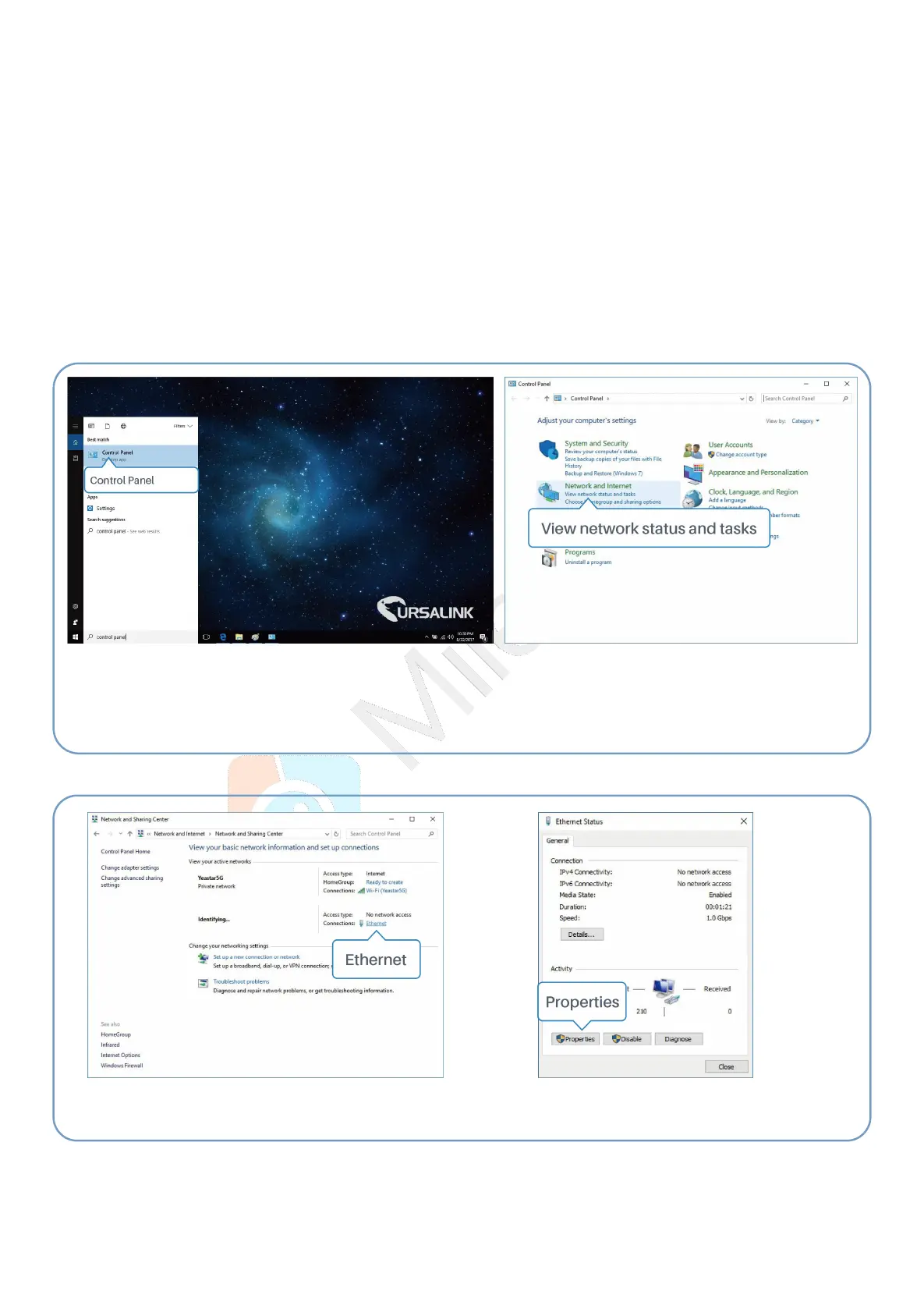
① Click “Search Box” to search “Control Panel” on the
Windows 10 taskbar.
② Click “Control Panel” to open it, and then click
“View network status and tasks”.


 To Next Page