UR32 Quick Start Guide
www.milesight-iot.com
5. Network Configuration
This chapter explains how to connect UR32 to network via WAN connection or cellular.
5.1 Ethernet WAN Configuration
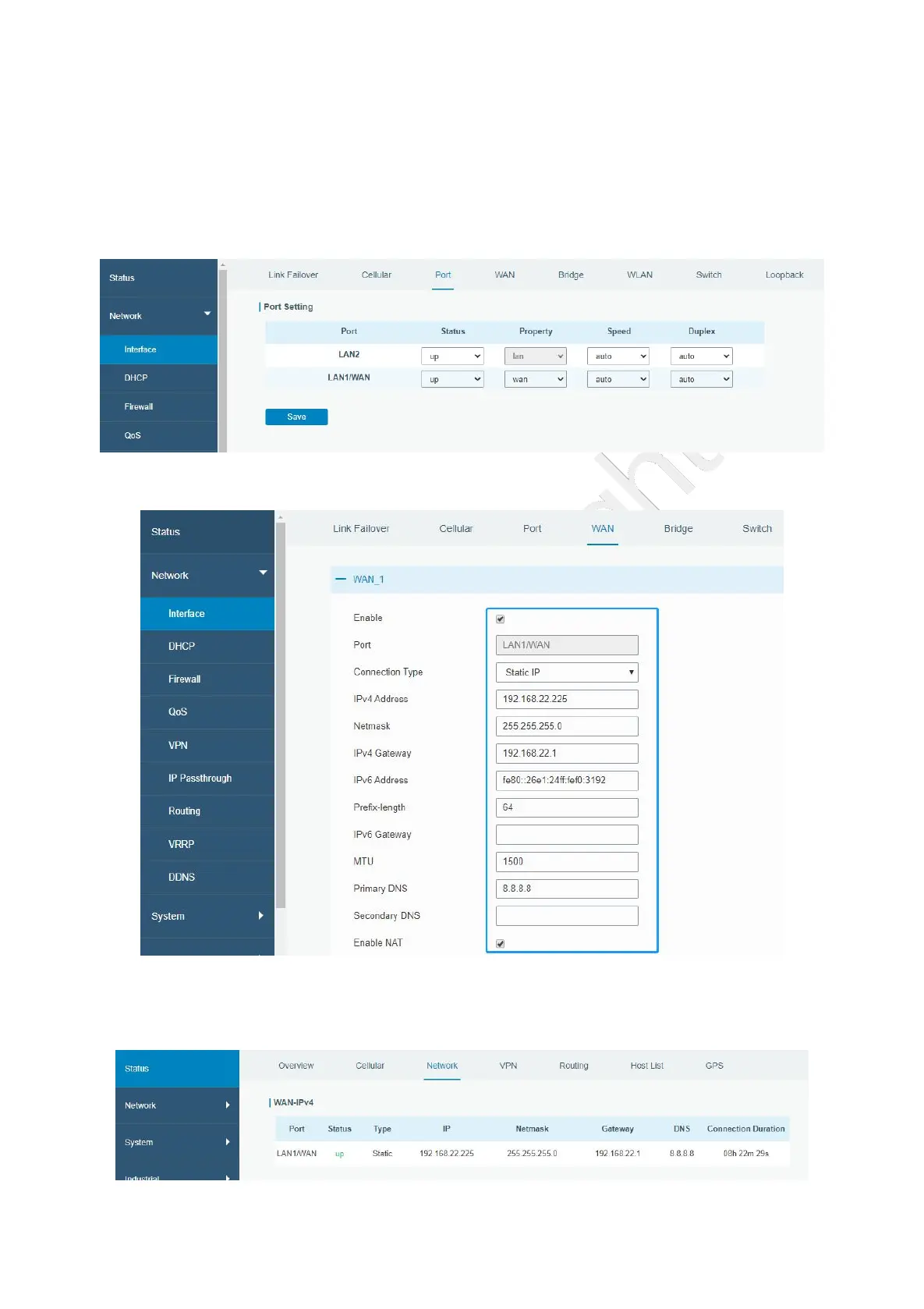
A. Go to “Network > Interface > Port” to change LAN1 to WAN port.
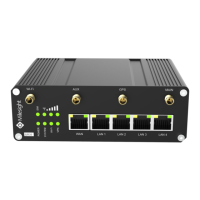
B. Go to “Network > Interface > WAN” to configure WAN parameters. Take static IP configuration as an
example. DHCP client and PPPoE type are optional according to your requirements.
Click “Save & Apply” button to make the changes take effect.
C. Connect WAN port to another router or modem.
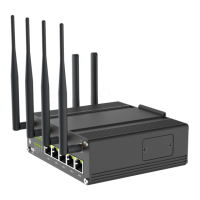
D. Log in UR32 web GUI via WAN port IP address and go to “Status > Network” to check if status is “up”.


 To Next Page