UR32 Quick Start Guide
www.milesight-iot.com
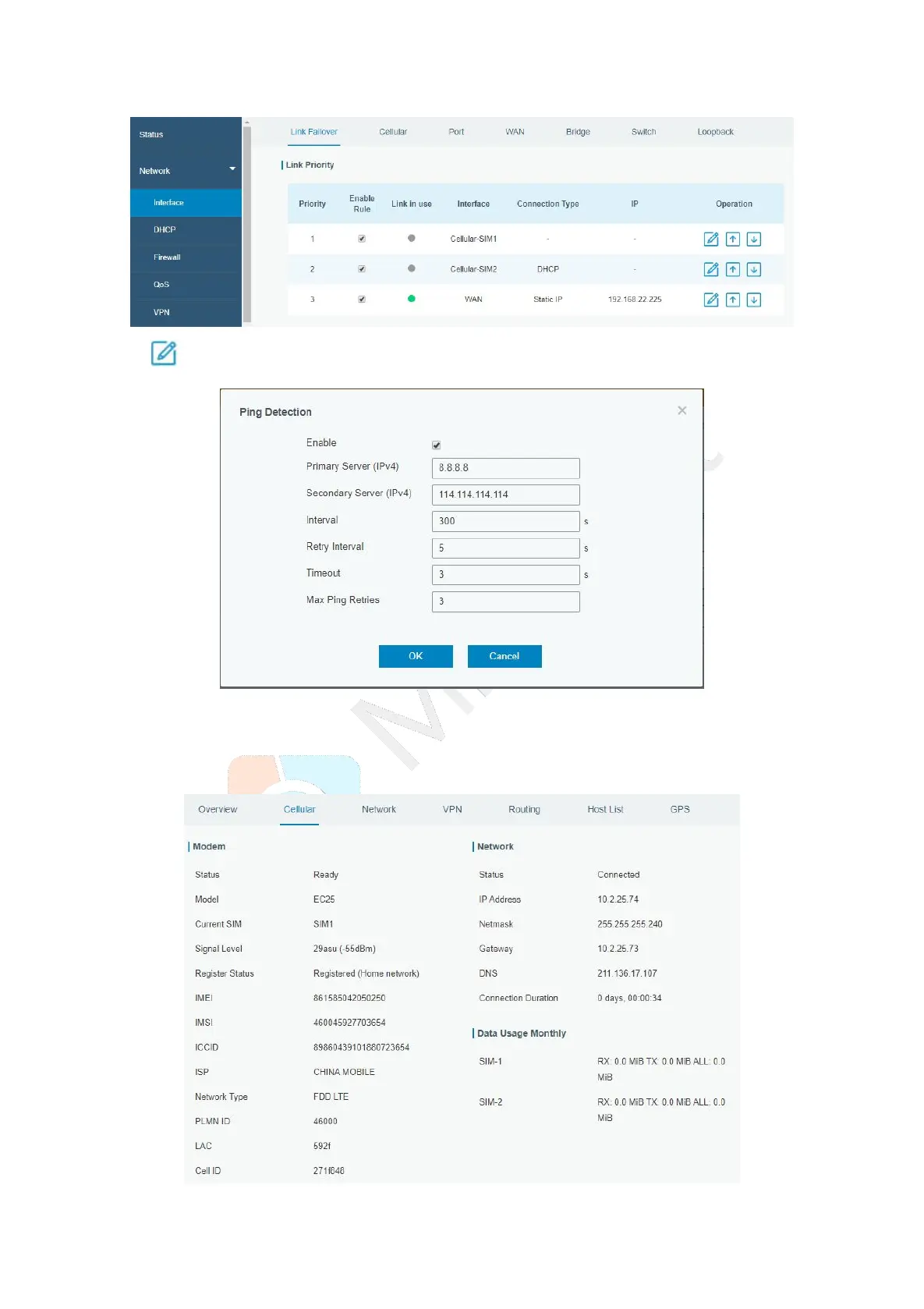
D. Click to configure ICMP ping detection information.
E. Click “Status > Cellular” to view the status of the cellular connection. If it shows “Connected”, it
means SIM1 has dialed up successfully.
On the other hand, you can check the status of SIM indicator. If it keeps on green light statically, it
means SIM1 has dialed up successfully.


 To Next Page