MILESTONE
GETTING STARTED GUIDE
Ethos EZ User manual MA073-006 Getting started Chapter -4-
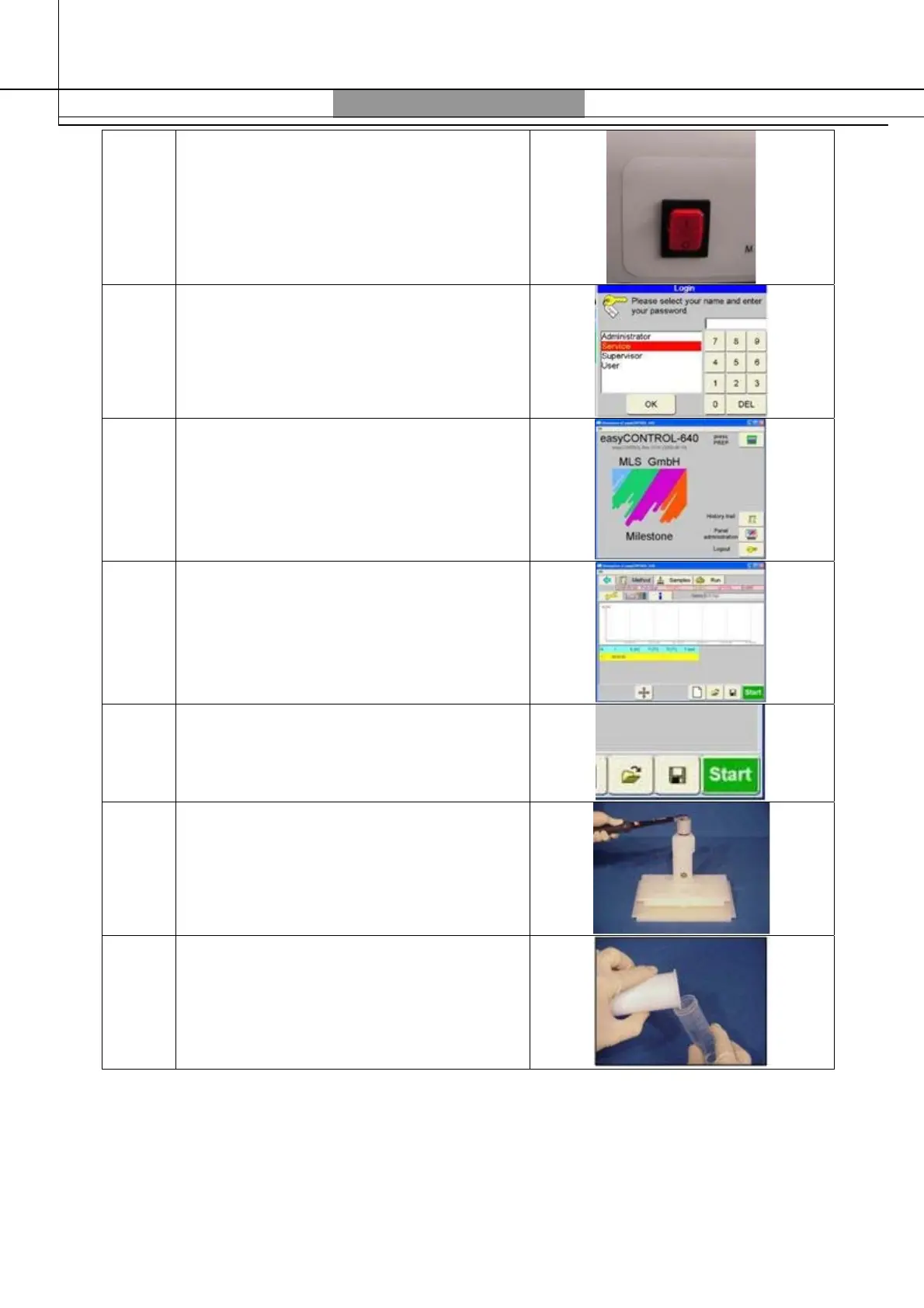
7 Switch “ON” the unit
8 Enter the administrator password (123456)
9 Push “PressPREP” icon
10 Set the microwave program*
11 Close the door and press “START”
12
After the cooling remove and open the
vessels
13
Transfer the solution into a marked flask.
Dilute it and rinse the vessels with distilled
water
*The sample amount, the reagents and the microwave program must be chosen in
accordance with the Milestone guidelines (see Milestone application notes included in your CD)
More information can be found into the ETHOS EZ User Manual



 To Next Page