MILESTONE
USER MANUAL
Ethos EZ User manual MA073-006 Sensors and Accessories chapter -22-
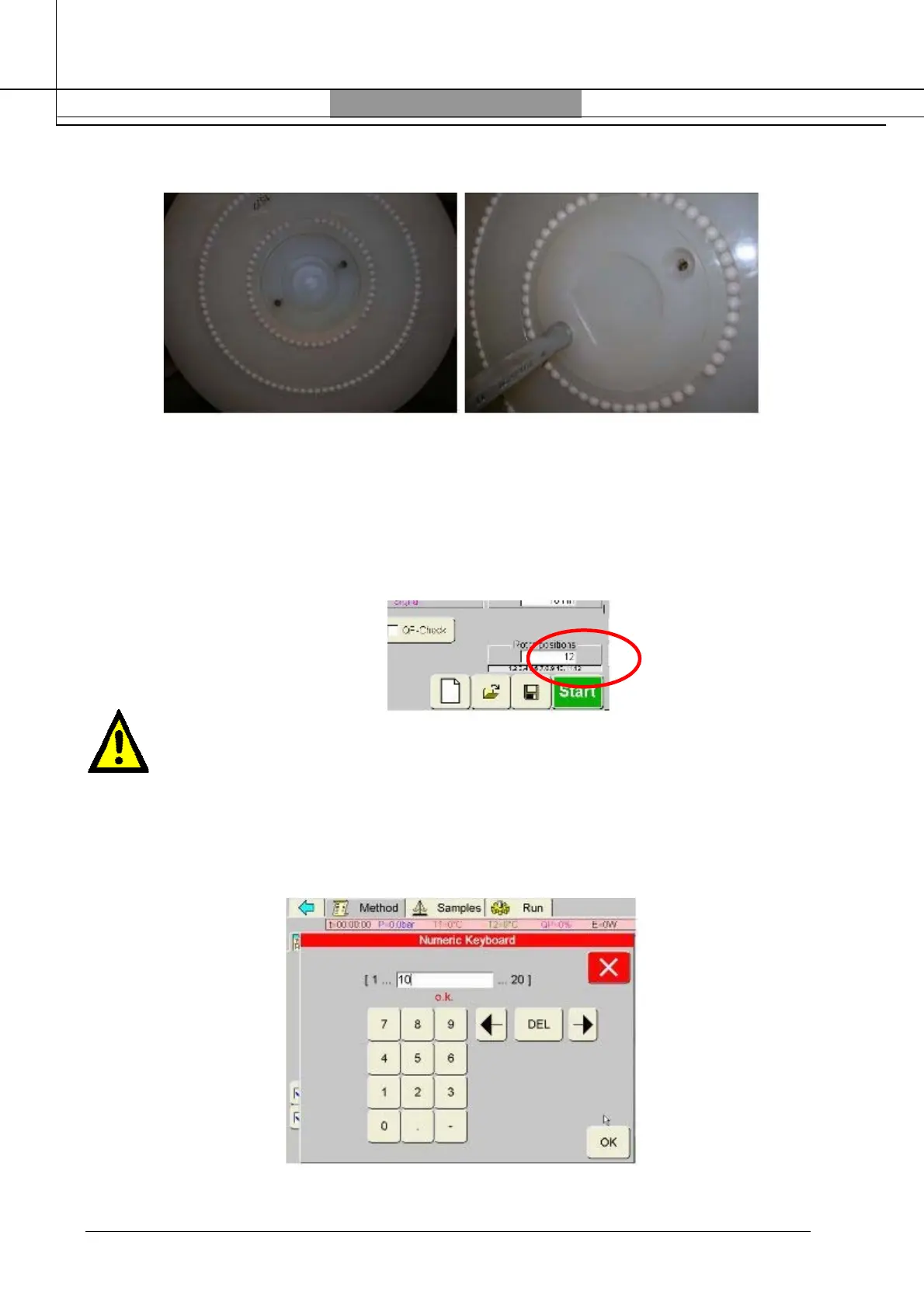
Remove the adapter and place the TEMP-SURE adapter
Tight the two screws. Now the rotor is ready to work.
HOW TO SET THE TEMP-SURE
Switch ON the unit, enter the password and press the “pressPREP” icon. In the “parameter” page
by clicking on the “rotor positions” line set the number of total positions of your rotor.
Warning
Reference vessel must be placed in position number one on rotor plate.
Example
SK-10= 10, PRO 16= 16, select the number of position only of the external circle of the rotor PRO
24=16 because PRO 24 has 16 positions on the external circle.
If incomplete rotor is used the max number of rotor positions must be selected.



 To Next Page