MILESTONE
USER MANUAL
Ethos EZ User manual MA073-006 Sensors and Accessories chapter -23-
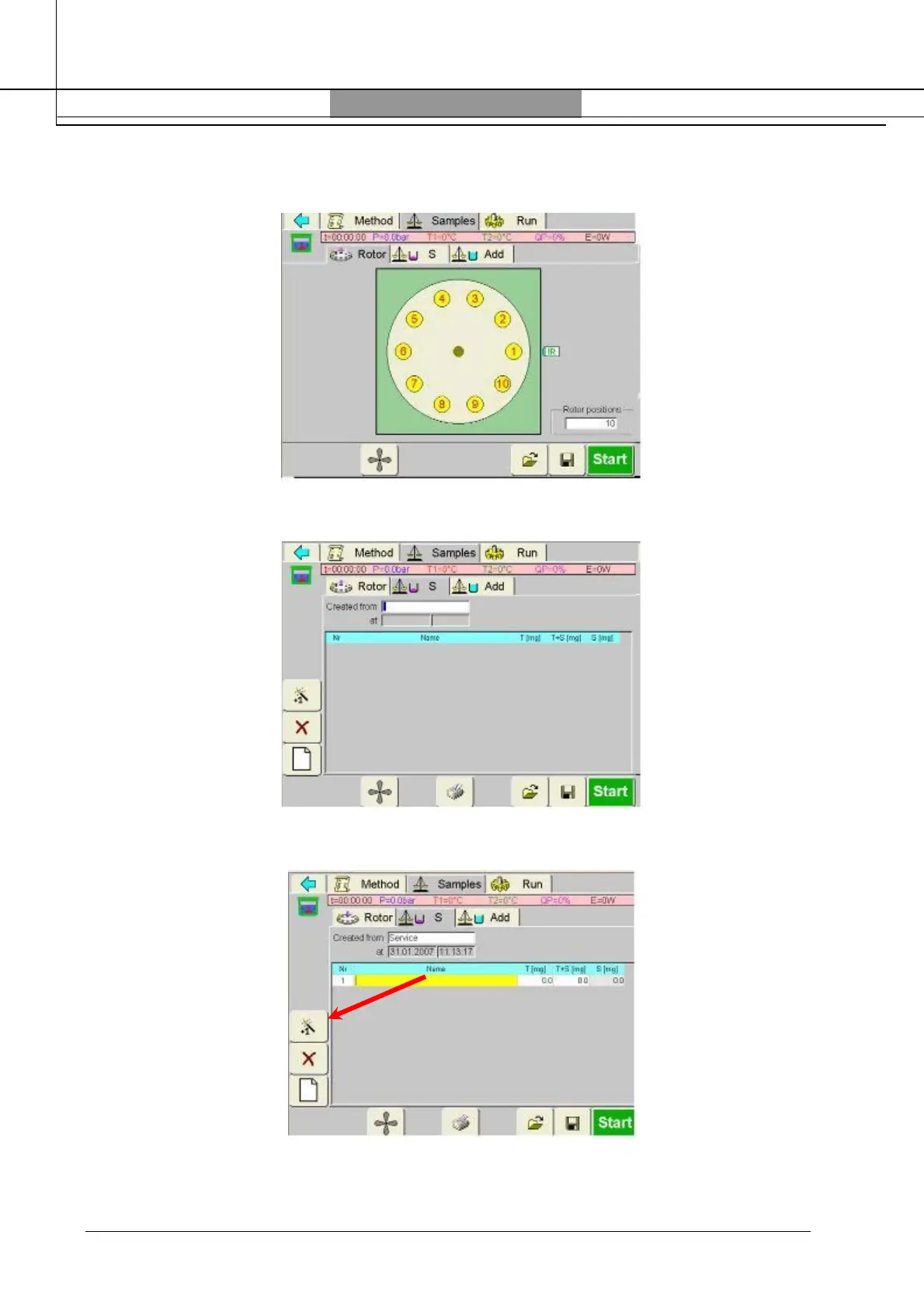
Press “Samples”. The screen shows the diagram of the rotor. Pressing on the number (yellow
circle), the carousel will rotate until the selected position is in front on the infrared sensor (IR).
For Multiple reading of Infrared sensor (TempSURE), press “S”.
Press the “Magic Wand” icon and the display will show the first empty line:



 To Next Page