MILESTONE
USER MANUAL
ETHOS EZ User manual MA073-006 Terminal chapter Page - 72 -
Checked Sensors Both Temperature Sensors T1 and T2
Maximum Temperature
Jump Sensibility
The maximum allowed Temperature and Pressure
jumps.
Timeout and
Temperature change
In a heating phase the change of temperature
measured by the sensor must at least achieve the
entered value during the time frame.
LIM-SYSTEM
SYSTEM CONNECTION
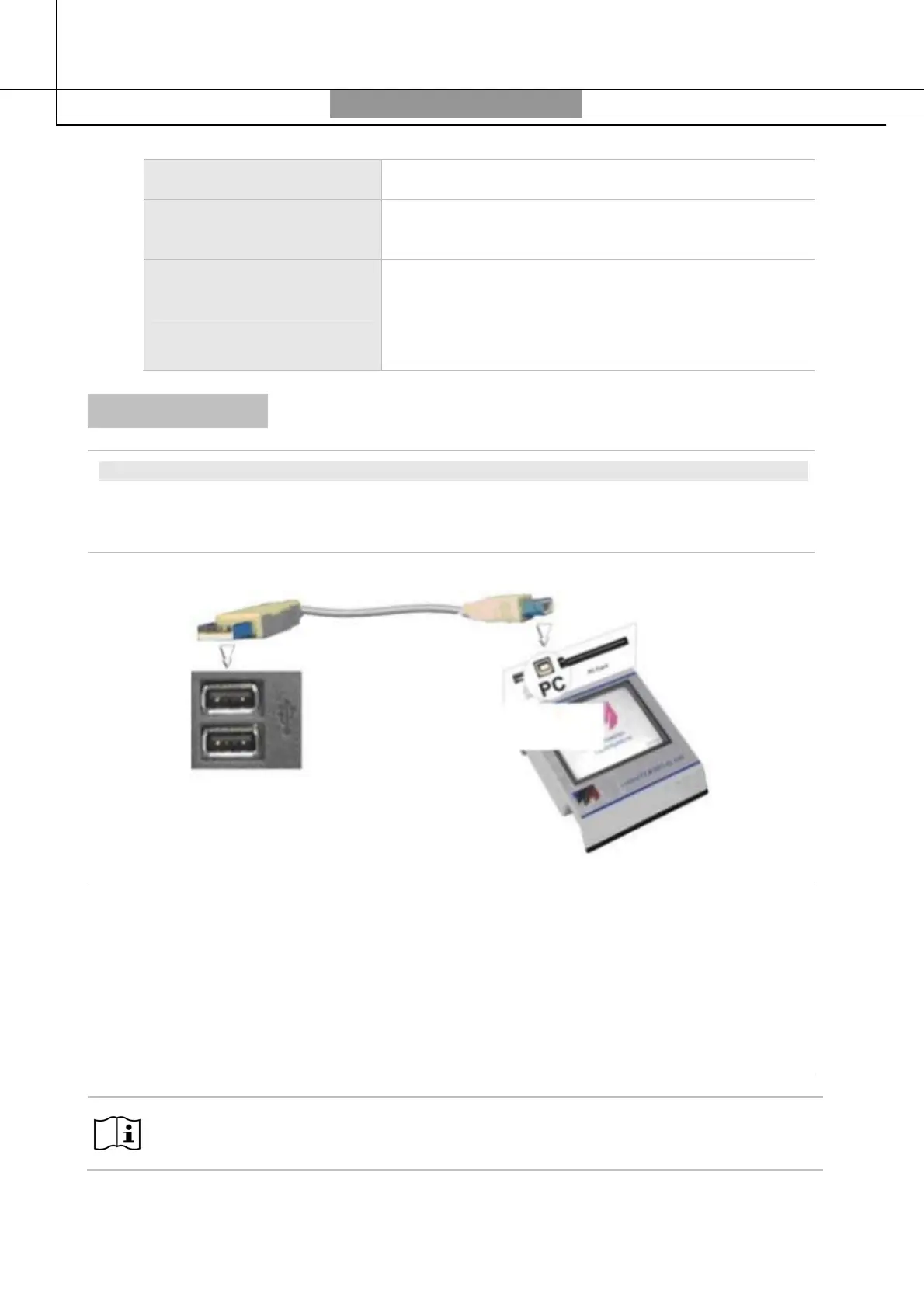
Connect the Terminal with the PC through an USB-cable following this sketch.
Insert the B-plug into the Terminal and connect the A-plug to the USB-drive of your PC.
On the PC will appear a new removable drive. The listing of files on the removable drive
corresponds to the files saved into the Flash card.
If the LIM-System function is activated, with every new file saved, an additional CVS-file
(Comma-separated values) is automatically created and added. This file can be opened with
Excel.
The data of the removable drive cannot be deleted :
Copy on your PC the files to be worked on.
Terminal
Connection
USB ports of PC
USB 2.0 Cable B-plug
A-plug



 To Next Page