10
11
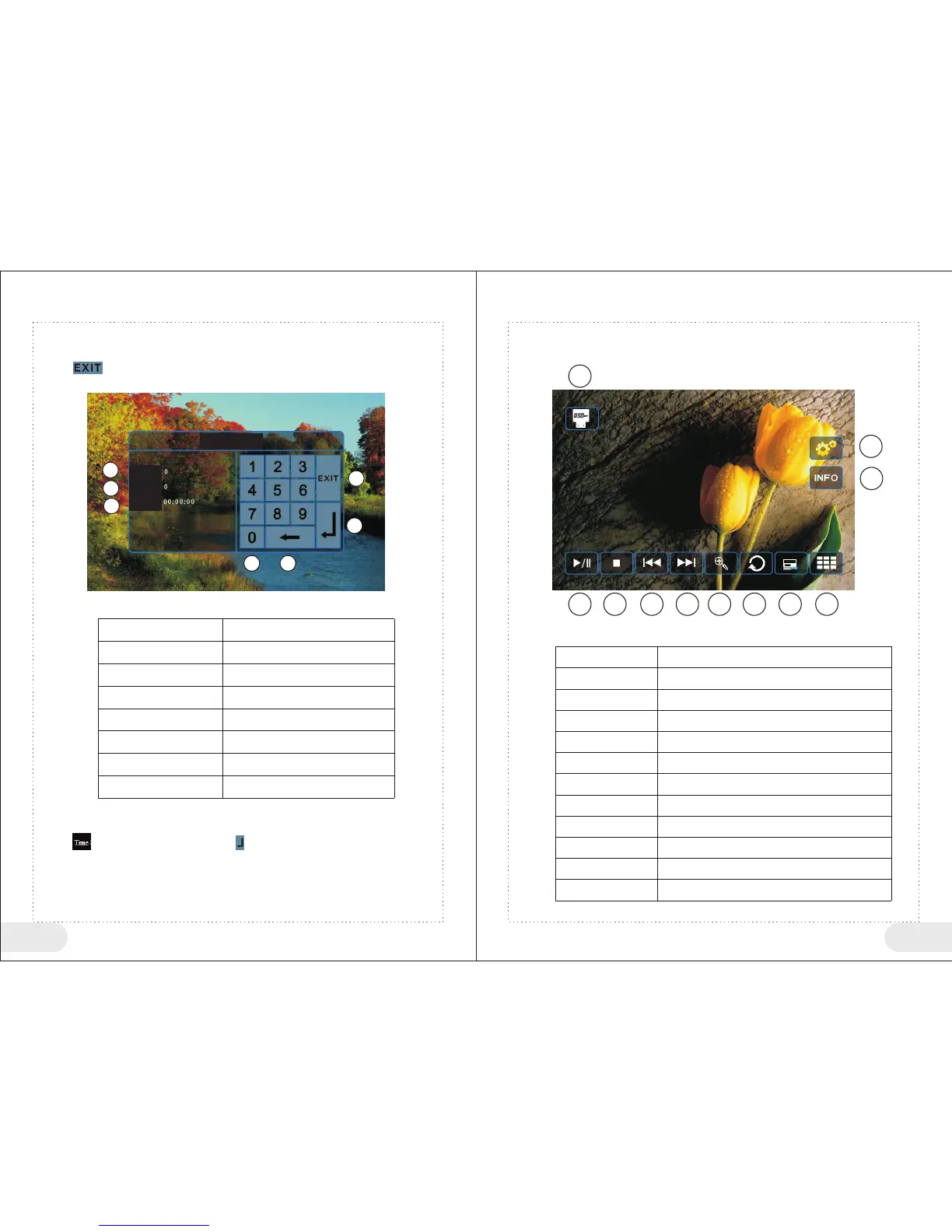
3. Search Play
1: During disc play, click bottom at up right corner (area A) of the touch screen, to pop up
<Search Play> menu.
2: Click “ ” icon, to close <Search Play> menu.
3: If you do not operate for 10 seconds, system will exit <Search Play> menu automatically,
as shown in the following figure:
1
2
3
4
5
6
7
Search Title
Search Chapter
Search Time
Exit <Search Play Button> Menu
Confirm Search
Number Key
Delete an input number
Example: Play program at the 30th min.
1:Click the bottom at up right corner (area A) of the touch screen, to pop up <Search Play> menu.
2:Click “ ” icon, input 3000, and then click “ ” icon to confirm, system will go to a specified
position automatically to play.
1
2
3
4
5
6 7
4. JPEG Play
This multimedia system supports picture files of JPEG format, you could
appreciate beautiful pictures via screen.
1
2
3
4
5
6 7 8
9
10 11
1
2
3
4
5
6
7
8
9
10
11
Click USB icon to return to main menu
Click to enter setting menu
Display current picture information
Play/Pause
Stop
Previous picture
Next picture
Enlarge
Switch effect
Picture browse
Video Search
Title:
Chapter:
Time:
Button No
<Search Play> button table
Function Instructions
Button No
<JPEG Play Button> Table
Function Instructions
Rotate picture ( can rotate 90 degrees, 180 degrees,
270 degrees and 0 degree)


 To Next Page