20
21
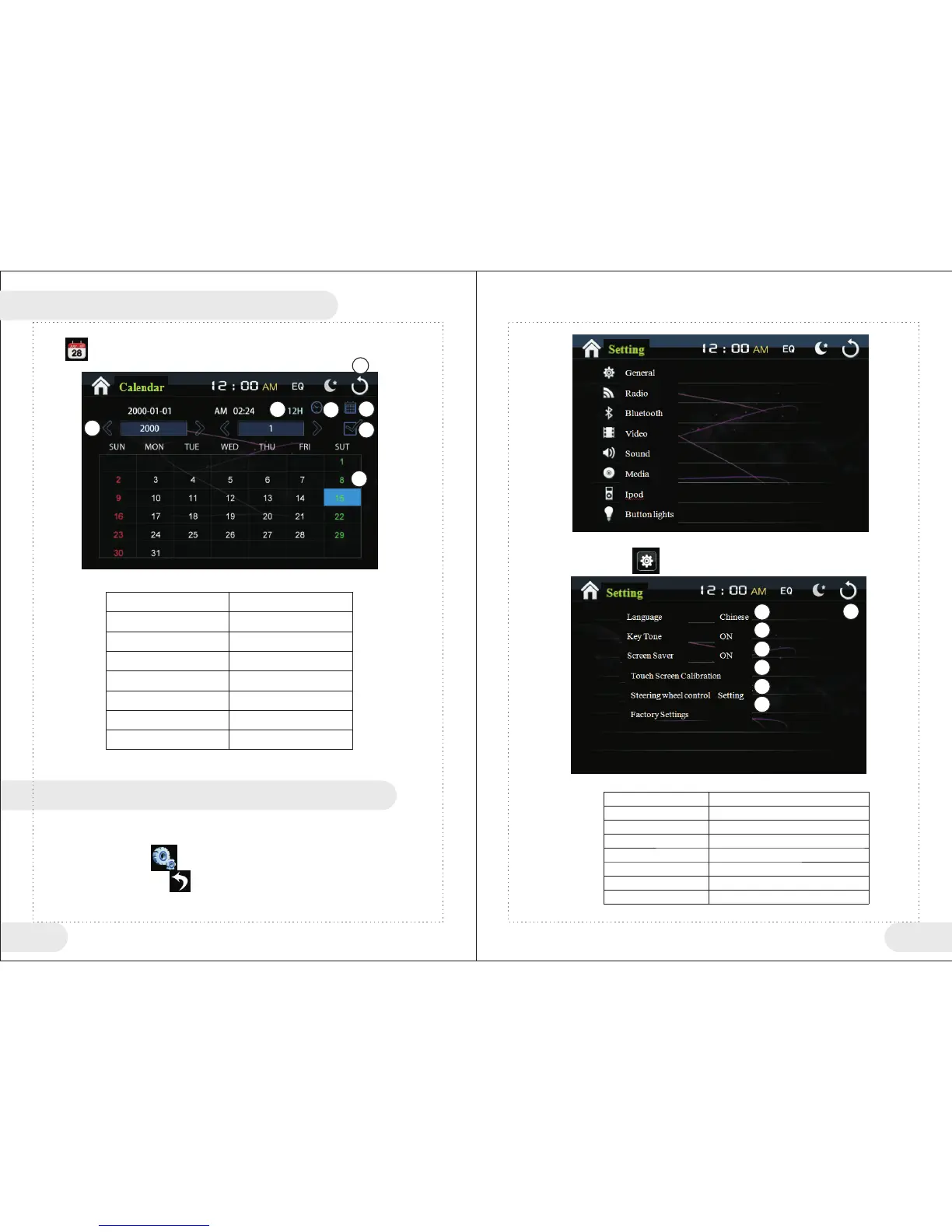
Click “ ” in main menu to enter time setting interface.
<Calendar/Clock Setting> Table
1
2
3
4
5
6
7
12/24 hour shift
Shift to adjust clock status
Return to main menu
Shift to adjust date status
Adjust year/month
Confirm
Adjust date
1
2
3
4
5
6
7
Basic Operations
Enter/Exit <Setting> function operations.
●Under main menu, touch“ ” icon to enter setting status.
●Touch <Setting> menu touch“ ” icon to exit system settings.
1、General Settings
In setting menu, click “ ” to enter general settings interface.
<General Function Button> Table
1
2
3
4
5
6
7
Return to main menu
Language Selection
Key Tone setting
Screen Saver setting
Touch screen setting
Steering wheel control setting
Restore factory settings
1
2
3
4
5
6
7
XII Calendar/Clock Setting
Button No
Function Instructions
XIII Setting Function Operations
Button No
Function Instructions



 To Next Page