14
15
VI USB/SD/iPod Function Operations
1: USB/SD/iPod supported play formats: MP3/WMA/JPEG/MPEG video.
● Under main menu, touch “ ” icons to enter USB-SD-iPod function.
● Under other statuses, insert USB-SD-iPod device, to enter USB-SD-iPod function
automatically.
● Touch <USB-SD-iPod> menu “ ” icon to exit USB-SD-iPod function.
● Plug off USB-SD-iPod device, to exit USB-SD-iPod function automatically.
Note: In playing MP3/WMA format, refer to (DVD/MP3/WMA disc play) for operation.
In playing JPEG format, refer to (JPEG play) for operation.
In playing MPEG format, refer to (DVD disc play) for operation.
Basic Operations
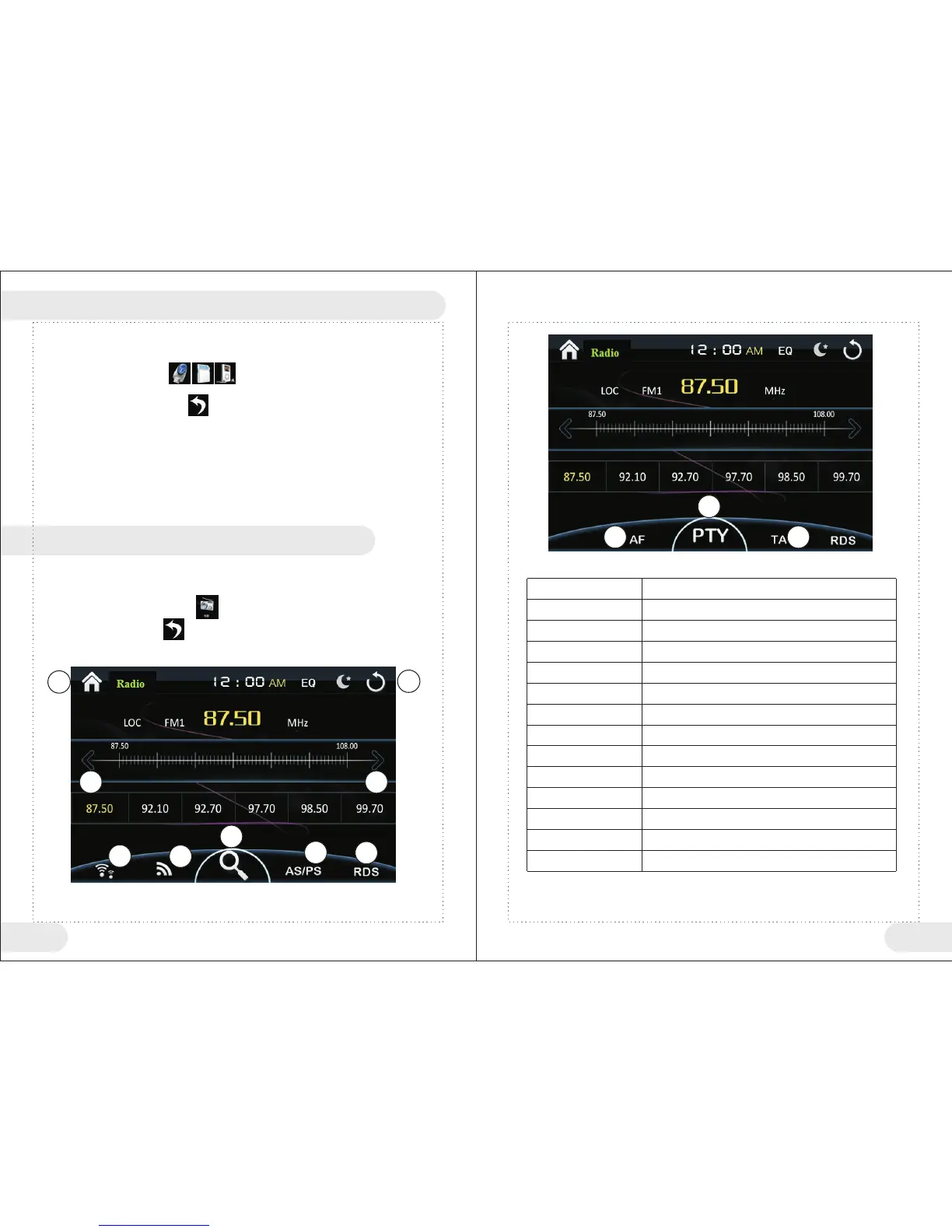
Enter/exit <Radio> function operations
● Under main menu, touch “ ” icon to enter Radio function.
● Touch Radio menu “ ” icon to exit Radio function.
1
2
3
4
5
6
7
8
9
10
11
12
13
Return to main menu
Main menu
Current Channel
Band switch
Auto scan channel and save
Semi-auto search radio towards low level frequency
Semi-auto search radio towards high level frequency
Open/close RDS function
Browse full-band radio
Long/short range switch
AF auto frequency adjust
PTY program type
TA enable traffic alarm
1
2
4
5
6 7
8
9
10
11
12
13
VII Radio Function Operations
Button No
Function Instructions
<Radio Function Button> Table


 To Next Page