EasyManua.ls Logo

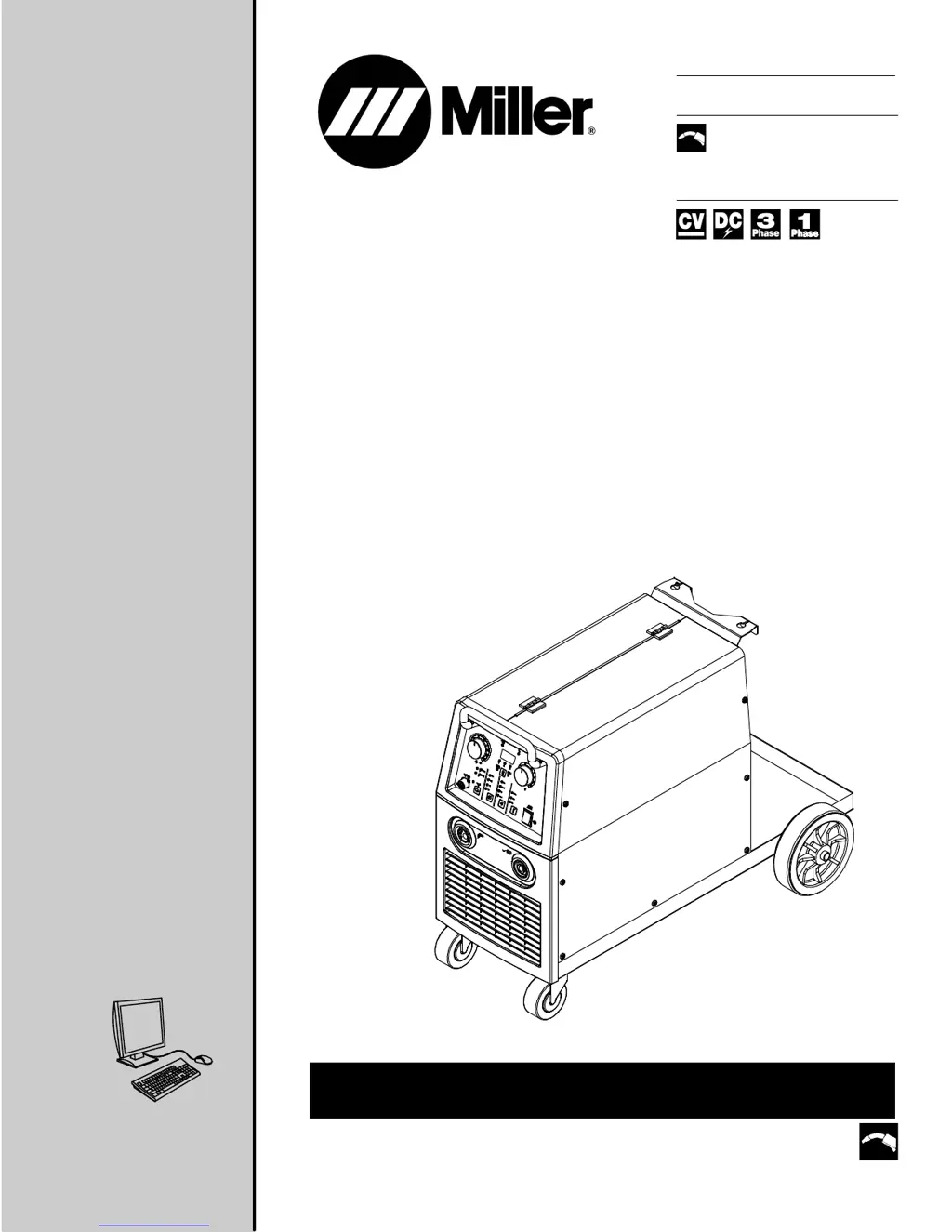
Miller MIGMATIC 250 - User Manual

Miller MIGMATIC 250
56 pages
Print Icon
To Next Page IconTo Next Page
Loading...
OWNER’S MANUAL
Visit our website at
www.MillerWelds.com
Processes
Description
MIG (GMAW) Welding
Flux Cored (FCAW) Welding
Arc Welding Power Source
Wire Feeder
OM-246 691F 2015−06
MigMatic 220/250 Base/DX
R
CE
File: MIG (GMAW)

Table of Contents

Questions and Answers

  • C
    Courtney PerkinsAug 4, 2025
    How to fix Miller MIGMATIC 250 Welding System when there is no weld output and wire does not feed?
    • K
      Kevin TerryAug 4, 2025
      If your Miller Welding System isn't producing a weld and the wire isn't feeding, first ensure the line disconnect switch is On, replace the building line fuse or reset the circuit breaker if open, and reset circuit breaker CB1. Also, secure the gun trigger connections and check the continuity of the power switch S1, replacing it if needed. For further assistance, have a Factory Authorized Service Agent check the main transformer T1, thermostats TP1 and TP2, and the main control board PC1 and their connections, replacing them if necessary.
  • S
    savagechristopherAug 8, 2025
    Why is the wire speed low, high, or erratic on my Miller MIGMATIC 250?
    • F
      fyoungAug 8, 2025
      If your Miller Welding System experiences low, high, or erratic wire speed, try the following: Readjust the front panel settings. Change to the correct size drive rolls and readjust the drive roll pressure. Replace the inlet guide, contact tip, and/or liner if necessary. Also, check the position of the input jumper links. Rotate the Wire Speed control R1 to a higher setting. If the problem persists, have a Factory Authorized Service Agent check the Wire Speed control R1, the diodes in the main rectifier SR1, and the main control board PC1 and connections, replacing any of these components if necessary. Also, reset circuit breaker CB1.
  • J
    Jennifer GonzalesAug 12, 2025
    How to fix low weld output on a Miller MIGMATIC 250?
    • M
      Michael PaceAug 12, 2025
      If your Miller Welding System has low weld output, connect the unit to the proper input voltage or check for low line voltage. Inspect the input voltage jumper links and correct their position if necessary. Adjust the input line voltage. If the issue persists, have a Factory Authorized Service Agent check the main rectifier SR1 and the voltage switch(s), replacing them if necessary.
  • S
    Scott PinedaAug 16, 2025
    Why is the weld output low on my Miller MIGMATIC 250?
    • E
      Elizabeth GalvanAug 16, 2025
      If you're getting low weld output from your Miller Welding System, first connect the unit to the proper input voltage or check for low line voltage. Also, check the input voltage jumper links and correct their position if necessary. If the issue continues, have a Factory Authorized Service Agent check the main rectifier SR1 and the voltage switches, replacing them if necessary. You can also adjust the input line voltage.
  • J
    Jennifer AshleyAug 21, 2025
    What to do if Miller Welding System has no weld output and wire does not feed?
    • A
      Allen JordanAug 21, 2025
      To troubleshoot a Miller Welding System with no weld output and no wire feed, start by ensuring the line disconnect switch is On. Replace the building line fuse or reset the circuit breaker if it's open. Also, reset circuit breaker CB1. Check and secure the gun trigger connections. Verify the continuity of the power switch S1, replacing it if necessary. If these steps don't resolve the issue, have a Factory Authorized Service Agent check the main transformer T1 for winding failure and proper connections, and check the continuity of thermostats TP1 and TP2, replacing them if needed. Finally, have the agent inspect the main control board PC1 and its connections, replacing it if necessary.
  • S
    Sarah TurnerAug 25, 2025
    What to do if Miller Welding System has no weld output but wire feeds?
    • B
      Brandon JordanAug 26, 2025
      If your Miller Welding System has no weld output but the wire feeds, ensure the work clamp is connected to establish good metal-to-metal contact. Replace the contact tip. If an overload condition occurred, address that issue. If the problem persists, have a Factory Authorized Service Agent check the diodes in the main rectifier SR1, the stabilizer Z1, the main transformer T1, and the voltage switch(s), replacing any of these components if necessary.
  • N
    Nichole DavisAug 30, 2025
    How to troubleshoot low, high, or erratic wire speed on Miller Welding System?
    • B
      Brian CochranAug 30, 2025
      If your Miller Welding System has low, high, or erratic wire speed, readjust the front panel settings and change to the correct size drive rolls. Readjust the drive roll pressure, and replace the inlet guide, contact tip, or liner if necessary. Check the position of the input jumper links and reset circuit breaker CB1. Rotate the Wire Speed control R1 to a higher setting. For further assistance, have a Factory Authorized Service Agent check the Wire Speed control R1, the diodes in the main rectifier SR1, and the main control board PC1 and connections, replacing them if necessary.

Summary

Declaration of Conformity

Section 1 - Safety Precautions

1-1. Symbol Usage

Explains the meaning of symbols used in the manual for hazard identification.

1-2. Arc Welding Hazards

Details hazards associated with arc welding processes and necessary precautions.

1-3. Additional Symbols For Installation, Operation, And Maintenance

Provides additional safety symbols relevant to equipment installation and operation.

1-4. California Proposition 65 Warnings

States chemicals known to cause birth defects or cancer from welding.

1-5. Principal Safety Standards

Lists and provides sources for principal safety standards for welding and cutting.

1-6. EMF Information

Discusses Electromagnetic Fields (EMF) and potential interference with medical devices.

Section 2 - Definitions

2-1. Additional Safety Symbols And Definitions

Explains various safety symbols and their meanings for hazard awareness.

2-2. Miscellaneous Symbols And Definitions

Defines miscellaneous symbols used in the manual for various functions and components.

Section 3 - Specifications

3-1. Serial Number And Rating Label Location

Indicates where to find the serial number and rating label on the product.

3-2. Specifications

Details technical specifications for the MigMatic welding machines.

3-3. Environmental Specifications

Outlines environmental ratings like IP rating and operating temperature.

3-4. Duty Cycle And Overheating

Explains duty cycle, overheating indicators, and consequences of exceeding limits.

3-5. Volt-Ampere Curves

Displays voltage and amperage output capabilities of the welding power source.

Section 4 - Installation

4-1. Selecting A Location

Provides guidelines for choosing a safe and appropriate location for the welding unit.

4-2. Installing Gas Supply

Details the process for connecting and installing the gas supply cylinder and regulator.

4-3. Installing Wire Spool And Adjusting Hub Tension

Explains how to mount the wire spool and adjust hub tension for proper wire feeding.

4-4. Positioning Jumper Links (230;400 V 3-Phase Models)

Guides on setting jumper links for different input voltages on 3-phase models.

4-5. Electrical Service Guide

Provides recommendations for electrical service requirements and fuse/breaker sizing.

4-6. Connecting Input Power (1-Phase and 3-Phase)

Step-by-step instructions for connecting the input power for 1-phase and 3-phase models.

4-7. Installing Drive Rolls And Wire Guide

Details the installation of drive rolls and the wire guide for proper wire feeding.

4-8. Threading Welding Wire And Adjusting Pressure Roll Tension

Guides on threading welding wire and setting pressure for optimal wire feed.

Section 5 - Operation

5-1. Controls For MigMatic 220;250

Identifies and explains the function of controls on the MigMatic 220/250.

5-2. Burnback And Spot Weld Timer Controls

Explains the burnback and spot weld timer controls for fine-tuning welding.

5-3. Controls For MigMatic 220 DX; 250 DX

Identifies and explains controls for the MigMatic 220 DX / 250 DX models.

5-4. Burnback And Spot Weld Timer Controls

Explains the burnback and spot weld timer controls for fine-tuning welding.

5-5. Welding Power Source Input Line Voltage Adjustment (DX Models Only)

Details how to adjust input line voltage for optimal performance on DX models.

5-6. Welding Power Source Setup Menu (DX Models Only)

Guides users through the setup menu for configuring welding parameters on DX models.

5-7. Trigger Mode Selection (DX Models Only)

Explains how to select trigger modes (2T/4T) for welding operations.

5-8. Spool Gun Mode (DX Models Only)

Details how to enable and use the spool gun mode on DX models.

5-9. Welding Wire Diameter Selection For Synergic MIG (DX Models Only)

Guides on selecting the correct wire diameter for synergic MIG welding.

5-10. Welding Wire Type Selection For Synergic MIG (DX Models Only)

Guides on selecting the correct wire type for synergic MIG welding.

5-11. Gas Selection For Synergic MIG (DX Models Only)

Guides on selecting the correct shielding gas for synergic MIG welding.

5-12. Selecting Manual MIG Welding (DX Models Only)

Explains how to select and configure manual MIG welding mode for DX models.

5-13. Selecting Synergic MIG Welding (DX Models Only)

Explains how to select and configure synergic MIG welding mode for DX models.

Section 6 - Maintenance & Troubleshooting

6-1. Routine Maintenance

Outlines routine maintenance tasks and recommended schedules for the equipment.

6-2. Circuit Breaker CB1

Details the function and troubleshooting for Circuit Breaker CB1.

6-3. Unit Overload

Explains unit overload conditions and actions to take when thermal indicators activate.

6-4. Troubleshooting

Provides a guide to diagnosing and resolving common issues with the welding equipment.

Section 7 - Electrical Diagrams

Section 8 - Parts List

Warranty

Miller MIGMATIC 250 Specifications

General IconGeneral
Input Voltage400 V
Wire Diameter0.6 - 1.0 mm
Protection ClassIP23
Input Frequency50 Hz
Output Current Range250 A
Duty Cycle60% @ 250 A

Related product manuals