Using the SDS
SDS 200 - SDS 350 10
WHAT IS THE DIST MODE?
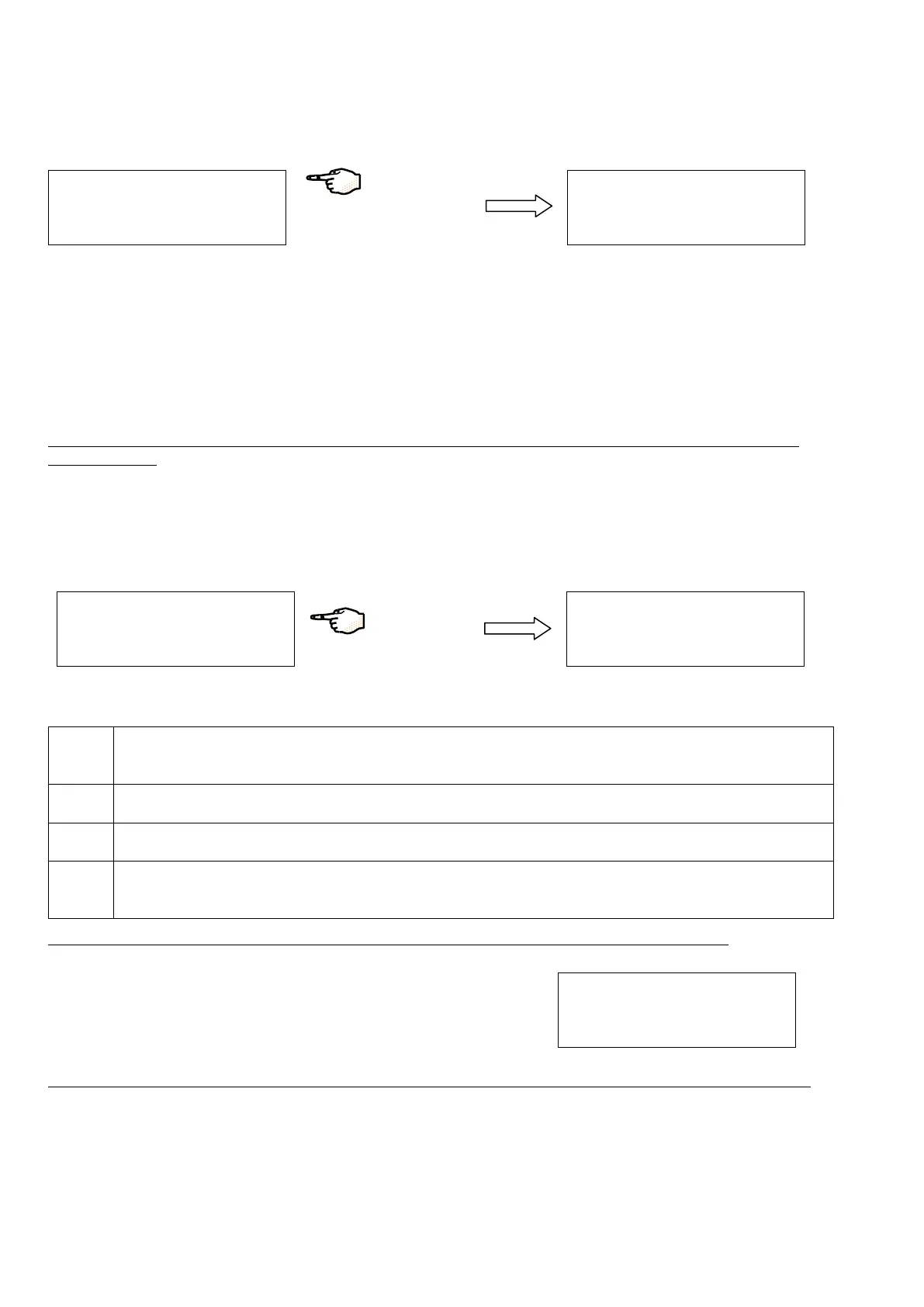
The DIST MODE allows you to activate, deactivate or program the recirculation.
S
E
T
U
P
D
I S
T
O
D
E
D
I S
T
P
R
O
G
A
S
C
Y
C
L E
D
I S
T
O
D
E
O
F
F
O
N
P
R
O
G
R
A
M
[
P
R
G
R
A
M
]
Press on DIST MODE.
The three functions in the DIST MODE are:
[OFF]: the DIST MODE is stopped (the pump is stopped).
[ON]: the DIST MODE is running permanently (the pump is running continuously).
[PROGRAM]: the DIST MODE is programmable for personal settings (see next section).
NOTE: the active mode can be visualized at the bottom of the LCD. For example, on the right display above, the [PROGRAM]
function is active.
WHAT IS THE DIST PROG?
You have put the DIST MODE into PROGRAM in the previous section. Now set the DIST PROG by choosing the DAY, the START
time, the STOP time and the duration of the RECIRC (recirculation).
S
E
T
U
P
D
I S
T
M
O
D
E
D
I S
T
P
R
O
G
A
S
M
C
Y
C
L E
D
A
Y
:
A
L L
D
A
Y
S
+
S
T
A
R
T
:
0
0
h
0
0
-
S
T
O
P
:
0
0
h
0
0
R
E
C
I R
:
0
1
m
i n
/
h
Press on DIST PROG.
DAY
Choose a specific day of a week (Monday, Tuesday, etc.) you want the DIST MODE to be effective.
Or choose All Days for all days of the week.
START Adjust the start hour and minutes.
STOP Adjust the stop hour and minutes.
RECIRC
Set the recirculation duration to be executed automatically once in every hour (maximum 30 min every hour). If
the value is 0, there is no recirculation.
NOTE: the recirculation is used to maintain water quality in the distribution loop when the pump is not running.
Example: every Wednesday, the SDS pump is running continuously from 08h00
to 17h30. When the pump stops operating continuously, it will then be powered
for 30 minutes every hour between 17:30 and 08:00 the next day. This is what
happens during Recirculation Mode.
D
A
Y
:
E
D
N
E
S
D
A
Y
+
S
T
A
R
T
:
0
8
h
0
0
-
S
T
O
P
:
1
7
h
3
0
R
E
C
I
R
:
3
0
m
i n
/
h
NOTE:
the SDS pump stops running automatically when the SDS is empty (below 0%) and does not restart until it is 10% full.


 To Next Page