www.milorange.com
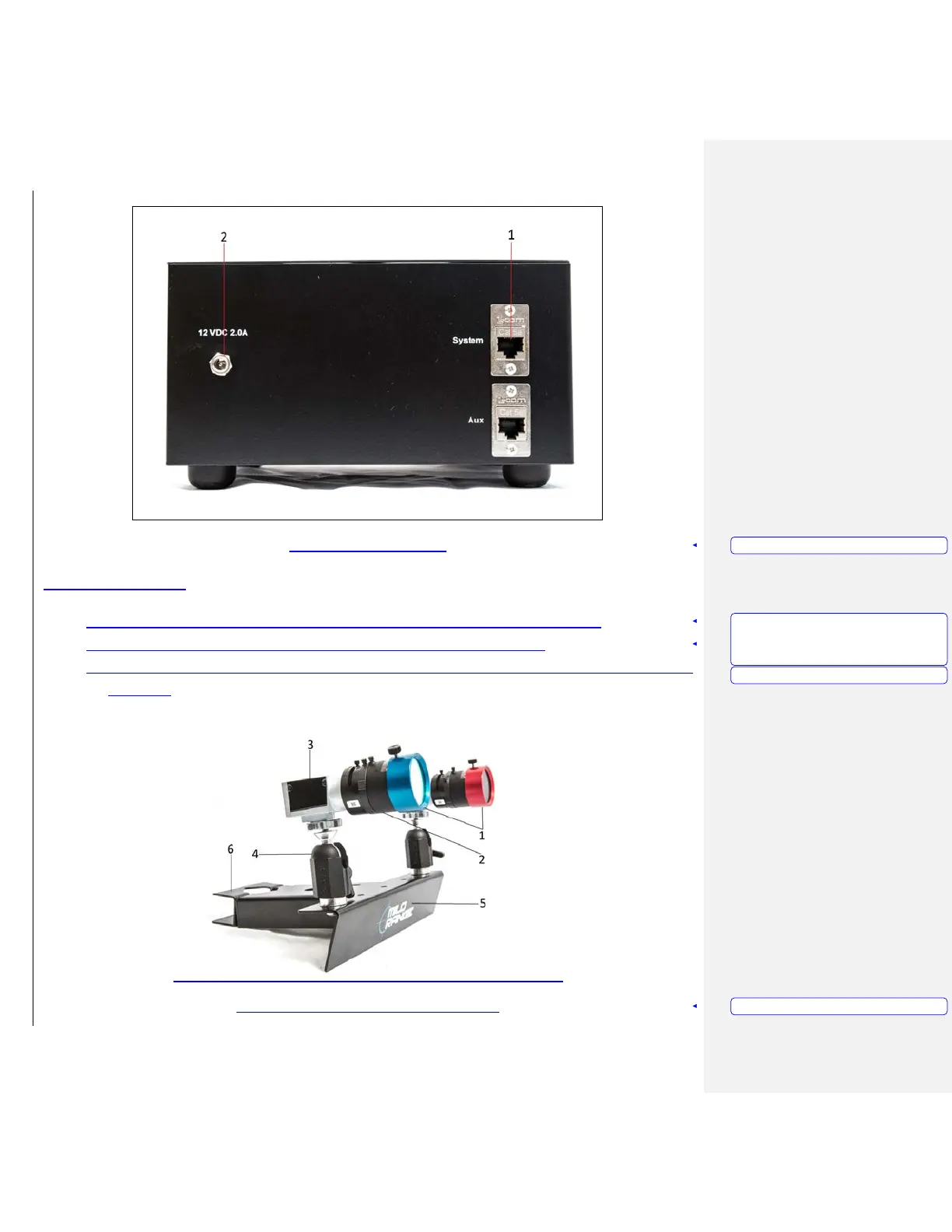
Figure 10 – Camera Box Rear
Ceiling Mount System
1. Attach the Filter Rings (Figure 11, Item 1) to the Camera Lenses (Figure 11, Item 2).
2. Attach the Cameras (Figure 11, Item 3) to the Knuckes (Figure 11, Item 4).
3. Mount the Camera Tree (Figure 11, Item 5) to the installed pole using the bracket and bolts (Figure
11, Item 6)
Figure 11 – Camera Tree with Cameras attached
Formatted: PICTURE CAPTION
Formatted: LIST
FOR
MANUALS,
Numbered
+
Level: 1 + Numbering Style: 1, 2, 3, … + Start
at: 1 + Alignment: Left + Aligned at: 0.5" +
Indent at: 0.75"
Formatted: LIST FOR MANUALS
Formatted: PICTURE CAPTION



 To Next Page