EasyManua.ls Logo

Minarik RG300 Series - User Manual

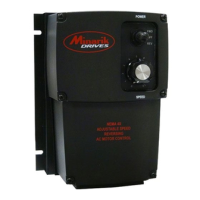
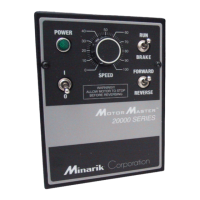
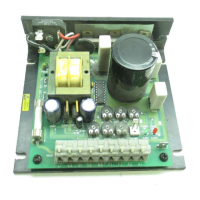
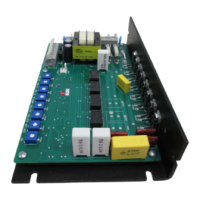
Minarik RG300 Series
64 pages
Print Icon
To Next Page IconTo Next Page
Loading...
USER’S MANUAL
RG300 and RG400 Series
SCR, Adjustable Speed, Regenerative Drives
for DC Brush Motors

Table of Contents

Questions and Answers

  • M
    Michael CampbellAug 8, 2025
    Why does the line fuse blow in my Minarik RG300?
    • J
      James GravesAug 8, 2025
      The line fuse in your Minarik DC Drives might be blowing due to several reasons. First, verify that the line fuses are the correct size for your motor. Second, check the motor cable and armature for shorts to ground. Finally, nuisance tripping might occur due to ambient conditions and high-current spikes. In such cases, consider adding a blower to cool the drive components, decreasing FWD TQ and REV TQ settings, resizing the motor and drive for the actual load demand, or checking for misaligned mechanical components or jams.
  • L
    lisawilliamsAug 12, 2025
    What to do if the field fuse blows in Minarik RG300?
    • B
      brownmaryAug 13, 2025
      If the field fuse blows in your Minarik DC Drives, start by verifying that the fuse is 1.5 A. Then, check if the motor field is shorted to ground and replace the motor if necessary. Also, ensure that F1 and F2 are not shorted together and check that the motor cable is not shorted to ground, replacing the cable if needed. Lastly, confirm that the motor field leads are correctly wired to F1 and F2, and the motor armature leads to A1 and A2.
  • P
    Paula VazquezAug 16, 2025
    How to increase the speed of my Minarik DC Drives motor?
    • E
      Elizabeth RuizAug 16, 2025
      If the motor connected to your Minarik DC Drives won't reach the desired speed, first, increase the MAX SPD setting. If that doesn't work, increase the IR COMP setting. Finally, check the motor load and resize the motor if necessary.
  • R
    Rebecca FullerAug 20, 2025
    What to do if the line fuse doesn't blow but the Minarik DC Drives motor won't run?
    • P
      Paul RodriguezAug 20, 2025
      If the line fuse is intact, but the motor isn't running, first, increase the speed adjust potentiometer or voltage setting. Next, check the connections to the input and verify that they are not open. Also, remove any jumper from the INHIBIT terminals. Ensure that S2 is not shorted to S1 by removing any short. Verify that the motor is not jammed and increase the FWD TQ or REV TQ setting if they are too low. Apply AC line voltage to L1 and L2, and connect the motor to A1 and A2.
  • K
    Kenneth Morgan Jr.Aug 26, 2025
    Why is my Minarik RG300 motor running too slow or too fast?
    • A
      Amy RaymondAug 26, 2025
      If your Minarik DC Drives motor is running too slow or too fast, it could be due to the following reasons: MIN SPD and MAX SPD may not be calibrated, so calibrate them. Alternatively, the field may not be operating properly, so verify motor field connections and voltage.
  • Y
    ybrownAug 29, 2025
    What causes a Minarik DC Drives motor to pulsate or surge under load?
    • D
      Diana RodriguezAug 29, 2025
      If your Minarik DC Drives motor pulsates or surges under load, it could be because the IR COMP is set too high; adjust the IR COMP setting slightly CCW until the motor speed stabilizes. Another possibility is that the motor is bouncing in and out of TORQUE limit; ensure the motor is not undersized for the load and adjust the FWD TQ and REV TQ trimpot CW.
  • D
    David CruzSep 3, 2025
    How to stop a Minarik RG300 DC Drives motor from humming or buzzing?
    • M
      Melinda CarterSep 3, 2025
      To stop a Minarik DC Drives motor from humming or buzzing, turn the deadband (DB) trimpot CCW until the noise stops; the deadband setting is likely too high.

Minarik RG300 Series Specifications

General IconGeneral
BrandMinarik
ModelRG300 Series
CategoryDC Drives
LanguageEnglish

Related product manuals