- 2 -
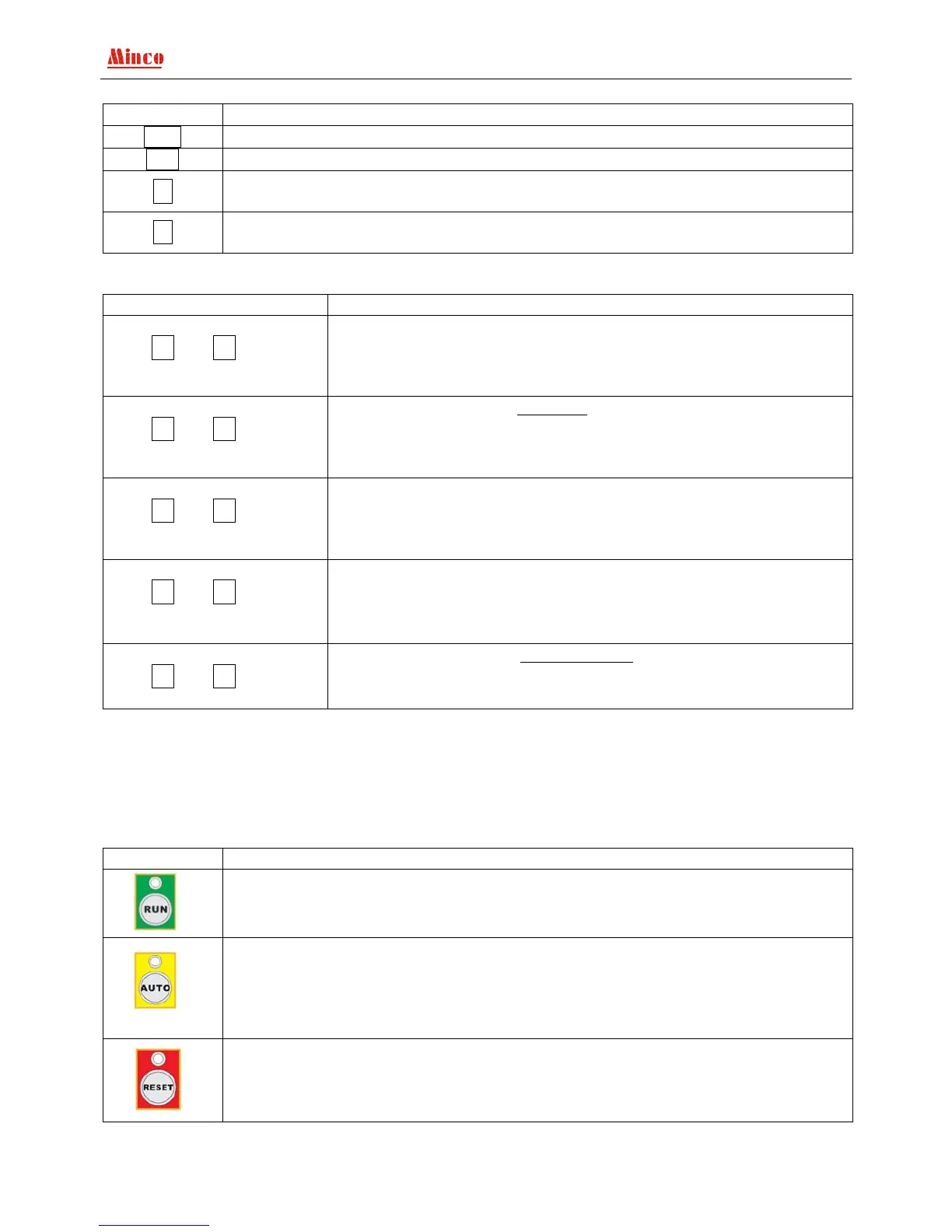
(1). System menu operate press keys
Content Function
ENT
Parameter setting /enter to next menu / confirm to revise
Exit
Exit / back to the superior menu
+
Switch the screen display content, view all the measuring parameters of the genset and
the current state; Page up the menu / add value
-
Switch the display content; examine all the genset parameters and the current state.
menu page down/degree value
(2). LCD display (Genset runs in normal,not setting state or not fault state)
Operation Description
Main screen 1
Press + or - can switch
the display interface
Normal P 00.0 HZ
A :000 V
B :000 V
C :000 V
Main screen 2
Press + or - can switch
the display interface
Generator 00.0 HZ
A :000 V 0000 A
B :000 V 0000 A
C :000 V 0000 A
Main screen 3
Press + or - can switch
the display interface
Rotate speed: 0000 RPM
Power: 0000.0 KW
Power factor: 0.00
Run Time: 00000.0 H
Main screen 4
Press + or - can switch
the display interface
Coolant temp.: 010/010 (0)
Oil pressure: 999/999 KPa (0)
Oil temp.: 010℃ (0)
Battery: 25.0 V
Main screen 5
Press + or - can switch
the display interface
Stop/OFF status
08-06-03/09:12:15
Attention: If “display change mode” set in “auto” switch state, the LCD display screen will switch to
next page after each 10 seconds; if “background light control” set in “auto” state, the LCD screen
background light will be auto turn off after three minutes without any operate. Once the fault appear or
press any key the background light turns on. If “Background light” control setting as “constant light”,
the LCD background light will keep lighting.
(3). Operation keys
Content Function
Press the key, when the above green LED keep bright, the controller is in “start” state,
start the genset in manual and keep running.
Press the key, when the above yellow LED keep bright, the controller is work in “auto”
state, once the “Remote start” switch input turn off and mains get right, the genset will
be stopped after delay. When “Remote start” switch input turn on the genset delay start
otherwise it’s delay cool down; If the genset reset by “remote reset”, once the “remote
reset” switch input turn off, the controller is in auto state.
Press the key, when the above red LED keep bright, the controller is work in
“stop/reset” state, it will unload, decelerate and idle stop, through idle stop cut off the
fuel. During decelerate and idle the “reset” indicator keep flash, keep light after stop.


 To Next Page