Need help?
Do you have a question about the Mindeo MD6000 Series and is the answer not in the manual?
Provides detailed technical specifications including dimensions, weight, interfaces, resolutions, and operating conditions.
Lists default configurations for various barcode types, including read enable, check digits, and code IDs.
Illustrates the physical dimensions of the scanner and its stand with measurements.
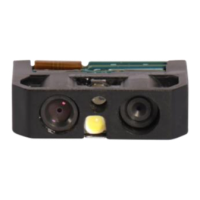
Identifies and labels the main physical components of the scanner.
Details the pin assignments for RS232 and USB interfaces on the scanner's cable connector.
Provides instructions for connecting and disconnecting the scanner's interface cables.
Offers guidance on how to assemble the scanner's optional stand.
Explains how to enable or disable the scanner's auto-detection feature using barcodes.
Demonstrates configuring scanner settings by scanning specific 1D barcodes.
Explains setting multiple parameters by scanning a single QR code.
Details controlling the scanner using UART commands for operation and status.
Describes auto-detection configuration for RS-232 and USB interfaces.
Explains RS-232 interface options, host types, and flow control.
Covers USB device types (HID keyboard, virtual COM) and keyboard layouts.
Details various scan modes and global scanner settings for optimal operation.
Explains scanner status indicators like power-on alert, LED, and beeper signals.
Configures decode illumination modes and aiming patterns for better scanning.
Covers additional settings like symbol readability and mobile screen reading.
Provides steps to calibrate the scanner's aimer for vertical centering.
Explains how to enter the scanner's firmware upgrade mode.
Details configuration options for reading UPC-A barcodes.
Details settings for EAN-13 barcodes, including ISBN/ISSN conversion.
Explains settings for Code 39, Code 32, and Trioptic Code 39.
Covers settings for Code 128 barcodes.
Details settings for QR Code barcodes.
Outlines settings for Data Matrix barcodes.
Configures string substitutions for G1-G6, C1-C3, and FN1 characters.
Manages transmission of prefixes, suffixes, code names, and case conversion.
Provides instructions for cleaning and maintaining the scanner's scan window.
 General
| Decode Capability | 1D Barcodes |
|---|---|
| Interface | USB, RS232 |
| Operating System Compatibility | Windows, Linux |
| Reading Distance | 50-600mm |
| Scanning Distance | 50-600mm |
| Operating Temperature | 0°C to 50°C |
| Humidity | 5% to 95% (non-condensing) |
| Drop Resistance | 1.5m |
| ESD Protection | ±15kV |
| Power Supply | DC 5V |


 To Next Page