Need help?
Do you have a question about the Mindeo MD6100S and is the answer not in the manual?
Detailed technical specifications of the MD6100S scanner, including physical, electrical, and performance parameters.
Overview of default configurations for various supported barcode symbologies.
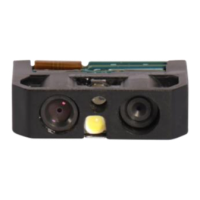
Visual guide to scanner dimensions and identification of its key physical components.
Pin-out descriptions for RS-232 and USB cable interfaces.
Step-by-step instructions for connecting and disconnecting interface cables.
Guidance on assembling the optional scanner stand for desktop use.
Method for configuring scanner settings using individual 1D barcodes.
Process to set multiple scanner parameters simultaneously via a single QR code.
How to select between RS-232 and USB interfaces, including auto-detection.
Detailed settings and options for the RS-232 serial communication interface.
Settings for USB device types like HID keyboard and virtual COM ports.
Customizing scanner behavior, detection modes, and general operational parameters.
Specific settings for reading and transmitting UPC-A barcode data.
Settings for Code 39, Code 32, and Trioptic Code 39 symbologies.
Configuration options specific to the QR Code symbology.
Advanced string manipulation for barcode data using substitution rules.
Managing prefix, suffix, preamble, and postamble data for transmission.
Proper procedures for cleaning the scanner's scan window to maintain performance.
Guide to creating barcodes that represent non-printable characters and control codes.
A reference table mapping ASCII values to characters for keyboard wedge input.
Examples of various barcode types for scanner testing and verification.
How to return the scanner to its original factory default settings.
Instructions for scanning a barcode to view the scanner's firmware version.
Barcodes used for inputting alphanumeric characters during scanner setup.
 General
| Type | Handheld |
|---|---|
| Scanning Speed | 300 scans per second |
| Weight | 150g |
| Scanning Technology | Laser |
| Humidity | 5% to 95% (non-condensing) |
| Drop Specification | 1.5m |
| Connectivity | USB |
| Operating System Compatibility | Windows, Linux |
| Light Source | LED |
| Decode Capability | 1D, 2D |
| Power Supply | DC 5V |
| Operating Temperature | 0°C to 50°C |
| Storage Temperature | -40°C to 70°C |


 To Next Page