Need help?
Do you have a question about the Mindeo MP8600 and is the answer not in the manual?
Details the technical specifications of the image platform, including dimensions, weight, connectivity, and performance metrics.
Lists the default configuration settings for various barcode types supported by the device, covering read, verification, and transmission.
Explains the pin configurations for RS232 and USB cable connectors for proper interface connections.
Provides the physical dimensions of the image platform with and without the stand, and mounting hole details.
Illustrates the horizontal and vertical scan range at various distances from the device.
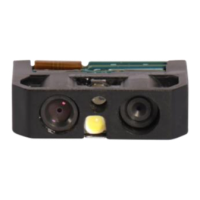
Identifies and labels the key physical components and interfaces of the image platform.
Provides general guidance and specific steps for installing the image platform via RS-232 and USB connections.
Explains how to configure individual settings by scanning specific 1D barcodes.
Details setting multiple parameters simultaneously using a single QR code barcode.
Guides the user on selecting the communication interface (RS-232 or USB) for the device.
Covers detailed settings for RS-232 communication, including flow control and delays.
Explains USB connection types, keyboard layouts, and function codes for USB communication.
Configures general scanning behavior and global operational parameters for the device.
Describes the meaning of LED and beeper signals for device status and feedback.
Allows adjustment of the illumination LED for optimal scanning and sets illumination modes.
Configures the scanner to prioritize specific barcode types or read multiple symbols in one scan.
Enables reading of specialized barcode formats like DPM, Structured Append, and mobile screen barcodes.
Details specific read, verification, transmission, and formatting settings for the UPC-A barcode type.
Details specific read, verification, transmission, and formatting settings for the UPC-E barcode type.
Details specific read, verification, transmission, and formatting settings for the UPC-E1 barcode type.
Covers settings for EAN-13, including ISBN/ISSN conversion and supplement digits.
Details specific read, verification, transmission, and formatting settings for the EAN-8 barcode type.
Configures settings for Code 39, including its variants Code 32 and Trioptic Code 39.
Details configuration options for the Interleaved 2 of 5 barcode symbology.
Covers settings for the Industrial 2 of 5 (Discrete 2 of 5) barcode symbology.
Details configuration options for the Matrix 2 of 5 barcode symbology.
Configures settings for the Codabar barcode, including start/end types and character equality.
Details settings for Code 128, including check digit, length, and truncation options.
Covers configuration for UCC/EAN 128 (GS1-128) barcodes, referencing other sections.
Details settings for the ISBT 128 barcode, including check digit and length configurations.
Configures settings for the Code 93 barcode, including verification, transmission, and length.
Details settings for the Code 11 barcode, including check digit verification and length.
Covers configuration settings for MSI/Plessey barcodes, including check digit verification methods.
Details settings for UK/Plessey barcodes, including check digit verification methods.
Covers configuration options for China Post barcodes, including code length and ID settings.
Details settings for China Finance barcodes, including character conversion and assignment.
Explains settings for GS1 DataBar Truncated, including code ID, insertion selection, and conversion.
Covers configuration settings for GS1 DataBar Limited, referencing other sections for details.
Details settings for GS1 DataBar Expanded, including code ID, insertion selection, and conversion.
Explains the GS1 Composite symbol structure and version enablement options.
Covers configuration settings for PDF417 barcodes, including read options.
Details settings for MicroPDF417 barcodes, including read options.
Configures settings for QR Codes, including website link reading.
Details settings for MicroQR Codes, noting firmware dependency.
Covers configuration settings for Data Matrix barcodes, including read options.
Details settings for Han Xin Code barcodes, including read options.
Covers configuration settings for Aztec Code barcodes, including read options.
Configures string substitutions, character replacements, and data transmission settings.
Sets the positions for inserting strings and placing the Code ID within the decoded data.
Manages how prefixes, suffixes, code names, and lengths are transmitted with the barcode data.
Provides instructions on cleaning and maintaining the scan window to ensure optimal performance.
Step-by-step guide on how to assemble and attach the optional stand to the image platform.
Explains how to create barcodes that represent non-printable characters like function keys.
Provides the ASCII character table for reference, used in barcode configuration.
Displays sample barcodes for various symbologies to verify scanner functionality.
Instructions on how to reset the device to factory defaults or display the firmware version.
Provides barcodes for entering alphanumeric characters during parameter configuration.
 General
| Brand | Mindeo |
|---|---|
| Model | MP8600 |
| Category | Barcode Reader |
| Language | English |


 To Next Page