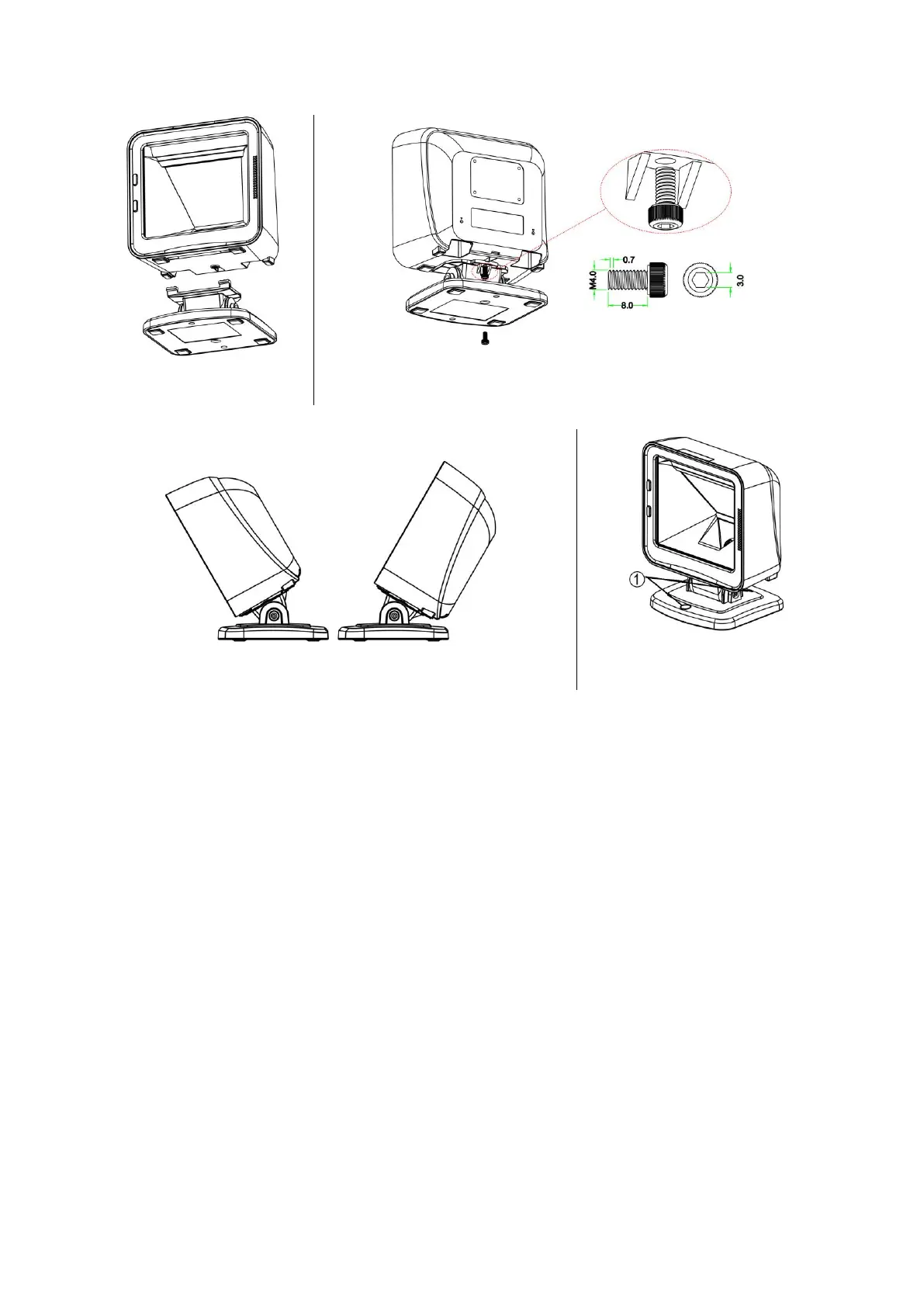
1. As shown in Figure 5-1, plug in two connection-arms to the two associated notches on the bottom of
the image platform.
2. As shown in Figure 5-2, well connect the image platform with the stand by tightening the single
screw.
3. As shown in Figure 5-3, adjust the image platform forward/backward for a desired position.
4. As shown in Figure 5-4, if you want to fix the stand on a table or other platform, you can remove two
plastic stopper on the stand (see ①), then fix the stand with a table with appropriate screws.



 To Next Page