EasyManua.ls Logo

Mindeo MP8600 - Single Type of Barcode, Multi-Symbols Read

Mindeo MP8600
103 pages
Print Icon
To Next Page IconTo Next Page
To Previous Page IconTo Previous Page
Loading...
27
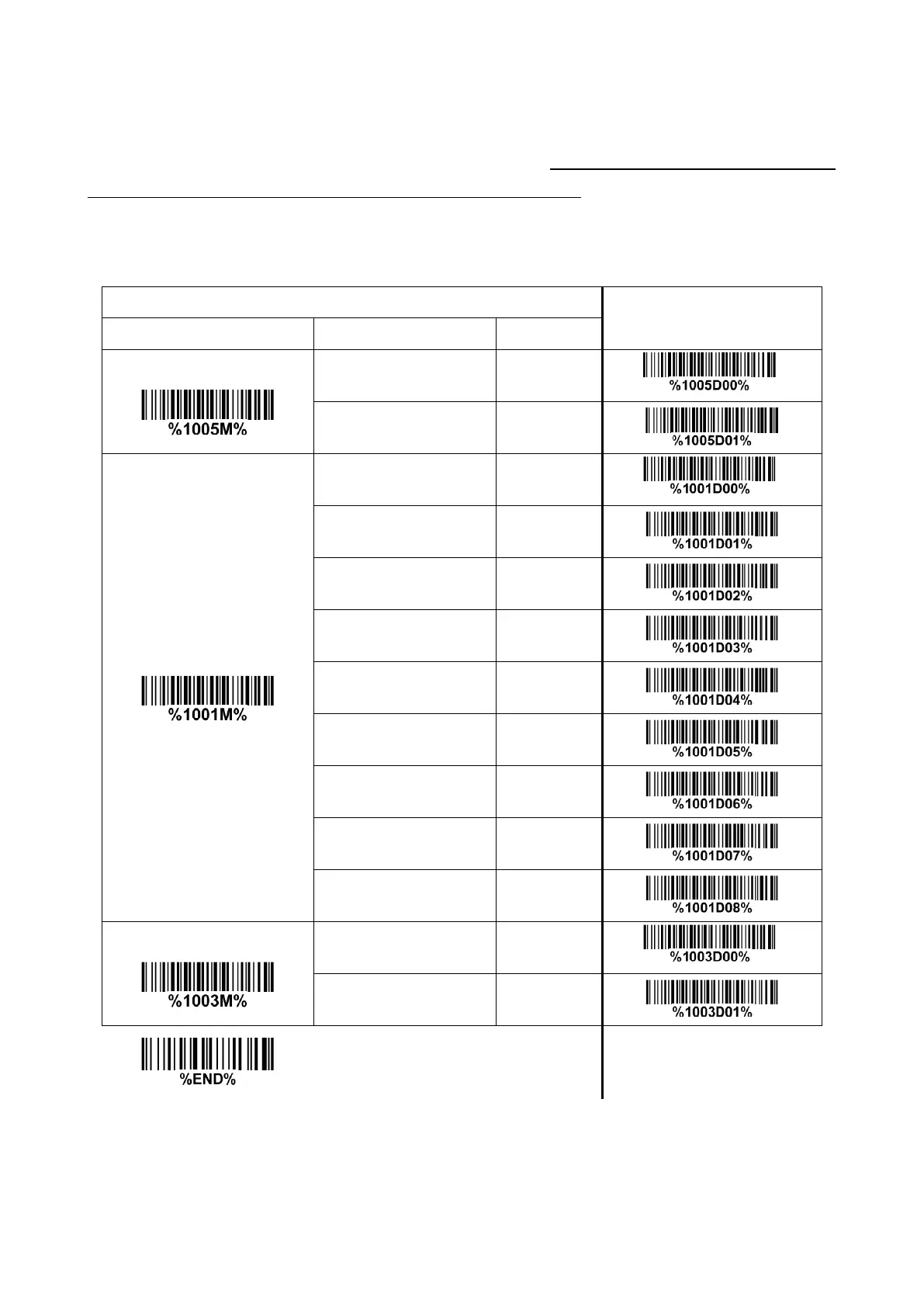
3-9 Single type of barcode, Multi-symbols read
1D symbols read: A global setting of 1D symbols readability.
2D symbols read: A global setting of 2D symbols readability. Note: When QR Code is disabled, the
image platform will not read setting/programming QR Code symbols.
Multi-symbols read: By setting Enable, the image platform allows to read multiple symbols in one image.
By setting Disable, the image platform will only read the symbol closest to the center area in the image.

Multiple-scan setting
Single-scan setting
Option barcode
Option
Alpha. entry
1D symbols read
Follow respective 1D
symbol setting
00*
*
All 1D Disable
01
2D symbols read
Follow respective 2D
symbol setting
00*
*
All 2D Disable
01
All 2D Enable
02
Only PDF417 Enable
03
Only QR code Enable
04
Only Data Matrix Enable
05
Only MaxiCode Enable
06
Only Aztec Code Enable
07
Only Han Xin Code Enable
08
Multi-symbols read
Disable
00*
*
Enable
01

Table of Contents

Related product manuals