Need help?
Do you have a question about the Mindeo MP8608 and is the answer not in the manual?
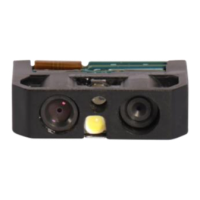
Details the technical parameters of the MP8608 Image Platform, including dimensions, weight, and interface.
Outlines the default configurations for various barcode symbologies, such as read enable and check digit verification.
Describes the pin configurations for RS-232 and USB interfaces, detailing each pin's function.
Provides physical dimensions and visual representations of the device for mounting and integration.
Illustrates the scanning area and its specifications, including center and window definitions.
Step-by-step guide for connecting the image platform via RS-232 and USB interfaces.
Explains how to configure single parameters using 1D barcodes and two programming modes.
Details customizing settings with a single QR code barcode and its data format.
Describes how to select between RS-232 and USB interfaces, including auto detection.
Configuration options for the RS-232 serial communication interface, including flow control and baud rate.
Configuration options for the USB interface, including device types and keyboard layouts.
Configures scanning modes, sensitivity, barcode length, and other global operational parameters.
Explains the meaning of LED and beeper signals for status indication during operation.
Controls the illumination settings for the scanner's LED, including different modes and levels.
Sets preferences for reading single barcode types or multiple symbols within an image.
Enables reading of DPM, Structured Append, and mobile screen barcodes.
Configuration options specific to the UPC-A barcode symbology, including data format and truncation.
Configuration options specific to the UPC-E barcode symbology, including data format and expansion.
Configuration options specific to the UPC-E1 barcode symbology, including data format and expansion.
Configuration for EAN-13 barcodes, including ISBN and ISSN conversion.
Configuration options specific to the EAN-8 barcode symbology.
Settings for Code 39, Code 32, and Trioptic Code 39 symbologies, including check digits.
Configuration options for the Interleaved 2 of 5 barcode symbology.
Settings for Industrial 2 of 5 and Discrete 2 of 5 barcode symbologies.
Configuration options for the Matrix 2 of 5 barcode symbology.
Configuration options for the Codabar barcode symbology.
Configuration options for the Code 128 barcode symbology.
Settings for UCC/EAN 128 and GS1-128 barcode symbologies.
Configuration options for the ISBT 128 barcode symbology.
Configuration options for the Code 93 barcode symbology.
Configuration options for the Code 11 barcode symbology.
Configuration options for MSI/Plessey barcode symbologies.
Configuration options for UK/Plessey barcode symbologies.
Configuration options for the China Post barcode symbology.
Configuration options for the China Finance barcode symbology.
Settings for GS1 DataBar Truncated barcode symbology.
Configuration options for GS1 DataBar Limited barcode symbology.
Configuration options for GS1 DataBar Expanded barcode symbology.
Information on GS1 Composite symbols, their components, and enabled versions.
Configuration options for the PDF417 barcode symbology.
Configuration options for the MicroPDF417 barcode symbology.
Configuration options for the QR Code barcode symbology.
Configuration options for the Data Matrix barcode symbology.
Configuration options for the Han Xin Code barcode symbology.
Configuration options for the Aztec Code barcode symbology.
Customize string settings for barcode data transmission, including prefix and suffix.
Configure positions for strings and Code ID in barcode data transmission.
Settings for transmitting barcode data components like prefix, suffix, code name, and case conversion.
 General
| Brand | Mindeo |
|---|---|
| Model | MP8608 |
| Category | Barcode Reader |
| Language | English |


 To Next Page