Programming instruction and example
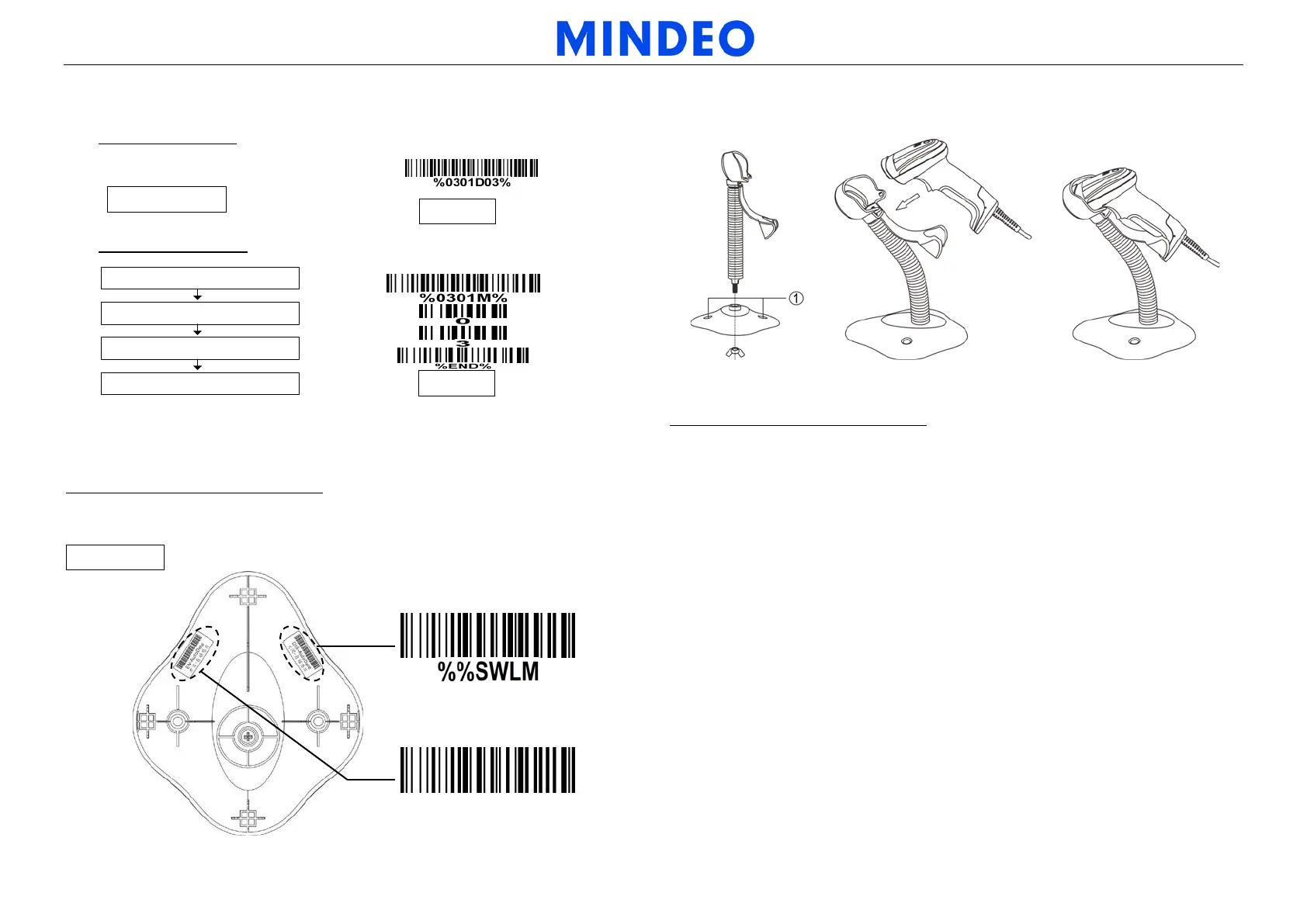
Two programming modes have been provided as bellows:
Single-scan setting
Scan the appropriate
Single-scan setting
Example: to set Flow control to be XON/XOFF.
Multiple-scan setting
Scan “
Option bar code”
Scan
“the 1
st character of option”
Scan “
the
2nd character of option
”
Scan “
END
”
Example: to set Flow control to be XON/XOFF.
Quick setting to enable/disable Auto-detection
Note: The stand is an optional accessory.
Scan the barcode “EN-AutoDete” on the stand to enable Auto-detection.
Scan the barcode “DIS-AutoDete” on the stand to disable Auto-detection. Note: The
Scanning mode will switch to momentary.
DIS-AutoDete
EN-AutoDete
Assembling the stand
Note: The stand is an optional accessory.
1. See the figure above, tighten the screws.
2. Bend the neck to the desired position for scanning.
3. Screw mounting: Screw one #10 wood screw into each screw-mount-hole until the base
of the stand is secured.
4. Tape mounting: ①Peel the paper liner off one side of each piece of tape and place the
sticky surface over each of the three rectangular tape holders. ②Peel the paper liner
off the exposed sides of each piece of tape and press the stand on a flat surface until it
is secure.
Note: 1. More details refer to User Manual. 2. For better readability, please print this document with laser printer. 3. Version: MD6000_QG_EN_V1.2.



 To Previous Page