26
Service Manual Combics
Important!
h
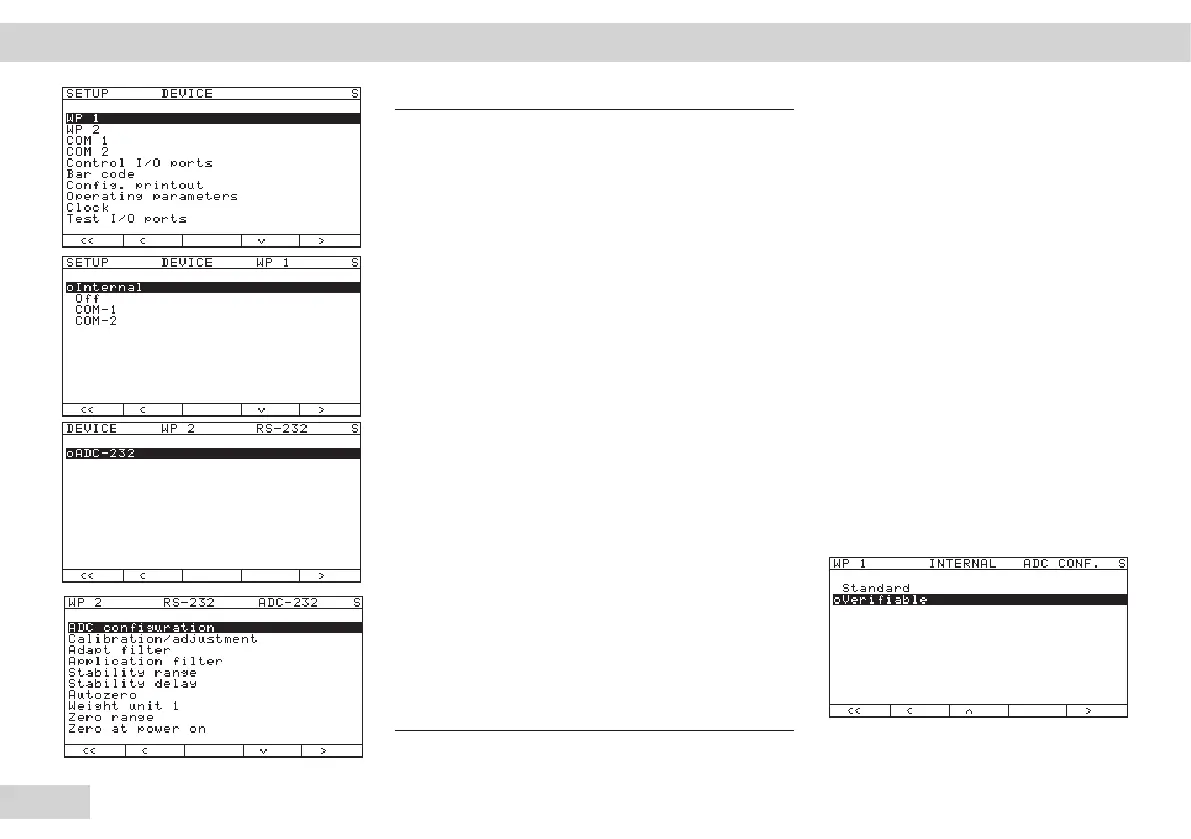
If "WP 2" is selected with the soft
key and confirmed with the > soft
key,
"RS232" will appear first in the
display.
Confirm once more here with the >
soft key.
"ADU-232" appears in the display
Confirm once more using the > soft
key.
You can now begin ADC
configuration.
"Standard" or "Verifiable"
appears in the display.
The ADC can now be configured.
You will need to read the
corresponding operating
instructions for this.
Operating Design | Service Mode Combics 3 ADC configuration



 To Next Page