19
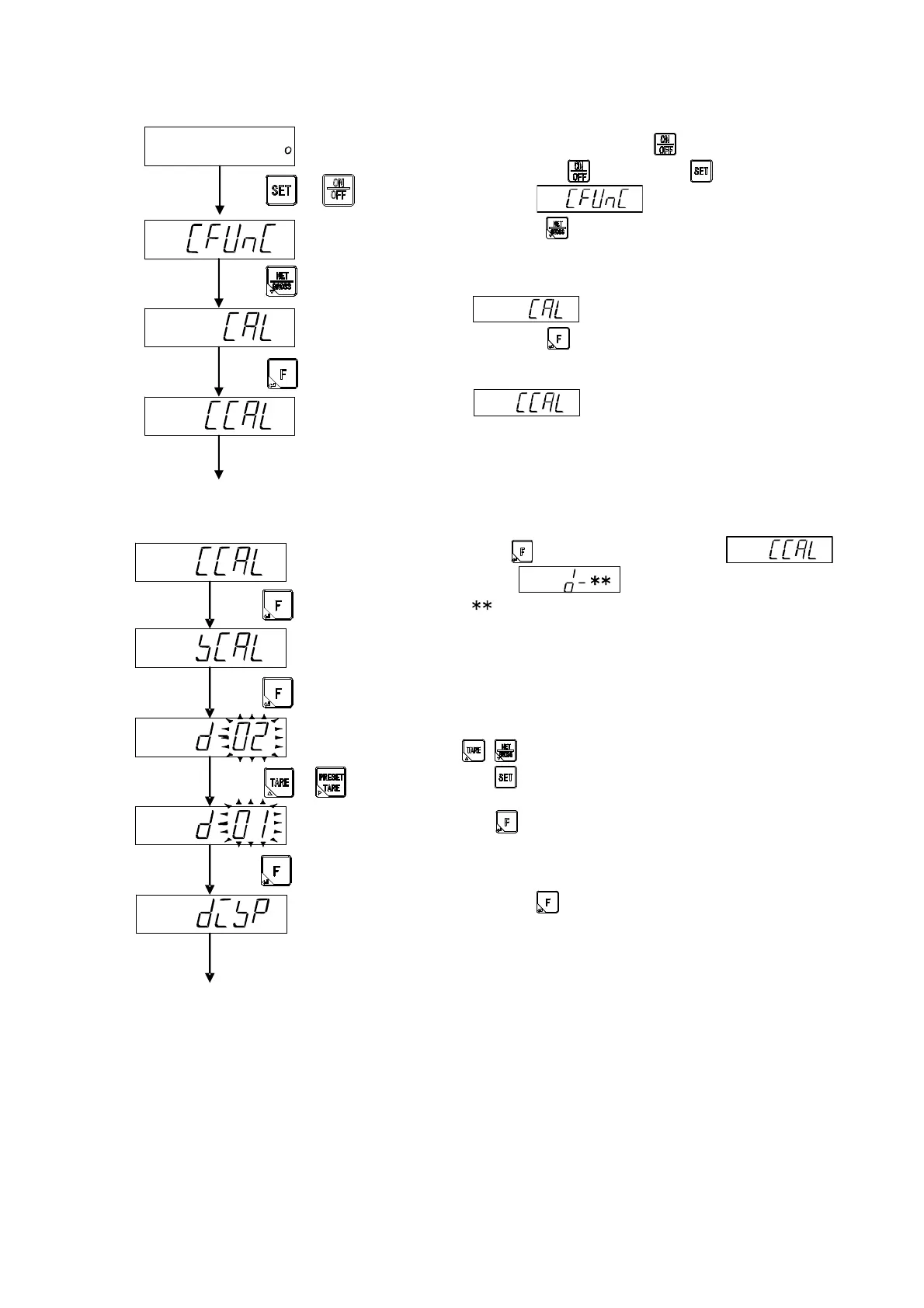
4-3-2. Switch to the calibration mode
Change from the standard measurement mode to the
stand-by condition by the key.
Pressing the key with the key pressed, it
displays .
Press the key here.
displays.
Press the here.
displays and it enters into the calibration
mode.
4-3-3. Set of the scale interval
When key is pressed twice from
display, is displayed.
[ ] is the scale interval being memorized now.
Please select the scale interval from 1, 2, 5, 10, 20 or 50.
: Selects the scale interval.
: Setting is interrupted and returns to CCAL
display.
: The displayed value is memorized, and proceed
to the next step.
Press the key after the set.
The scale interval to
be used
Move to set weighing capacity
Calibration mode
Stand-by condition
+
Move to the setting of the scale interval.



 To Next Page