39
6-8. Zero tracking
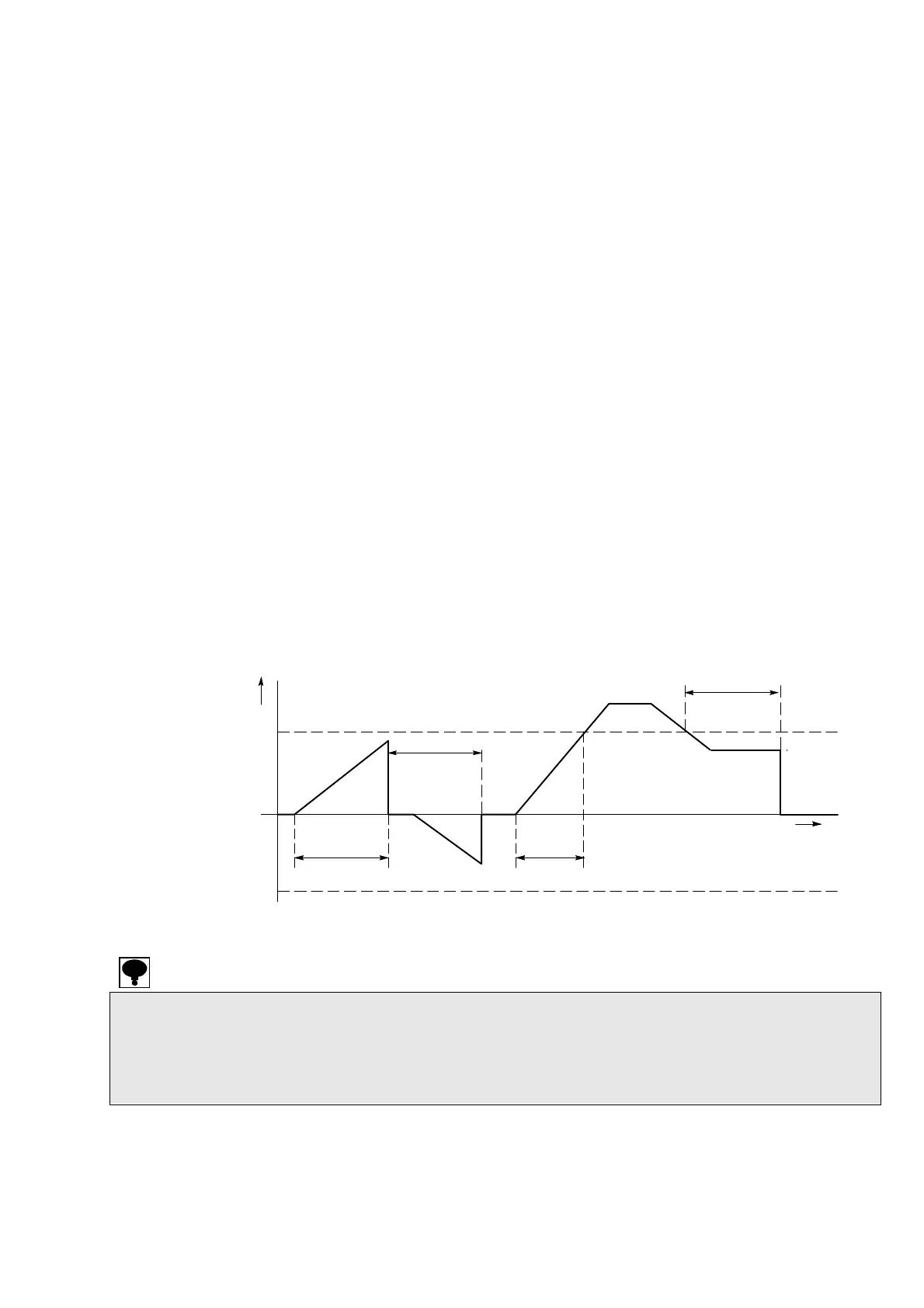
The function of zero tracking compensate the gradual zero drift in a constant condition and stabilize
the zero point.
6-8-1. Target of zero tracking
The zero tracking target is selected by C function CF-12.
[Gross value or net value (for load display)] or [Gross value (only at gross value display)] can be
selected. Default is set to [Gross value].
6-8-2. Zero tracking data width
The zero tracking data width is selected by C function CF-13.
Setting range : 00-99, Unit : 0.1 D, 00:OFF
Default is set to [00].
6-8-3. Zero tracking time width
The zero tracking time width can be set by C-function CF-14.
Setting range : 00-99, Unit : 0.1 s, 00:OFF
Default is set to [00].
Ex. The data width to which the zero tracking is executed by C function CF-13 is set.
The zero tracking data width for each set value [n] is obtained in the display conversion by the
following expression.
[Zero tracking data width] = [Set value (n) of CF-13] x 0.5 x [Scale interval]
When the set value of C function CF-13 is [10] and the scale interval is [D = 5], that is
[Zero tracking data width] = 10 x 0.5 x 5D = 25D
・ The zero tracking does not operate when either of setting C function CF-13 or CF-14 is [0].
・ Please do not use the zero tracking when the load vibrates gradually in the vicinity of the zero point.
・ Please note that the zero tracking might become effective even if an actual load change is rapid
when the load change becomes gradual by strength of the digital filter and the stabilization filter.
・ The zero tracking will not be operated when the zero compensation is executed for the effective
range of portion by the zero tracking and zero set.
Zero tracking
data width
Less than setting of CF-14
Setting of CF-14
Setting of CF-14
Setting of CF-14
Zero traching
data width
Zero point
+
-
Display
Display
Time


 To Next Page
 Loading...


