EasyManua.ls Logo

Minelab GP Extreme - User Manual

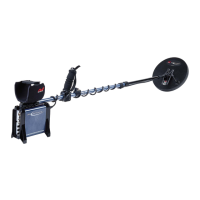
Minelab GP Extreme
34 pages
Print Icon
To Next Page IconTo Next Page
Loading...
Minelab USA Inc
871 Grier Drive, Suite B1,
Las Vegas, Nevada, 89119
United States of America
Telephone: +1 (702) 891 8809
Facsimile: +1 (702) 891 8810
Email info@minelabusa.com

Questions and Answers

  • K
    Kayla GillJul 26, 2025
    Why is there no sound on my Minelab GP Extreme?
    • K
      Kenneth HernandezJul 27, 2025
      If your Minelab Metal Detector has no sound, ensure the Threshold control is fully clockwise and the Volume control is turned clockwise. Also, inspect the power cable and connections, check the headphones, and verify the battery.
  • L
    Laura MurphyJul 31, 2025
    What to do if my Minelab Metal Detector is making random noises?
    • M
      Michelle Long MDJul 31, 2025
      If your Minelab Metal Detector is producing random noises, check for interference from other detectors. Retune using the Tuning button, charge the battery, set RX to Cancel, re-ground balance, and check for thunderstorm build-up.
  • R
    Robert HarrisAug 5, 2025
    How to fix a very noisy threshold on Minelab GP Extreme Metal Detector?
    • J
      johnmartinezAug 5, 2025
      If you're experiencing a very noisy threshold on your Minelab Metal Detector, check for interference and re-tune. Try detecting in a different location and set Rx to Cancel.
  • S
    Sharon JacobsonAug 10, 2025
    Why won't my Minelab GP Extreme Metal Detector battery charge using the vehicle charger?
    • S
      Samantha BuckAug 10, 2025
      If the battery of your Minelab Metal Detector won't charge using the vehicle charger, check for power to the cigarette lighter socket in the vehicle and inspect the 10 amp fuse in the charger plug.
  • D
    Drew SandersAug 15, 2025
    What to do if Minelab GP Extreme Metal Detector has threshold but no target signal?
    • T
      turnergregoryAug 15, 2025
      If your Minelab Metal Detector has a threshold sound but no target signal, verify that the coil is properly connected. If it is, try testing with different coils.
  • K
    Krystal MortonAug 21, 2025
    Why is my Minelab Metal Detector battery not holding charge?
    • M
      Michael SmithAug 21, 2025
      If the battery of your Minelab Metal Detector is not holding a charge, try using an alternative charger and check the power cable.

Summary

Introduction to Minelab GP extreme

About This Manual

Describes the manual's structure and content, guiding users through assembly, operation, and maintenance.

Introducing the Minelab GP extreme

Provides an overview of the GP extreme detector, its Dual Voltage Technology (DVT), and key features.

Assembly Guide

Unpacking and Parts Identification

Lists all components included in the GP extreme package and identifies pre-assembled sections.

Step-by-Step Assembly Instructions

Provides detailed instructions for assembling the GP extreme detector, including attaching shafts, armrest, and coil.

Battery and Charging

Battery Operation and Charging Procedures

Explains battery life, low battery indication, charging methods using mains and vehicle chargers, and important cautions.

Controls and Functions

Understanding Detector Sounds

Explains different detector sounds: threshold, target signals, ground noise, tune indication, and low battery indication.

Rear Panel Control Descriptions

Details the function of controls located on the rear panel, including Power, Boost, Threshold, Volume, Signal, and Tone.

Front Panel Control Descriptions

Describes the functions of front panel controls like Tune, Iron Discriminate, Soil, and Rx (Receive) settings.

Discrimination and Soil Settings

Explains how to use Iron Discriminate, Level Adjust, Soil, and Rx switches to optimize detection in various conditions.

Balance and Tuning Controls

Details the Balance (Fixed/Tracking) switch and the Tune function for reducing electromagnetic interference.

Operation and Techniques

Quick Start Operating Guide

Provides a simplified, step-by-step guide for quickly setting up and operating the GP extreme for the first time.

Detailed Operating Instructions

Offers comprehensive guidance on operating the detector, including setting volume, threshold, and using various modes.

Ground Balancing Techniques

Explains the importance of ground balancing and provides procedures for automatic and fixed ground balance.

Iron Discrimination Usage

Details how to utilize the iron discrimination feature to distinguish between ferrous and non-ferrous targets.

Target Recovery Methods

Guides users on how to safely and efficiently recover detected targets from the ground while minimizing disturbance.

Detecting Techniques

Prospecting and Search Strategies

Offers techniques for gold prospecting and strategies for covering search areas effectively with the GP extreme.

Identifying and Pinpointing Signals

Provides methods for interpreting target signals and pinpointing the exact location of objects in the ground.

User Information and Support

Technical Specifications Overview

Lists the detailed technical specifications of the Minelab GP extreme, including length, weight, and frequency.

Troubleshooting Common Issues

Provides a table of common faults and suggested solutions for resolving operational problems with the detector.

Warranty and Service Procedures

Outlines the warranty coverage for the GP extreme and provides instructions for returning the unit for service.

Glossary of Common Terms

Defines key technical terms and concepts used throughout the GP extreme user manual for better understanding.

Detector Care and Safety Guidelines

Offers advice on maintaining the detector, cleaning procedures, and essential safety precautions for users.

Minelab GP Extreme Specifications

General IconGeneral
BrandMinelab
ModelGP Extreme
CategoryMetal Detector
LanguageEnglish

Related product manuals