EasyManua.ls Logo

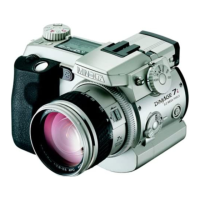
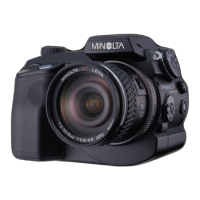
Minolta DiMAGE 7Hi - User Manual

Minolta DiMAGE 7Hi
156 pages
Print Icon
To Next Page IconTo Next Page
Loading...
INSTRUCTION MANUAL
E
9222-2778-11 MM-A208

Table of Contents

Other manuals for Minolta DiMAGE 7Hi

Questions and Answers

  • K
    Kim HamiltonJul 28, 2025
    How to fix Minolta DiMAGE 7Hi Digital Camera that will not turn on?
    • J
      Joe SotoJul 28, 2025
      If your Minolta Digital Camera isn't turning on, there are a few potential causes. First, the batteries might be dead, so try replacing them. Second, the batteries may be inserted incorrectly; ensure the positive and negative terminals are properly aligned according to the markings inside the battery chamber. Finally, if you're using an AC adapter, verify that it's correctly connected both to the camera and to a working electrical outlet.
  • S
    sarahblevinsAug 2, 2025
    Why Minolta DiMAGE 7Hi shutter won't release?
    • D
      drewmillerAug 2, 2025
      The shutter on your Minolta Digital Camera might not release due to a couple of reasons. One possibility is that the memory card is full. Try inserting a new memory card, deleting some existing images, or reducing the image quality or size settings. Another reason could be that there's no memory card inserted in the camera; in that case, insert a memory card.
  • S
    Stacy RobinsonAug 6, 2025
    How to fix blurry pictures on Minolta Digital Camera?
    • M
      Mary VaughanAug 6, 2025
      If your Minolta Digital Camera pictures are not sharp, consider these possible causes: * If the subject is too close, ensure it is within the autofocus range (0.5m - ? / 1.6 ft - ?) or use the macro mode. * If the camera is in macro mode, cancel the macro mode setting. * If a special situation is preventing the autofocus system from focusing, use the focus-lock function to focus on an object at the same distance as the subject or use manual focus. * If slow shutter speeds result in blurred images when the camera is hand-held, use a tripod, increase the camera's sensitivity, or use the flash.
  • F
    Frank YoungAug 10, 2025
    Why are Minolta DiMAGE 7Hi Digital Camera flash pictures too dark?
    • G
      Gerald MartinAug 10, 2025
      If your Minolta Digital Camera pictures are too dark when using the flash, the subject might be too far away. Try moving closer to the subject or increasing the camera's sensitivity.
  • J
    jamesstanleyAug 15, 2025
    What to do if Minolta Digital Camera overheats?
    • A
      angel82Aug 15, 2025
      If your Minolta Digital Camera is hot or has been in a hot environment and isn't working, turn it off and let it cool down. If “Err” is still displayed after cooling, remove and then reinsert the batteries or power cord.
  • M
    Mary GreenAug 19, 2025
    Why does Minolta DiMAGE 7Hi Digital Camera have shadow on the bottom of the image?
    • A
      Alicia IrwinAug 19, 2025
      If a shadow appears on the bottom of your Minolta Digital Camera images, it's likely that the lens hood is blocking the light from the built-in flash. Always remove the lens hood when using the built-in flash.
  • H
    Heather DiazAug 23, 2025
    Why Minolta Digital Camera pictures are not sharp?
    • D
      derrickjacksonAug 23, 2025
      If your Minolta Digital Camera pictures are not sharp, it could be due to a few reasons. Check if the subject is too close and ensure it is within the autofocus range (0.5m - ? / 1.6 ft - ?) or use the macro mode. Alternatively, if the camera is in macro mode, try canceling that setting. If the autofocus isn't working in a special situation, use the focus-lock function or manual focus. Lastly, slow shutter speeds can cause blur; use a tripod, increase the camera's sensitivity, or use the flash.

Summary

BEFORE YOU BEGIN

FOR PROPER AND SAFE USE

NAMES OF PARTS

CAMERA BODY

Identification of the main external components of the camera body.

DATA PANEL

Data Panel Indicators and Displays

Explanation of the icons and information shown on the camera's data panel.

MONITOR DISPLAYS

Recording Mode Display

Details indicators like shutter speed, aperture, focus signals, and exposure modes shown during shooting.

Quick View & Playback Mode Display

Explains playback indicators like image size, quality, histogram, and date of capture shown after shooting.

Minolta DiMAGE 7Hi Specifications

General IconGeneral
Max resolution2560 x 1920
Image ratio w:h4:3
Sensor size2/3" (8.8 x 6.6 mm)
ISO100, 200, 400, 800
Optical zoom7x
Digital zoom2x
Manual focusYes
Metering modesMulti-segment, center-weighted, spot
Custom white balanceYes
Digital image stabilizationNo
Uncompressed formatRAW
JPEG quality levelsFine, Standard, Economy
Viewfinder typeElectronic
LCD screen size1.8"
Built-in flashYes
External flashYes
Drive modesSingle, Continuous, Self-timer
Self-timer10 sec
File FormatsJPEG, RAW
Camera typeDigital Camera
Effective pixels5 million
Lens focal length7.2 - 50.8 mm
Normal focusing range50 cm
Aperture rangeF2.8 - F3.5
Shutter speed30 - 1/2000 sec
Exposure compensation±2 EV in 1/3 EV steps
Flash modesAuto, Red-eye reduction, Slow sync
Storage typesCompactFlash (Type I/II)
ConnectivityUSB, Video Out
BatteryLithium Ion
Image Resolution2560 x 1920, 1280 x 960, 640 x 480

Related product manuals