EasyManua.ls Logo

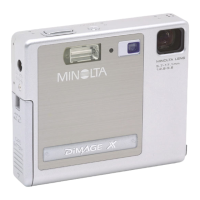
Minolta DiMAGE X - User Manual

Minolta DiMAGE X
88 pages
Print Icon
To Next Page IconTo Next Page
Loading...
INSTRUCTION MANUAL
E
9224-2776-11 H-A112

Table of Contents

Questions and Answers

  • T
    Thomas BlakeJul 28, 2025
    What to do if pictures are too dark with flash on Minolta Digital Camera?
    • V
      vcainJul 29, 2025
      If your Minolta Digital Camera pictures are too dark while using the flash, it might be because the subject is beyond the flash range. For wide-angle shots, the range is 0.25m to 2.9m (0.8 ft to 9.5 ft), and for telephoto shots, it's 0.25m to 2.3m (0.8 ft to 7.5 ft). Try moving closer to the subject.
  • J
    Jessica JohnsonAug 2, 2025
    Why are my Minolta DiMAGE X pictures not sharp?
    • A
      Ashley ThomasAug 2, 2025
      If your Minolta Digital Camera is not taking sharp pictures, ensure that your subject is within the autofocus range of 25cm (0.8ft.) to infinity. If you're in a special situation that's preventing autofocus, use the focus-lock function to focus on an object at the same distance as your subject. If you're using slow shutter speeds while hand-holding the camera, this can cause blurring. Try using a tripod or the built-in flash.
  • C
    Carla SanchezAug 6, 2025
    Why won't the shutter release on my Minolta DiMAGE X Digital Camera?
    • K
      Kurt BeckerAug 6, 2025
      If the shutter on your Minolta Digital Camera won't release, the memory card might be full, preventing you from storing images at the current image-quality or image-size setting. You can insert a new memory card, delete some images, or change the image-quality or image-size setting. Also, make sure that the write-protect switch is not locked. Finally, ensure that a memory card is actually inserted in the camera.
  • J
    Joseph PalmerAug 10, 2025
    How to fix Minolta DiMAGE X that will not work?
    • K
      Kathy MillerAug 10, 2025
      If your Minolta Digital Camera will not work, the battery may be dead. Recharge the battery. Also, the auto-power-off function might have shut down the camera. Turn the camera on using the main switch. Finally, check that the AC adapter is connected properly to both the camera and a live electrical outlet.
  • A
    Alexander KellerAug 14, 2025
    Why is part of the image hidden in my Minolta Digital Camera photos?
    • C
      Chris WatkinsAug 14, 2025
      If part of the image area is hidden behind a dark object when using your Minolta Digital Camera, it's possible that the lens was partially covered by an object or your finger. When using the viewfinder, take care not to cover the lens.
  • R
    Robert WrightAug 18, 2025
    Why does my Minolta DiMAGE X only take one picture in continuous drive?
    • T
      Theresa PerkinsAug 19, 2025
      If your Minolta Digital Camera only takes one picture with continuous drive, it may be because the image quality is set to super fine. Try changing the image-quality setting.
  • B
    byrdsharonAug 23, 2025
    Why is the subject on my Minolta Digital Camera too far to the right?
    • A
      Ashley JonesAug 23, 2025
      If the subject appears too far to the right in the image on your Minolta Digital Camera, parallax might be the cause. This is apparent with subjects closer than 1m (3ft.) at the zoom's wide-angle position or 3m (10ft) at the telephoto position. Use the LCD monitor for framing with close subjects.

Summary

Before You Begin

Proper and Safe Use Guidelines

NP-200 Lithium-ion Battery Safety

Details critical safety warnings and dangers associated with the NP-200 lithium-ion battery.

General Product Safety Cautions

Covers essential warnings and cautions for the safe operation of the digital camera and accessories.

Specific Cautionary Measures

Highlights specific cautions related to environmental conditions, LCD monitor, and handling.

Camera Features and Components

Exterior Parts Identification

Identifies and labels the external parts of the DiMAGE X camera body.

Top and Rear Controls Overview

Details the controls and indicators located on the top and back of the camera.

Getting Started with Your DiMAGE X

Charging the Lithium-ion Battery

Provides step-by-step instructions for charging the camera's lithium-ion battery.

Replacing the Lithium-ion Battery

Explains the procedure for safely removing and inserting the lithium-ion battery.

Battery Status and Auto Power Off

Describes the battery-condition indicator and the auto power-off function for battery conservation.

AC Adapter and Hand Strap Attachment

Details the use of the AC adapter and how to attach the hand strap for secure handling.

Memory Card Handling and Types

Guides on installing, removing, and understanding the use of memory cards.

Setting the Date and Time

Instructions on setting the camera's internal clock and calendar for accurate image data.

Recording Mode Operations

Camera Handling for Recording

Provides guidance on gripping and holding the camera steady for optimal recording.

Preparing for Image Capture

Explains how to turn on the camera and set the mode switch to recording.

Using the Zoom Lens

Details how to operate the zoom lens and activate the digital zoom function.

LCD Monitor Display and Warnings

Explains the LCD monitor icons and the camera-shake warning system.

Basic Recording and Focus Control

Covers the fundamental steps for taking a picture and using focus lock.

Focus Range, Signals, and Situations

Details the camera's focusing range, signals, and how to handle challenging situations.

Flash Modes, Range, and Signals

Explains the different flash modes, their effects, and operational flash range.

Navigating Recording Menus

Guides users on how to access and change settings within the recording mode menu.

Drive Modes for Image Capture

Details various drive modes like single-frame, continuous, self-timer, movie, and audio recording.

Image Size and Quality Settings

Explains how image size and quality affect file size, print quality, and storage.

Memory Card Capacity and Frame Counter

Details how the frame counter reflects remaining images based on card capacity and settings.

White Balance Adjustments

Covers automatic and preset white balance settings for accurate color rendition.

Digital Zoom and Instant Playback

Explains how to use digital zoom and the instant playback feature.

Voice Memo and Folder Management

Covers adding voice memos and understanding folder naming conventions.

Display, Power, Date, and Exposure Settings

Covers LCD brightness, auto power-off, audio signals, date/time, and exposure compensation.

Understanding Exposure Value (Ev)

Defines Exposure Value (Ev) and its effect on image exposure.

Using the Display Button

Explains how the display button cycles through different LCD monitor views.

Basic Photography Principles

Introduces fundamental concepts of photography related to zoom lenses and depth of field.

Playback Mode Operations

Viewing Images and Recordings

Details how to view still images, movie clips, and audio recordings in single-frame playback.

Navigating and Playing Back Content

Explains how to scroll through content and play back audio tracks or movie clips.

Display Options in Playback

Describes how the display button changes the view between full, image-only, and index playback.

Enlarged Image Examination

Provides instructions for magnifying images to examine details closely.

Navigating Playback Menus

Guides users on accessing and changing settings within the playback mode menu.

Frame Selection Screen Usage

Explains how to use the frame selection screen for batch operations like deletion or printing.

Audio Captioning Procedure

Details the process of adding a fifteen-second audio caption to a still image.

Deleting Image and Audio Files

Provides instructions for permanently deleting files from the memory card.

Locking and Unlocking Files

Explains how to lock files to protect them from accidental deletion.

DPOF Print Order Creation

Guides on creating a Digital Print Order Format (DPOF) for standard prints.

Ordering Index Prints

Instructions on how to create an index print of all images on the memory card.

Memory Card Formatting and Output

Covers memory card formatting, video output options, and menu language settings.

Viewing Images on a Television

Explains how to connect the camera to a television for image viewing.

Data Transfer Mode Operations

System Requirements for Computer Connection

Lists the compatible operating systems and hardware requirements for connecting the camera.

Connecting the Camera to a Computer

Step-by-step guide on how to connect the DiMAGE X to a computer via USB.

Installing Drivers for Windows

Provides instructions for automatic and manual installation of USB drivers for Windows.

Connecting to Mac OS and QuickTime

Details connection procedures for Mac OS, QuickTime requirements, and auto power off.

Changing Memory Card During Transfer

Explains the safe procedure for changing memory cards while connected to a computer.

Memory Card Folder Structure

Describes the structure and naming conventions of folders and files on the memory card.

Disconnecting Camera from Computer

Provides safe procedures for disconnecting the camera from a computer, including Windows and Mac.

Setting the Menu Language

Adjusting Menu Language Options

Explains how to navigate the playback menu to select the desired display language.

Troubleshooting Common Issues

Camera Not Working or Releasing Shutter

Addresses issues like a blank monitor, auto power off, or shutter release failures.

Image Quality and Drive Mode Problems

Solutions for unsharp pictures, blurred images, and single-picture capture in continuous drive.

Flash and Subject Distance Issues

Troubleshoots pictures being too dark when using flash due to subject distance.

Focus and Framing Troubleshooting

Addresses issues with subject framing, parallax, and lens obstruction.

Indicator Lamp Status Diagnosis

Explains the meaning of different indicator lamp colors and blinking states for diagnosing issues.

Appendix and System Information

Removing Driver Software from Windows

Provides instructions for uninstalling camera driver software from Windows systems.

Care and Storage Recommendations

Camera Care and Handling

Guidelines for protecting the camera from damage, moisture, and sunlight.

Memory Card Care and Data Safety

Best practices for memory card usage to prevent data loss or damage.

Battery, Cleaning, and Storage Advice

Covers battery care, cleaning procedures, and optimal storage conditions for the camera.

Monitor Care and Service Information

Instructions for LCD monitor maintenance and information on seeking service or support.

Technical Specifications

Camera Hardware and Imaging Specifications

Details the camera's CCD, lens, shutter, and general image capture specifications.

Performance, Battery, and Connectivity Data

Provides information on battery performance, operating conditions, and external power sources.

Minolta DiMAGE X Specifications

General IconGeneral
BrandMinolta
ModelDiMAGE X
CategoryDigital Camera
LanguageEnglish

Related product manuals