EasyManua.ls Logo

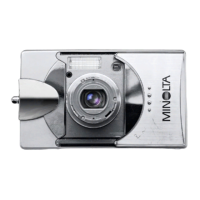
Minolta DiMAGE E323 - User Manual

Minolta DiMAGE E323
96 pages
Print Icon
To Next Page IconTo Next Page
Loading...
9222-2729-11 SY-A308 ME-0307
INSTRUCTION MANUAL
E

Table of Contents

Questions and Answers

  • A
    Aaron JohnsonAug 16, 2025
    What to do if the shutter will not release on Minolta DiMAGE E323?
    • D
      Dr. Diana ThorntonAug 16, 2025
      If the shutter on your Minolta Digital Camera won't release, it might be because the memory card is full. Try inserting a new memory card, erasing some existing images, or changing the compression or resolution settings. Another reason could be that there's no memory card inserted in the camera; make sure a memory card is properly inserted.
  • R
    Robert WilliamsAug 22, 2025
    How to fix not sharp pictures on Minolta Digital Camera?
    • D
      Dale WebbAug 22, 2025
      If your pictures from Minolta Digital Camera are not sharp, it could be due to several factors. Ensure that your subject is within the autofocus range. If you're in a special situation that's preventing autofocus, try using the focus-lock function on an object at the same distance as your subject. Also, slow shutter speeds can cause blur when hand-holding the camera; consider using a tripod or the flash.
  • W
    wpriceAug 26, 2025
    What to do if pictures are too dark while using flash on Minolta DiMAGE E323 Digital Camera?
    • E
      Erin CarpenterAug 26, 2025
      If your pictures are too dark when using the flash on your Minolta Digital Camera, the subject might be too far away. Try moving closer to the subject to ensure it's within the flash range.
  • T
    Taylor HenryAug 28, 2025
    How to fix Minolta DiMAGE E323 Digital Camera that will not turn on?
    • N
      Nancy HendersonAug 28, 2025
      If your Minolta Digital Camera won't turn on, the batteries may be dead. Replace them to restore power. Alternatively, the auto-power-save function might have turned the camera off. Press the main switch or one of the buttons to restore power. You can adjust the auto-power-save period in the setup mode. Finally, ensure the AC adapter is correctly connected to both the camera and a working electrical outlet.
  • M
    Mrs. Katherine ThompsonAug 31, 2025
    Why are my Minolta Digital Camera pictures not sharp?
    • J
      Jon WangAug 31, 2025
      If your Minolta Digital Camera images are not sharp, ensure the subject is within the autofocus range. If you're in a special situation that's interfering with autofocus, use the focus-lock function to focus on an object at the same distance as your subject. If you're taking pictures indoors or in low light without a flash, try using a tripod or the flash.
  • H
    Holly EvansSep 3, 2025
    What to do if Minolta DiMAGE E323 pictures are too dark when using flash?
    • K
      Kristina RushSep 3, 2025
      If your pictures are too dark when using the flash on your Minolta Digital Camera, the subject may be too far away. Try moving closer to the subject.
  • S
    Shelly PenaSep 6, 2025
    Why my Minolta DiMAGE E323 will not work?
    • J
      joseph77Sep 6, 2025
      If your Minolta Digital Camera isn't working, it could be due to several reasons. First, check if the batteries are dead and replace them if needed. Another possibility is that the auto-power-save function has turned the camera off; try pressing the main switch or the specified button to restore power. Lastly, ensure the AC adapter is properly connected to both the camera and a working electrical outlet.
  • T
    Thomas CochranSep 8, 2025
    Why shutter will not release on Minolta DiMAGE E323 Digital Camera?
    • H
      hawkinsgregorySep 9, 2025
      If the shutter on your Minolta Digital Camera won't release, check if the memory card is locked. Unlock the memory card using the write-protect switch.
  • S
    Sherry SmithSep 10, 2025
    What to do if shutter will not release on Minolta DiMAGE E323 Digital Camera?
    • X
      xfriedmanSep 12, 2025
      If your Minolta Digital Camera's shutter won't release, it might be due to a full memory card. Either insert a new memory card, erase some existing images, or reduce the image compression or resolution settings. Another possibility is that there's no memory card inserted in the camera; in this case, insert a memory card.
  • C
    christine61Sep 12, 2025
    Why is part of the image hidden behind a dark object in my Minolta DiMAGE E323 photos?
    • S
      Sandra NewmanSep 12, 2025
      If part of the image area is hidden behind a dark object when using your Minolta Digital Camera, it's likely that the lens was partially covered by an object or your finger. When using the viewfinder, be careful not to obstruct the lens.

Summary

Important Safety Instructions

Battery Handling and Safety Precautions

Critical warnings and precautions for safe battery handling and usage.

Camera and Accessory Safety Guidelines

Safety guidelines for operating the camera, AC adapter, and flash.

Handling Cautions and Environmental Warnings

Cautions regarding environment, temperature, LCD, and general handling.

Getting Started: Initial Camera Setup

Installing Batteries and Powering On

Step-by-step guide on inserting batteries and turning the camera on.

Memory Card Handling and Formatting

Guide for inserting, removing, and reformatting memory cards.

Powering On and Mode Switching

Explains how to turn the camera on/off and switch between modes.

Recording Mode Essentials

Preparing for Image Capture

Steps to prepare the camera for taking pictures in recording mode.

Single-Frame Advance Shooting Guide

Detailed instructions on how to take individual still pictures.

Camera Flash Mode Settings

Describes various flash settings such as Autoflash, Fill-flash, and Red-eye reduction.

Continuous Advance Shooting Mode

How to capture multiple images sequentially by holding the shutter button.

Setting Image Resolution and Compression

How to set image resolution and compression for quality and file size.

Adjusting Exposure Compensation

Adjusting exposure levels to make images lighter or darker.

Data Transfer and Connectivity

Computer System Requirements for Data Transfer

Specifies compatible operating systems and hardware for data transfer.

Establishing a USB Connection

Step-by-step instructions for establishing a USB connection between camera and PC.

Safely Disconnecting from Computer

Procedures for safely removing the camera from a computer after data transfer.

Appendix and Support

Troubleshooting Camera Problems

Solutions for common camera operational issues.

Camera Not Working or Shutter Release Issues

Solutions for problems like the camera not turning on or shutter failing to release.

Image Quality and Focus Troubleshooting

Troubleshooting tips for blurry images, incorrect focus, or exposure issues.

Detailed Technical Specifications

Detailed technical data and specifications of the camera.

Minolta DiMAGE E323 Specifications

General IconGeneral
Camera typeCompact
Max resolution2048 x 1536
Aperturef/2.8 - f/4.8
Digital zoom4x
ISO SensitivityAuto, 100, 200, 400
StorageSD/MMC card
Built-in flashYes
File FormatJPEG
Image Sensor1/2.7" CCD
Shutter Speed4 - 1/2000 sec
Display1.5" LCD
BatteryAA
Effective Pixels3.2 million
LensMinolta 3x optical zoom
Focal Length5.8 - 17.4 mm (35mm equivalent: 38 - 114 mm)

Related product manuals