EasyManua.ls Logo

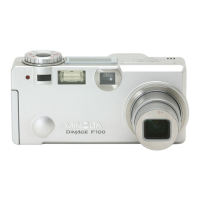
Minolta DiMAGE F100 - User Manual

Minolta DiMAGE F100
128 pages
Print Icon
To Next Page IconTo Next Page
Loading...
INSTRUCTION MANUALE
9222-2777-11 HA-A204

Table of Contents

Questions and Answers

  • K
    Kenneth JohnsonJul 30, 2025
    What to do if Minolta Digital Camera pictures are not sharp?
    • E
      Elizabeth WrightJul 30, 2025
      If your Minolta Digital Camera pictures are not sharp, it could be due to several reasons. The subject might be too close, so ensure it's within the autofocus range or use macro mode. If you're already in macro mode, try canceling that setting. In special situations, the autofocus system might struggle; use the focus-lock function or manual focus. For indoor or low-light shots without flash, use a tripod, increase the camera's sensitivity, or use the flash.
  • J
    Jamie RossAug 3, 2025
    What to do if the flash makes Minolta DiMAGE F100 pictures too dark?
    • B
      baileykennethAug 4, 2025
      If your Minolta Digital Camera pictures are too dark when using the flash, the subject might be beyond the flash range. Try moving closer to the subject or increasing the camera's sensitivity.
  • R
    Robert AndersonAug 8, 2025
    Why Minolta DiMAGE F100 Digital Camera won't turn on?
    • A
      allenamyAug 8, 2025
      Your Minolta Digital Camera might not be working because the battery is dead, AA Ni-MH batteries are inserted incorrectly, or the AC adapter is not connected properly. Try replacing the battery, reinserting the batteries taking care that the negative and positive terminals are orientated as indicated on the inside of the battery chamber, or check that the adapter is connected to the camera and a live electrical outlet.
  • C
    Christopher HoodAug 13, 2025
    What to do if the shutter will not release on Minolta DiMAGE F100 Digital Camera?
    • P
      Peter ParkAug 14, 2025
      If the shutter on your Minolta Digital Camera won't release, it might be because the memory card is full. In this case, insert a new memory card, delete some images, or change the image-quality or image-size setting. Alternatively, there might be no memory card in the camera, so insert one.
  • A
    aaron56Aug 18, 2025
    How to fix black or white live image on Minolta Digital Camera?
    • J
      Joshua WrightAug 19, 2025
      If your Minolta Digital Camera displays shooting data but the live image is entirely black or white, the camera might be set to manual-exposure mode (M). Try changing the shutter speed or aperture value until an image appears on the monitor.
  • D
    daniel78Aug 23, 2025
    Why continuous shooting doesn't work on Minolta DiMAGE F100 Digital Camera?
    • M
      Michelle MooreAug 23, 2025
      If continuous advance and bracketing drive mode does not work on your Minolta Digital Camera, it might be because the image quality is set to super fine. Change the image-quality setting.

Summary

For Proper and Safe Use

Battery Safety and Warnings

Instructions and warnings for proper battery installation and handling.

Getting Up and Running

Battery Setup and Management

Covers CR-V3/AA battery installation, condition indicators, and auto power save.

Auto-Recording Mode Operations

Basic Camera Handling and Setup

Proper grip, zoom usage, focus range, and automatic recording setup.

Core Shooting Features

Camera operation, basic recording, focus signals, display controls, and subject programs.

Flash Modes and Signals

Explanation of flash modes, ranges, signals, and camera shake warnings.

Menu Navigation and Drive Modes

Navigating menus, setting drive modes like continuous, self-timer, and bracketing.

Focus and Exposure Controls

Focus area selection, lock, exposure compensation, and EV/stop concepts.

Multi-Function Recording Mode

MF Mode Display and Navigation

Understanding the MF mode display and navigating its menus.

Exposure Modes Explained

Detailed explanations of Program, Aperture, Shutter, and Manual exposure modes.

White Balance Settings

Using automatic, preset, and custom white balance for accurate colors.

Focus and Metering Modes

Exploring focus modes (AF, MF) and metering techniques (multi-segment, spot).

Movie Recording

Audio Recording

Playback Mode Operations

Single-Image Playback and Histogram

Viewing individual images and their corresponding exposure histograms.

Playback Menu Navigation

Guide to accessing and changing settings in the playback menu.

File Management Operations

Operations for deleting, locking, unlocking, and copying image files.

Setup Mode Operations

Data-Transfer Mode Operations

Connecting and Transferring Data

Steps for connecting to computers, installing drivers, and transferring files.

Disconnecting the Camera Safely

Safe procedures for disconnecting the camera from Windows and Macintosh.

Troubleshooting

Care and Storage

Technical Specifications

Minolta DiMAGE F100 Specifications

General IconGeneral
BrandMinolta
ModelDiMAGE F100
CategoryDigital Camera
LanguageEnglish

Related product manuals