EasyManua.ls Logo

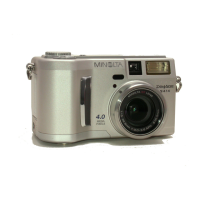
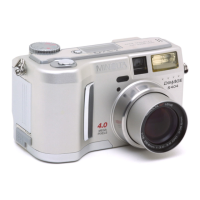
Minolta DiMAGE S304 - User Manual

Minolta DiMAGE S304
118 pages
Print Icon
To Next Page IconTo Next Page
Loading...
INSTRUCTION MANUAL
E
9224-2770-11 H-A107

Table of Contents

Other manuals for Minolta DiMAGE S304

Questions and Answers

  • M
    Martha PerryAug 1, 2025
    What to do if flash makes Minolta Digital Camera pictures too dark?
    • A
      Angel RodriguezAug 1, 2025
      If your Minolta Digital Camera pictures are too dark when using the flash, the subject is probably beyond the flash range. Try moving closer to the subject or increasing the camera's sensitivity.
  • E
    Eric JacksonAug 8, 2025
    Why are my Minolta Digital Camera pictures not sharp?
    • E
      elizabethjohnsonAug 8, 2025
      There are several reasons why your Minolta Digital Camera pictures may not be sharp. The subject might be too close, requiring you to ensure it's within the autofocus range or to use the macro mode. Alternatively, the camera may be in macro mode when it shouldn't be, so try canceling that setting. If the autofocus system is struggling, use the focus-lock function or manual focus. Finally, slow shutter speeds can blur images if you're hand-holding the camera; try using a tripod, increasing the camera's sensitivity, or using the flash.
  • M
    Michelle MccannAug 16, 2025
    Why continuous drive does not work on Minolta Digital Camera?
    • M
      Matthew SmithAug 16, 2025
      If continuous drive is not working on your Minolta Digital Camera, it might be because the image quality is set to super fine. Try changing the image-quality setting.
  • R
    Robert BoydAug 25, 2025
    What to do if Minolta DiMAGE S304 Digital Camera live image is black or white?
    • K
      kmolinaAug 25, 2025
      If your Minolta Digital Camera displays shooting data but the live image is entirely black or white, the shutter speed and aperture combination is likely causing extreme under or over-exposure. Adjust the shutter speed or aperture value until an image appears on the monitor.

Summary

Before You Begin

Proper and Safe Use

Battery Safety Precautions

Guidelines for safe battery handling, including usage, polarity, and storage.

Electrical and Product Safety

Precautions for using the AC adapter and handling the product to prevent electric shock.

General Safety Precautions

Safety advice on product handling, flash usage, environmental conditions, and cleaning.

Names of Parts

Camera Body Overview

Identification of key components on the camera body, including buttons, ports, and indicators.

Viewfinder, Mode Dial, and Data Panel

Details on the camera's viewfinder, mode dial, and the function of the data panel.

LCD Monitor Display

Explanation of the camera's LCD monitor display and its various indicators.

Getting Up and Running

Initial Setup Procedures

Instructions for attaching the neck strap, lens cap, and changing batteries.

Battery Indicators and Power Management

Understanding battery status indicators and the auto power save function.

External Power and Media Handling

Information on using external power supplies and inserting/changing the CompactFlash card.

Auto-Recording Mode

Basic Recording Operations

Fundamental operations, camera handling, and basic recording procedures for auto mode.

Zoom and Focus Controls

Using the zoom lens, digital zoom, focus lock, and understanding focus range and signals.

Drive Modes and Flash Settings

Utilizing drive modes (self-timer, continuous, bracketing) and various flash modes.

Image Settings and Menu Navigation

Navigating the auto-recording menu to adjust image size, quality, voice memo, and date imprint.

Exposure Settings and Compensation

Adjusting exposure, understanding EV, and using exposure compensation for better image quality.

Multi-Function Recording

Advanced Operation and Autofocus

Overview of advanced features, autofocus area selection, and control for greater image flexibility.

Menu Navigation and Settings

Guide to accessing and changing settings within the multi-function recording mode menu.

Exposure Modes and White Balance

Detailed explanation of Program, Aperture Priority, Manual modes, and white balance adjustments.

Focus Modes, ISO, and Metering

Selecting focus modes, adjusting ISO sensitivity, and understanding metering modes for optimal exposure.

Image Control and Special Features

Adjusting image parameters (color, sharpness, contrast) and using features like Bulb Exposures.

Playback Mode

Viewing and Editing Images

Comprehensive guide to viewing, reviewing, and performing basic edits on captured images and movies.

Image Management Functions

Procedures for deleting images, locking them, changing index format, and copying files.

DPOF Printing and Television Output

Creating DPOF print orders, ordering index prints, and viewing images on a television.

Setup Mode

Camera Operation Control

Using the setup mode to configure camera functions, operations, and image folder settings.

Menu Navigation and Basic Settings

Navigating the setup menu to adjust LCD brightness, format cards, and manage power save/beep.

Custom Setup and Defaults

Configuring custom settings for file numbering, folders, date/time, video output, and resetting defaults.

Data Transfer Mode

Connecting and Transferring Data

Requirements and steps for connecting the camera to a computer and transferring image files.

Driver Installation and OS Compatibility

Procedures for installing drivers for Windows and Mac OS, and understanding compatibility.

CompactFlash Card Management

Understanding the CompactFlash card folder structure and disconnecting the camera safely.

Troubleshooting

Common Camera Malfunctions

Troubleshooting steps for issues like camera not working, shutter problems, and display errors.

Image Quality and Drive Mode Issues

Resolving problems with picture sharpness, exposure, dark images, and continuous drive mode.

Care and Storage

Camera Handling and Cleaning

Guidelines for handling, cleaning, and protecting the camera from damage and environmental factors.

Battery, LCD, and Card Maintenance

Recommendations for battery maintenance, LCD care, and proper handling of CompactFlash cards.

Operational Conditions and Service

Information on operating temperatures, humidity, and where to get service for the camera.

Technical Specifications

Special Notice

Battery Performance Notes

Important information and recommendations regarding battery performance and usage with the camera.

Minolta DiMAGE S304 Specifications

General IconGeneral
Image SensorCCD
Optical Sensor Resolution3.34 MP
Effective Pixels3.2 MP
Optical Zoom3x
ISO SensitivityAuto, 100, 200, 400
Shutter Speed4 - 1/1000 sec
Aperture Rangef/2.8
LCD Screen Size1.5 inches
Storage MediaCompactFlash
Battery Type4x AA batteries
Image sensor size1/1.8 inch

Related product manuals