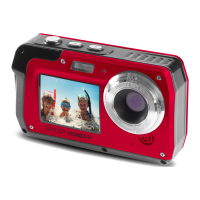
$ERXW<RXU&DPHUD
Precautions When Cleaning
x Do not puncture the microphone or speaker openings with a sharp
implement.
x If the inside of the camera is damaged, the waterproof performance will
deteriorate.
x Do not use soap, natural detergents, or chemicals such as benzene for
cleaning.
Do Not Apply Strong Impact to the Camera
The product may malfunction if subjected to strong shock or vibration. In
addition, do not touch or apply force to the lens.
Avoid Sudden Changes in Temperature
Sudden changes in temperature, such as when entering or leaving a heated
building on a cold day, can cause condensation to form inside the device. To
prevent condensation, place the device in a carrying case or a plastic bag
before exposing it to sudden changes in temperature.
Keep Away from Strong Magnetic Fields
Do not use or store this device in the vicinity of equipment that generates strong
electromagnetic radiation or magnetic fields. Doing so could result in loss of
data or camera malfunction.
Do Not Point the Lens at Strong Light Sources for Extended Periods
Avoid pointing the lens at the sun or other strong light source light sources for
extended periods when using or storing the camera. Intense light may cause
the image sensor to deteriorate or produce a white blur effect in photographs.
Turn the Product Off before Removing or Disconnecting the Power
Source or Memory Card
Do not remove the battery while the product is on, or while images are being
saved or deleted. Forcibly cutting power in these circumstances could result in
loss of data or cause damage to the memory card or internal circuitry.
Notes about the LCD Screen
x The LCD Screens are constructed with extremely high precision; At least
99.99% of pixels are effective, with no more than 0.01% being missing or
defective. Hence, while these displays may contain pixels that are
always lit (white, red, blue or green) or always off (black), this is not a
malfunction and has no effect on images recorded with the device.
x Images viewed on the LCD screen may be difficult to see under certain
lighting.
x Do not apply pressure to the LCD screen, as this could cause damage or
malfunction.



 To Next Page