10
message will display on the screen and it will automatically shut down within a
few seconds to prevent memory corruption or loss.
2.5
Switching Modes
Press the MODE button to view the different mode options. Press the ZOOM,
UP, DOWN, LEFT or RIGHT buttons navigate the mode selection page and
press the OK or POWER buttons to enter that mode. The corresponding
mode will be displayed in the top left corner of the screen.
2.6
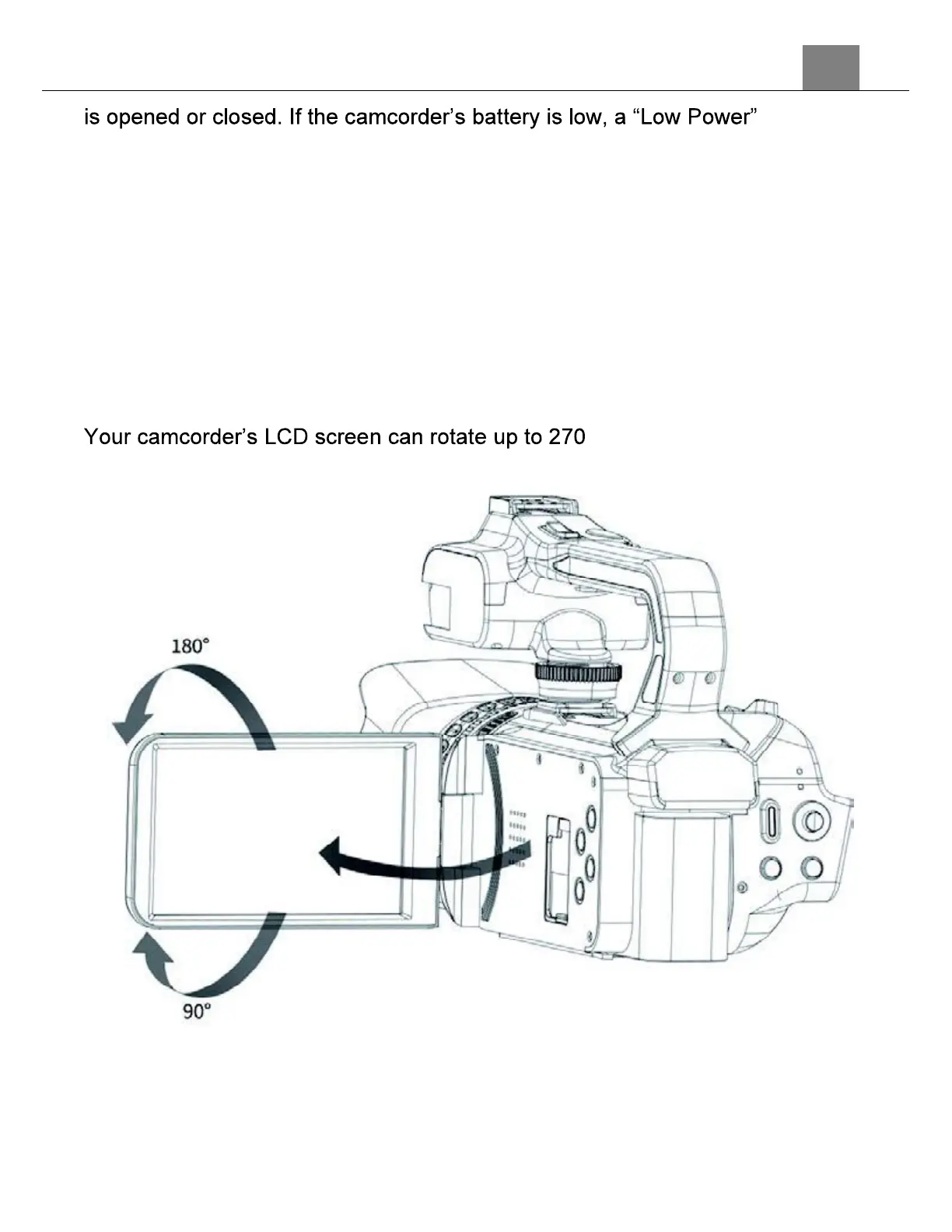
LCD Screen Rotation
° of total rotation. See the
diagram below for the LCD screen rotation angles.
2.7
Connecting to a Computer
Your camcorder can connect to a computer to transfer photo and video files
for viewing and editing, or the camcorder can be used as a web cam. To
connect the camcorder to your computer, open the jack door on the side of



 To Next Page