62
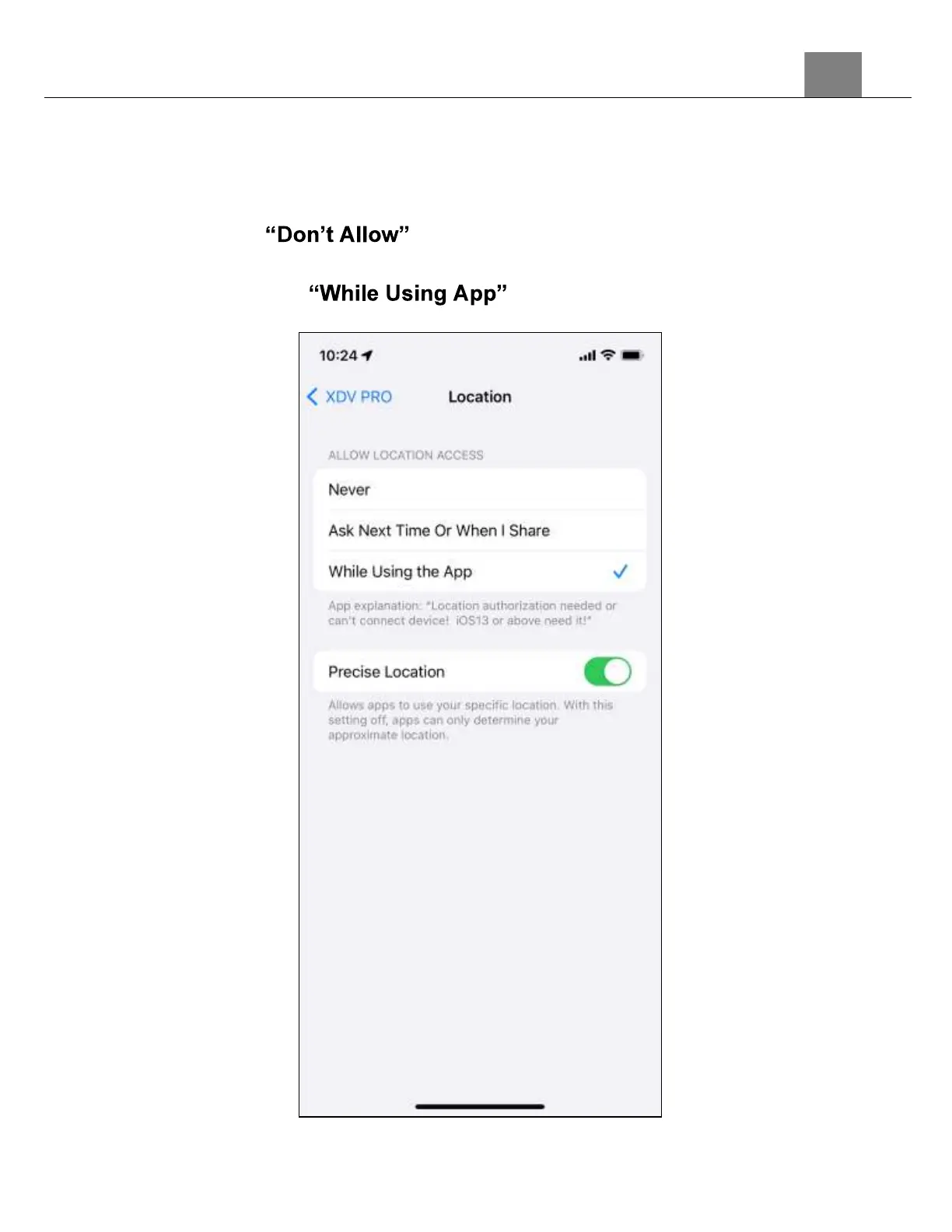
6. As part of the iOS operating system, your smartphone's Location Settings
must be enabled in order to allow proper communication between your
smartphone and your Minolta camcorder. Selecting will prevent your
camcorder from connecting to the XDV PRO app.
7. If you selected , then you can change this setting by going
into your iOS Settings, selecting the XDV PRO app, selecting the Location
settings and select .



 To Next Page