65
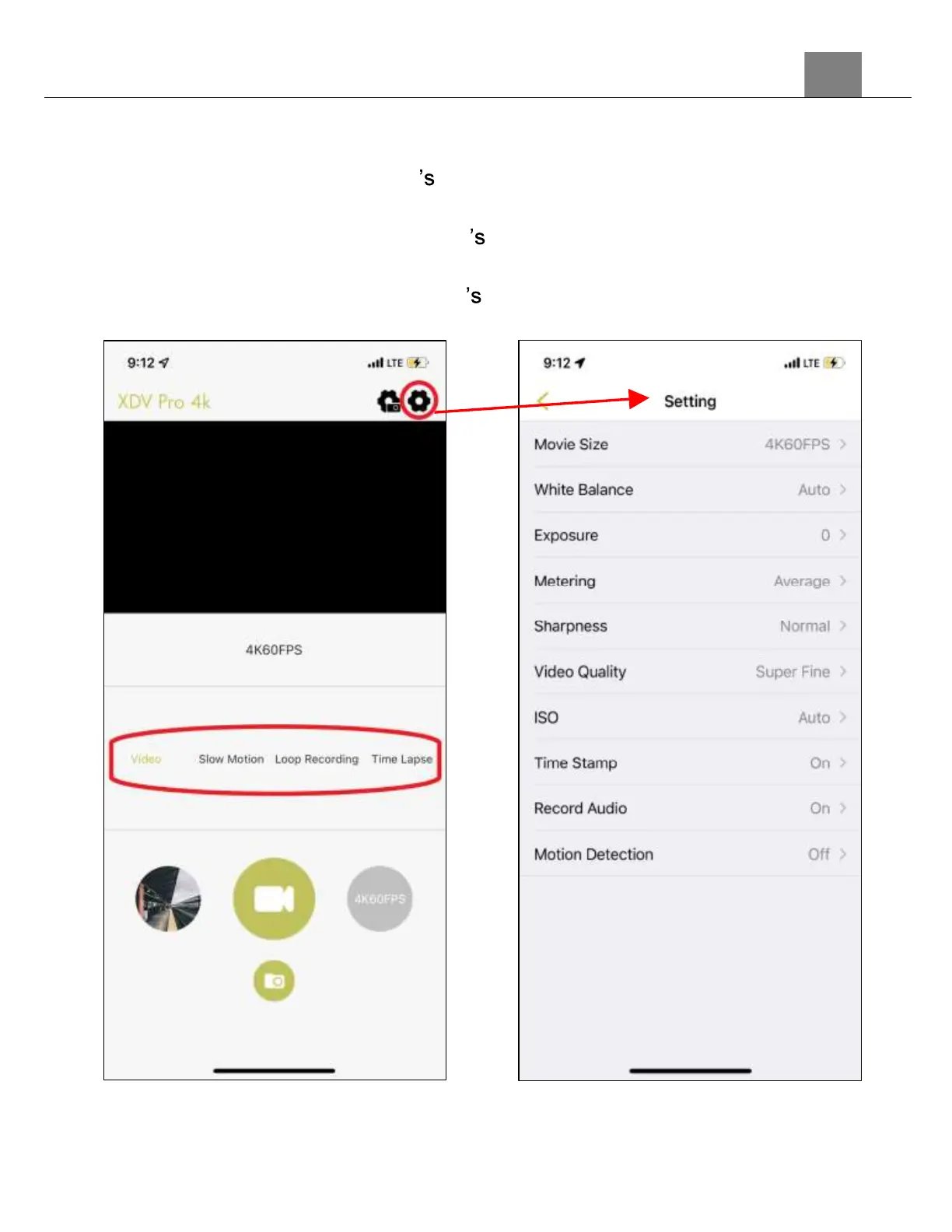
3.11.3 Recording Videos Remotely
1.
To start recording a video, press the record button, the camcorder icon, in
the middle of your smartphone screen.
2.
The video recording mode can be changed by selecting the mode name
from the middle of your smartphone screen.
3.
The video mode settings can be accessed by selecting the gear icon in the
top right corner of your smartphone screen.



 To Next Page