67
3.11.5 Viewing Media on the App
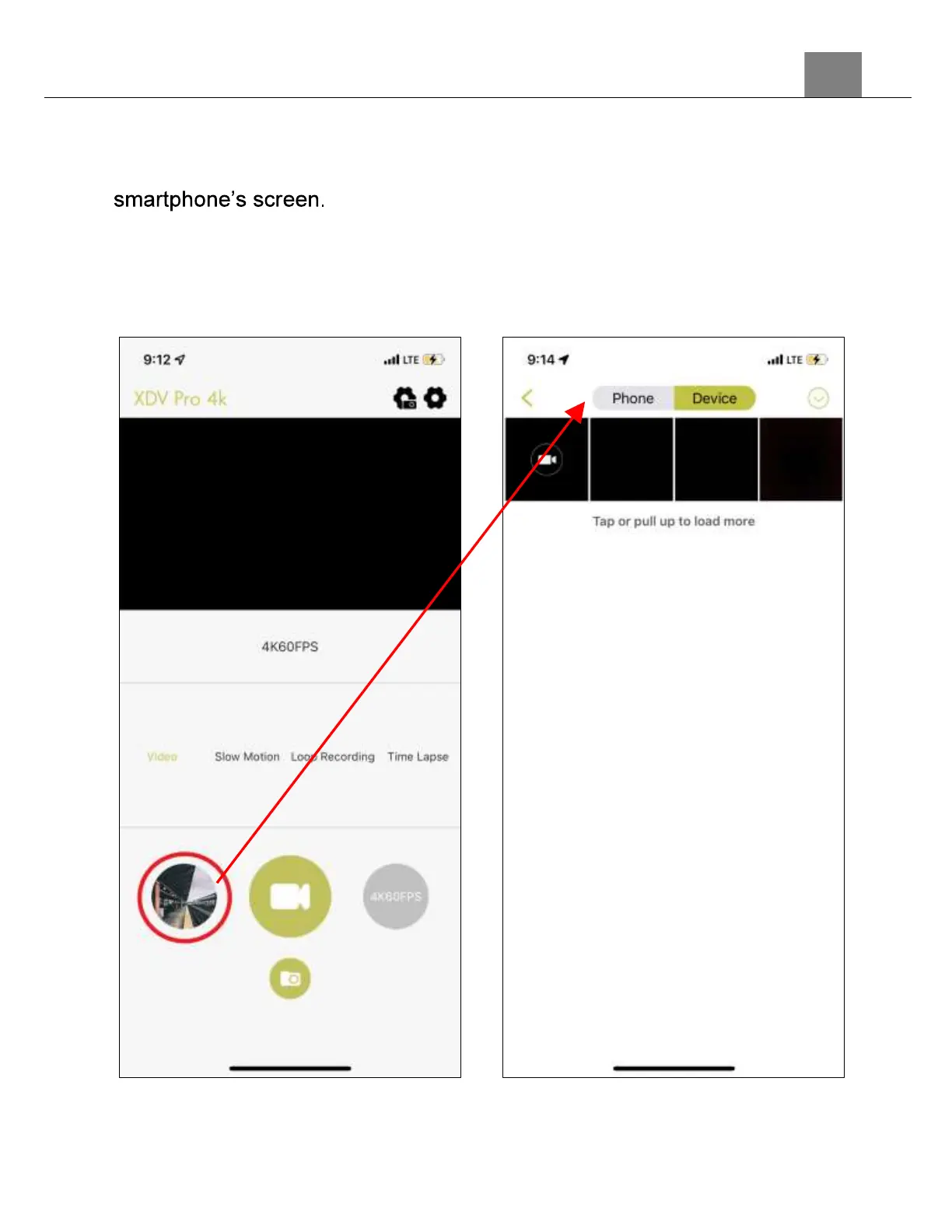
1. To view the recorded images and videos stored on the memory card on
the app, press the photo gallery button in the bottom left of your
2. Tap the photo or video file you wish to view. From this screen media can
be saved to your smartphone and deleted. If a photo or video is deleted
on the app, it will also be removed from the memory card in the camera.



 To Next Page