7
Up
In Video and Photo: Press and hold to activate
the Wi-Fi, press again to turn Wi-Fi off.
In Menu: Press to navigate menus and
submenus.
In Playback: Press to increase playback volume
during video playback.
Down
In Menu: Press to navigate menus and
submenus.
In Playback: Press to decrease playback
volume during video playback.
Display
In Photo and Video: Tap to turn off the icons on
the screen, tap again to turn the display off, tap
a third time to turn on the display with the icons.
LED Light
LED light to aid with vision and recording in
darkness.
Tripod Mount Mount port for attaching to a tripod.
Memory Card
Door to cover storage slot for inserting the
battery and a memory card.
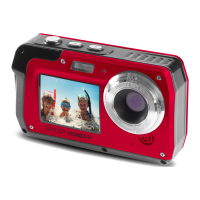
Lens Front capture device for all video and photo.
1. About Your Camcorder



 To Next Page