4
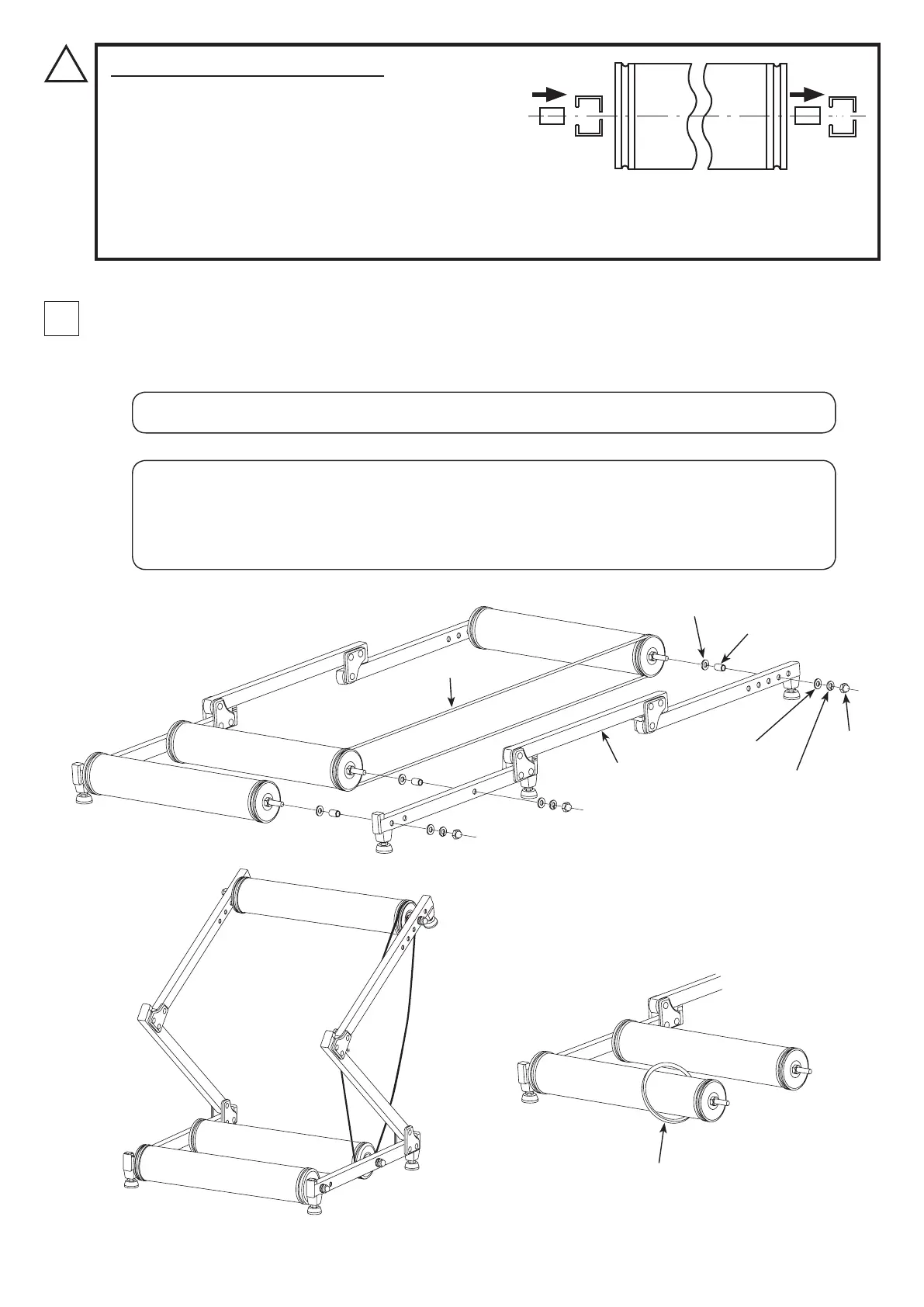
Put the Roller Belt on the Front and Mid Rollers. You don't put the belt on the Rear Roller. (Fig. C)
Put a Flat Washer and Metal Collar in the axle, and insert the right side frame to all axles. After installation, put a Flat
Washer, Spring Washer and Dome Nut, then tighten temporarily.
- 5 -
Metal Collar Insertion Direction
The right and left frames are exactly the same, except the
Lock Release Lever. It means the hole size combination is
same between the right and left frames; The left side hole
is larger, and the right side hole is smaller.
The Metal Collar must be inserted from the larger left side
!
Flat Washer
Metal Collar
Flat Washer
Dome
Nut
Left Frame
Spring Washer
If you will install the optional Mag Unit to increase the resistance power, put the V-belt on the Rear
Roller. The belt comes with the Mag unit. (Fig. E)
If you will not use the Mag Unit, even temporarily, it is strongly recommended you remove this belt
to prevent jamming of the rollers.
During this step, shape the frame into a "Z". This will make the belt installation easier. (Fig. D)
V-belt
Roller Belt
(Refer page-10 for more details about Mag Unit)
[Left]
[Right]
hole on either frame.
If you don't use the collar, the frame will deform due to the torque of the Dome Nut. If this happens,
the frame cannot be repaired.
(Fig. C)
(Fig. D)
(Fig. E)


 To Next Page