SNMP-NV6
Page 8
4. Configuration Methods
The easiest way to configure the SNMP-NV6 card is to run the EzSetting program, which
you can find on the provided CD. Once you have configured the essential network
parameters successfully, you can launch a Web Browser or telnet to the SNMP-NV6 card to
execute more detailed configuration.
4.1 Configure the SNMP-NV6 card by EzSetting
1. Prepare a workstation (Microsoft Windows 2000, 2003, 2008, XP, Vista, Win7 or
later).
2. Make sure both of the dipswitches of the SNMP-NV6 card are set to the OFF
position (normal mode) to enable the network transmission.
3. Make sure the workstation and the SNMP-NV6 card are in the same LAN.
4. Connect the Network cable to the Network Port on the SNMP-NV6 card.
5. Put the CD in and open the EzSetting program.
Note: The Windows Firewall may need to be turned off while using the EzSetting
program.
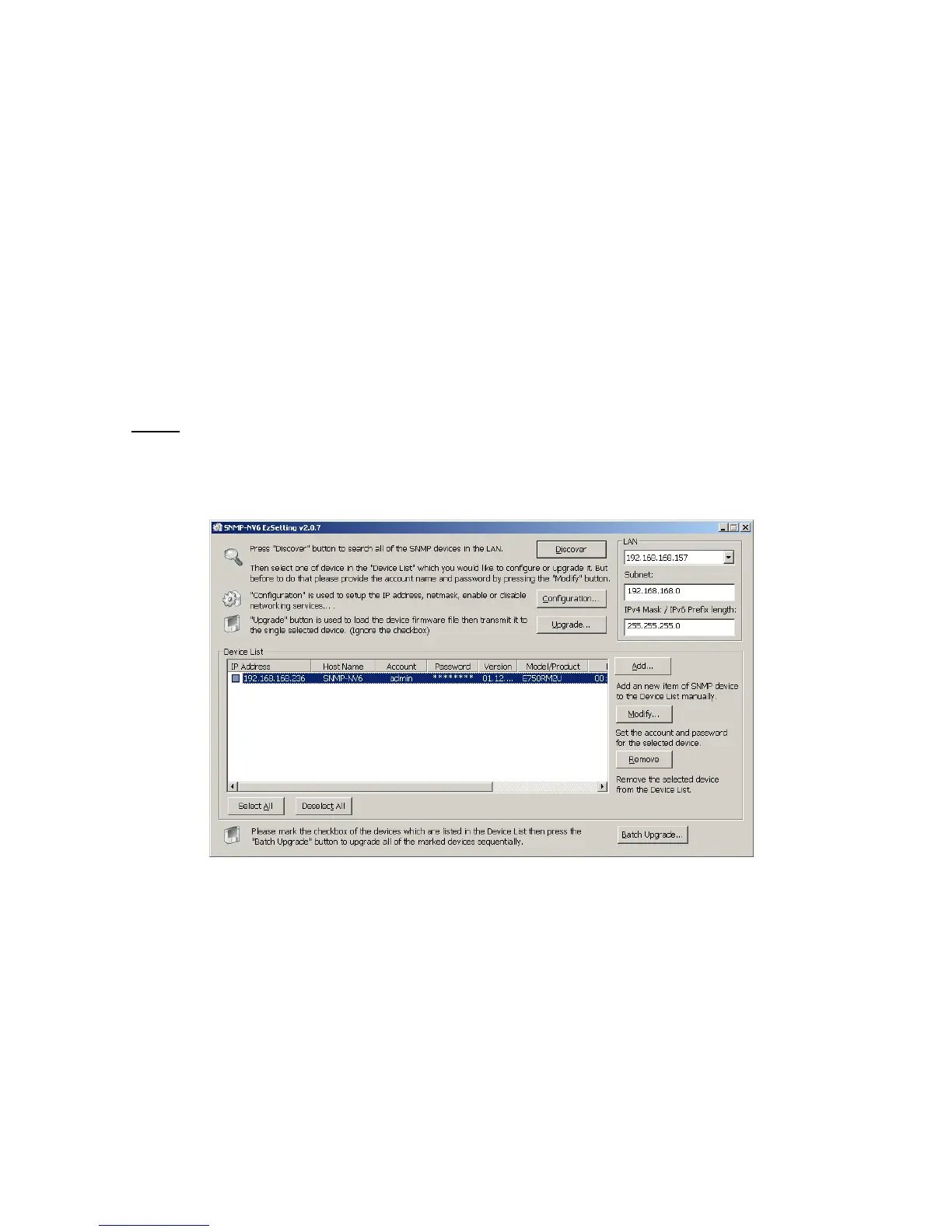
6. Press the Discover button to search for all of the SNMP-NV6 cards in the LAN. All
of the SNMP-NV6 cards will be listed in the Device List as shown below.
7. If you want to search all of the SNMP-NV6 cards in a different domain network, just
change the Subnet and Subnet Mask and then press the Discover button to list
them.
8. If the SNMP-NV6 card cannot be found, check the networking port UDP 3456 in the
OS. Open it if it is blocked.


 To Next Page