Need help?
Do you have a question about the Mio Cyclo Discover and is the answer not in the manual?
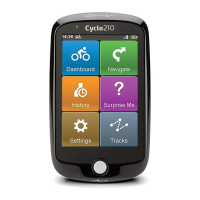
Detailed description of the Mio Cyclo device's physical components and indicators.
List of accessories included with the Mio Cyclo device and optional accessories.
Instructions for charging the device's internal battery for optimal performance and longevity.
Step-by-step guide for the first-time power-on and initial device configuration.
How to connect the Mio Cyclo device to a computer for data transfer and charging.
Steps to register your device with MioShare for data synchronization and management.
Guidance on using the bike mount kit and attaching the device to handlebars or stem.
How to turn the device on/off, manage the backlight, and handle unresponsive states.
Techniques for interacting with the device using the touch screen, including tap and drag.
How to unlock the device screen after it has automatically locked due to inactivity.
Using the POWER button to move between different menu screens and return to previous ones.
Explanation of the various icons displayed in the device's title bar for status information.
Using MioShare to create, search, and store cycling data online.
Software for synchronizing device data with MioShare and managing device updates.
Steps to select and begin navigating a chosen route from the downloaded tours list.
Enabling notifications for Points of Interest along your route to enhance the cycling experience.
Customizing the display of Point of Interest notifications during navigation.
Accessing and customizing various dashboard screens to display cycling data.
Step-by-step guidance on using the wizard to find destinations and plan routes.
Setting up and navigating to your home location using the device's built-in feature.
How to search for destinations by entering country, city, street, or house number.
Methods for finding Points of Interest by keyword, category, or specific types like bike stores.
Information on accessing and using pre-recorded routes for cycling tours.
Setting a destination directly by selecting a point on the device's map.
Entering latitude and longitude coordinates to set a specific destination.
Exploring alternative navigation features like 'Back to start' and stopping navigation.
How to properly stop the current navigation session on the device.
Generating cycling routes that start and end at your current location.
Planning routes from your current location to a specified address, POI, or map point.
Analyzing statistics from recorded trips, such as distance, speed, and altitude.
Creating and managing up to six user profiles with different personal data and preferences.
Setting routing preferences like avoiding certain road types or preferring specific routes.
Modifying the layout and data fields shown on the device's dashboard screens.
Adjusting screen brightness and backlight timers for optimal visibility and battery saving.
Configuring sound feedback for taps, instructions, and POI notifications.
Setting the device's date and time format based on GPS location or preferences.
Selecting preferred measurement units, such as Metric or Imperial.
Enabling different language keyboards for text input.
Choosing the preferred display language for the device interface and menus.
Viewing general device information, software versions, license agreement, and copyright.
Accessing the technical support website for help and assistance with Mio products.
Guidelines for maintaining the device to ensure trouble-free operation and prevent damage.
Performing a hardware reset to resolve device unresponsiveness or freezing issues.
Solutions for common problems encountered with the Mio Cyclo device, such as power or screen issues.
Safety guidelines and requirements for charging the device's power unit and battery.
Cautions and instructions related to the device's internal non-replaceable Lithium Ion battery.
 General
| Outdoor (hiking, trekking) | Yes |
|---|---|
| Marine (chartplotters, sounders) | - |
| Map coverage | All Europe |
| Lifetime map updates | Roads change, but with Lifetime Map Updates your map will always be up to date. Start fresh every few months by downloading a new edition of the industry's most accurate map. New editions are issued four times per year. |
| Display diagonal | 3.5 \ |
| Display resolution | 320 x 480 pixels |
| Internal storage capacity | 8 GB |
| Form factor | Handheld |
| Product color | Gray |
| Power source type | Battery |
| Battery life (max) | 10 h |
| Cables included | USB |
 Weight and Dimensions
| Depth | 18.6 mm |
|---|---|
| Width | 68 mm |
| Height | 114 mm |
| Weight | 151 g |

 To Next Page