5
Knowing your device
Main unit
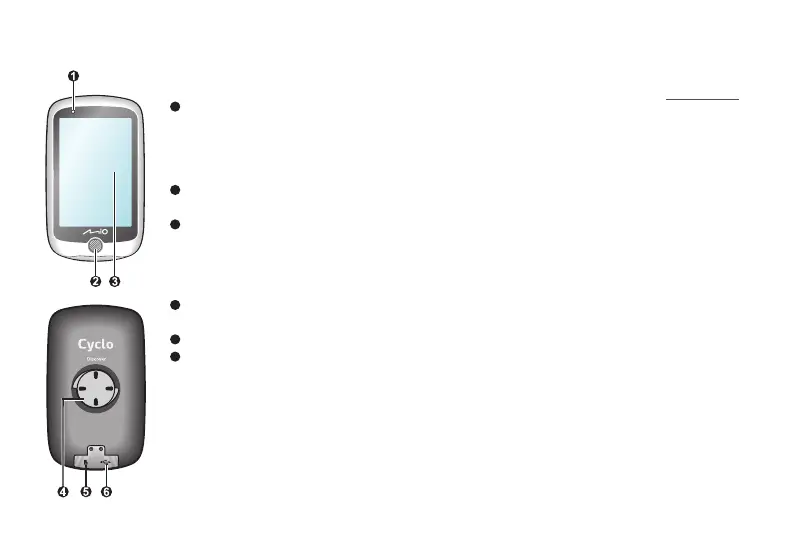
1
Status indicator
• Glows in amber: battery charging.
• Glows in green: battery full.
• Flashes in green: when the
backlight is turned off.
2
POWER button
Turns your device on and off.
3
Touch screen
• Displays the output of your device.
• Tap the screen with your finger to
select menu commands or enter
information.
4
Bike mount socket
For the device mount.
5
Memory card slot
6
Micro-USB connector
Connects the USB cable.
The memory card slot is reserved for
debugging purposes only.
Accessories
Your device comes with the following accessories. To use your
device on a bike, ensure you use the specific bike mount kit that
came with your device. Mio may provide optional accessories
for specific models. Please visit Mio website (www.mio.com) for
information.
• USB cable
• Bike mount kit


 To Next Page