18
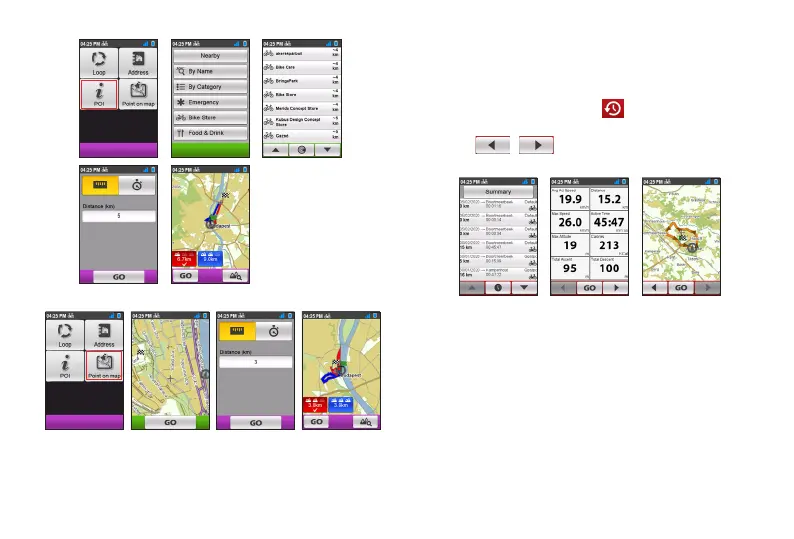
POI
Point on map
Viewing the History
Your device will automatically save the history as the timer starts.
Information in History includes date, time, distance, average
speed, altitude, and more.
1. To view the history data, tap from the Main menu screen
and then select an entry from the list.
2. Tap / to view details of the trip.
3. Tap GO to start navigating.
Viewing the summary of recorded data
On the History screen, tap the Summary button to view statistics
about the recorded data over a defined period of time based on
the user profile.
• Change the filter option by tapping All Recordings or
Odometer.
When the Odometer is selected, it displays all the trip data existing
on the device even if the recording is not used.
• Tap the following button to decide what data to summarise:
Totals, Year, Month, Week or Day.


 To Next Page